


13 Gorgias Alternatives for E-Commerce Brands That Want Sales, Not Just Support
Quick Summary
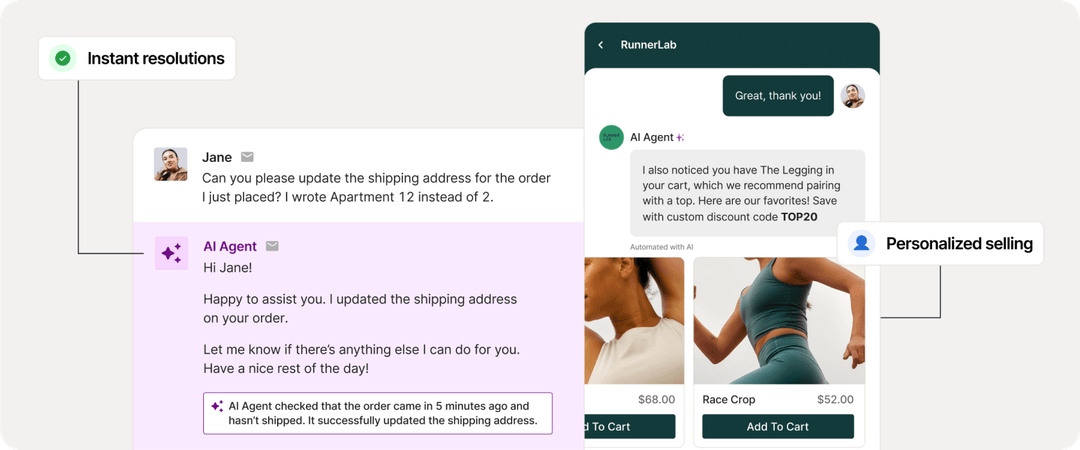
Gorgias works for basic support, but scaling brands often need more. We review 13 platforms for e-commerce teams, including Rep AI, Hiver, and Zendesk, comparing features, pricing, and best-fit scenarios. Whether you need stronger sales capabilities, better analytics, or deeper integrations, this guide helps you choose.
Looking for Gorgias Alternatives?
Customer service platforms are often the first real touchpoint customers have with your brand, and first impressions stick. A slow response or disconnected experience puts your business in a bad light from the start.
That's why platforms like Gorgias became the go-to for Shopify merchants. But no single tool fits every team. As businesses scale, some find Gorgias can't keep up—whether it's underwhelming analytics, weak collaboration features, or AI that deflects tickets instead of driving sales.
This guide reviews 13 Gorgias alternatives so you can find a platform that aligns with your customer experience goals.
Why Listen to Us?
At Rep AI, we work with high-growth Shopify Plus brands every day, helping them turn customer interactions into measurable revenue. As the first Agentic Commerce Operating System built for sales and support, we've seen where helpdesks like Gorgias shine and where they fall short. This guide draws on that experience.

What is Gorgias?
Gorgias is a helpdesk platform built specifically for e-commerce, with particularly deep integration into Shopify. It pulls customer conversations from email, live chat, social media, SMS, and WhatsApp into a single dashboard where support agents can view order history, process refunds, edit shipping details, and respond to tickets without switching tabs.
Over time, Gorgias has expanded to support 100+ integrations and added AI capabilities that can automate routine inquiries like "Where is my order?" and handle basic support tasks—though most conversations still route to human agents after two or three questions.
Why You Should Look for a Gorgias Alternative
Gorgias has been a solid helpdesk choice for many e-commerce teams. But as brands scale, limitations become harder to ignore. Here's what pushes teams to consider alternatives:
1. Support First, Sales Second
Gorgias was built as a helpdesk, which means sales features came later. The result is a platform that excels at ticket deflection but struggles to drive revenue. Most conversations route to human agents after two or three questions, which defeats the purpose of automation. The AI can answer FAQs and handle order tracking, but it lacks proactive engagement, behavioral triggers, or the ability to recommend products in a way that actually converts.
If your goal is to reduce support costs, Gorgias works. If your goal is to turn conversations into sales, you'll hit a ceiling quickly.
2. Ticket-Based Pricing Gets Expensive
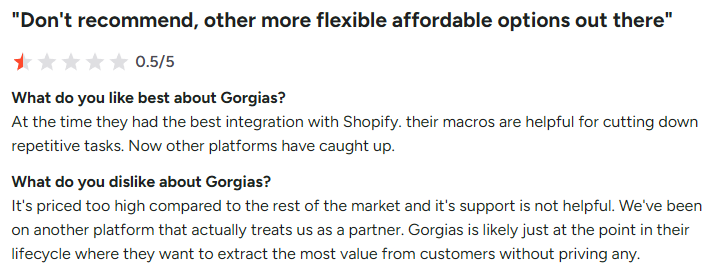
Gorgias charges based on ticket volume, not users. That sounds flexible until your business grows. One G2 reviewer put it bluntly, "It's a bit too expensive. I would like it to be more affordable or offer AI services at the integrated cost."
For brands with seasonal spikes or growing customer bases, this pricing model creates unpredictable costs that are difficult to budget around.
3. Collaboration Features Lag Behind
Gorgias lacks shared draft functionality, in-app approval workflows, and robust commenting. Teams coordinating responses or onboarding new agents often find themselves working around these limitations rather than with them.
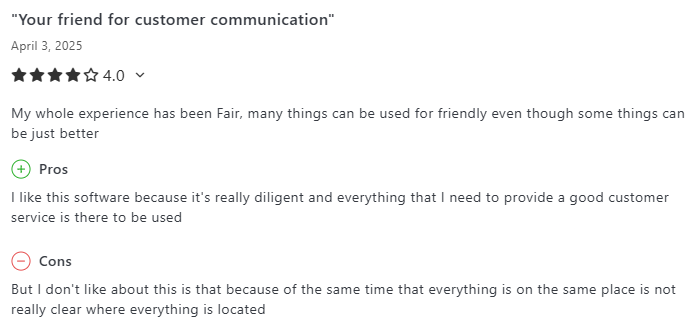
Users also report missing notifications for new tickets, which leads to missed communications. One G2 reviewer said, "It was hard to get notifications; I only saw things when I went looking for them."
4. Cluttered and Unintuitive Interface
As Gorgias has added features over time, the interface has grown more complicated. Users report that recent updates have made navigation harder rather than easier. One Capterra reviewer noted, "The last few updates came with some UI changes that felt cluttered and unnecessary."
For teams that need to onboard agents quickly or operate without dedicated support managers, this complexity adds friction where there shouldn't be any.
The Top 13 Gorgias Alternatives
With so many support and sales platforms available today, brands no longer have to settle for options that don't meet their requirements. The following 13 alternatives to Gorgias cover a wide range of needs, whether you're focused on deeper analytics, richer automation, or a more conversational customer experience.
Here's a comparison table summarizing each platform:
1. Rep AI
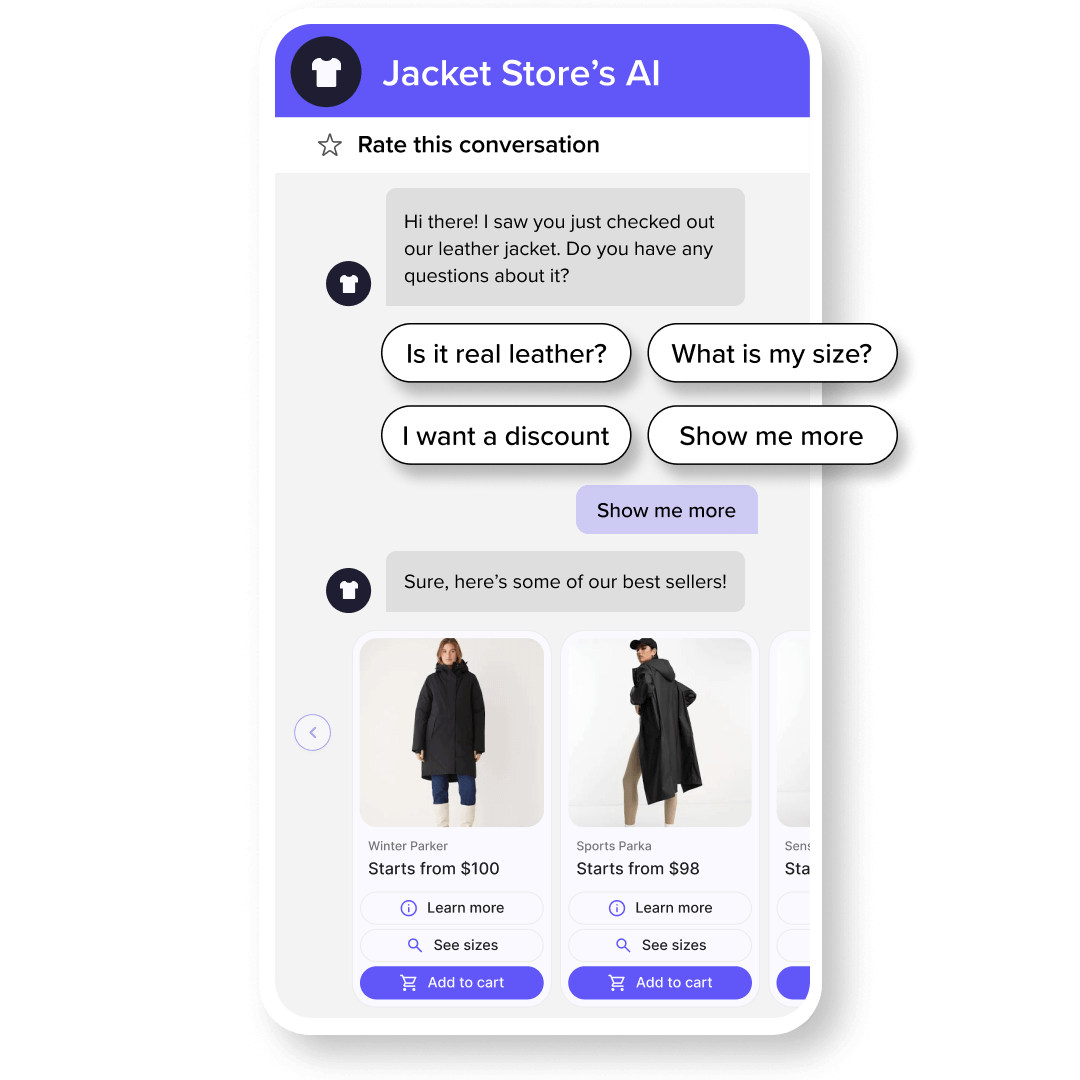
Rep AI is an AI‑powered sales and support concierge built for Shopify stores (and other digital storefronts in Q2). Rather than functioning as a passive helpdesk, Rep engages visitors in real time with natural, conversational AI that answers questions, recommends products, and guides shoppers through discovery and checkout—all aimed at increasing conversions and average order value.
Beyond customer engagement, Rep AI offers automated support for common post‑purchase tasks like order tracking, returns, and cancellations, allowing your team to focus on higher‑value work. Its Shopper Intelligence analytics reveals why visitors drop off and highlights opportunities to optimize UX, product placement, and messaging, giving e‑commerce teams actionable insights into both sales and support performance.
Feature Highlights
- Behavioral AI Sales Agent: Engages shoppers showing exit intent with personalized, conversational product guidance—proactively reaching visitors about to leave rather than interrupting high-intent buyers.
- One-Click Add to Cart & Visual Product Filtering: Shoppers browse product carousels and add items directly in chat without being redirected to separate browser tabs, reducing friction and boosting conversion.
- Automated Support Resolution: Handles orders, returns, cancellations, WISMO inquiries, and FAQs autonomously, deflecting 50–70% of support tickets within 30 days.
- Shopper Intelligence & Drop-Off Analytics: Surfaces actionable insights on visitor behavior, unanswered questions, and missing website information so teams can optimize UX and product placement.
- Seamless Integrations: Connects with Shopify, Klaviyo, Gorgias, Zendesk, and marketing platforms—syncing catalog data in real time and transmitting custom tags for segmentation.
Pricing
Plans scale with monthly sessions; includes a 30-day free trial.
- Pay As You Grow: $12/1,000 visitors
- Basic (25K sessions): $159–$191/month
- Standard (50K sessions): $280–$336/month
- Pro Plus (180K sessions): $792–$952/month
- Enterprise (500K+): Custom pricing
Pros
- Sales-first AI that actively drives conversion and AOV, not just ticket deflection
- Easy 6-click setup with automatic brand voice and tone calibration
- Real-time catalog sync and AI corrections keep product recommendations accurate without manual updates.
- Dedicated CSM support and detailed analytics for data-driven optimization
Cons
- Currently Shopify-only (Salesforce Commerce Cloud expansion planned for Q2), which may not suit brands on other e-commerce platforms
2. Hiver
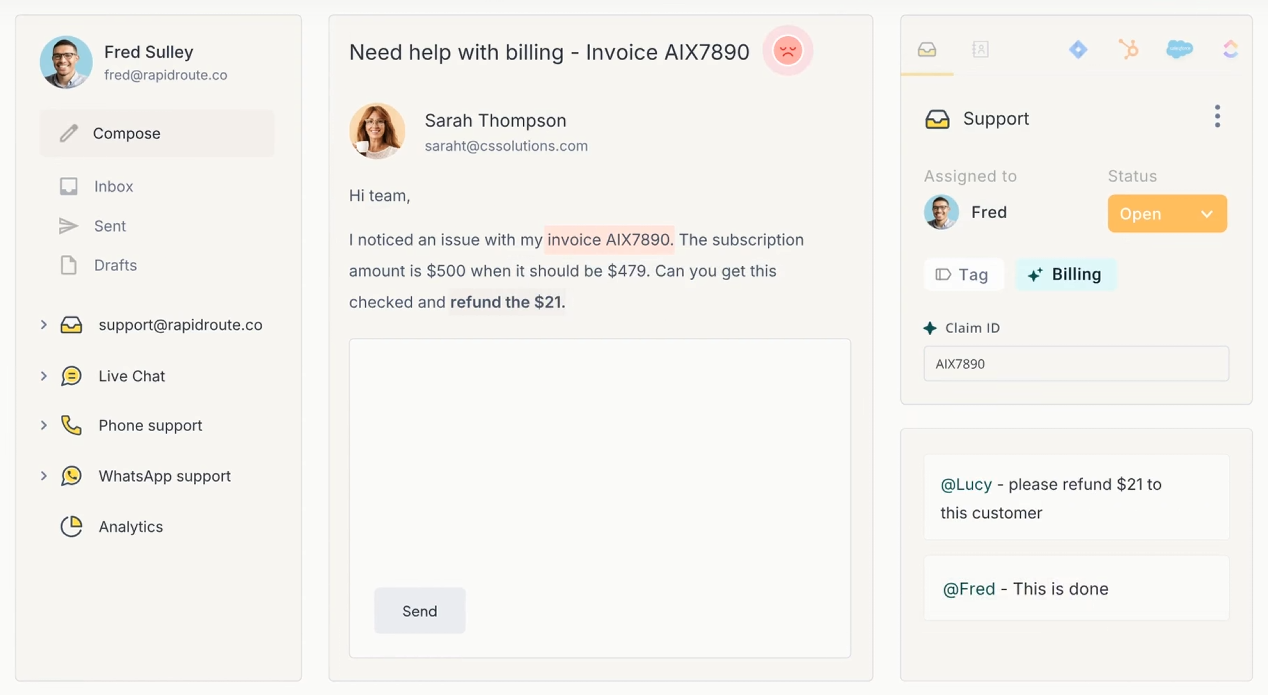
Hiver transforms Gmail into a full-fledged helpdesk, making it ideal for teams that already live in Google Workspace and don't want to adopt an entirely new platform. Instead of forwarding emails or losing track of who's handling what, Hiver adds shared inboxes, assignment workflows, and collision detection directly inside Gmail's familiar interface.
Feature Highlights
- Gmail-Native Shared Inboxes: Manage customer conversations with shared mailboxes, assignments, and internal notes without leaving Gmail—no separate platform to learn.
- Multichannel Support: Engage customers across email, live chat, WhatsApp, and phone from a unified interface built into your existing workflow.
- Email Automation and Rules: Automate repetitive tasks like ticket assignment, tagging, and follow-ups based on custom triggers and conditions.
Pricing
- Free plan available.
- Growth: $35/user/month
- Pro: $85/user/month
- Elite: $125/user/month
Pros
- Zero learning curve for teams already using Gmail and Google Workspace
- Task assignment and collision detection keep agents from duplicating work
- Affordable entry point with a functional free plan
Cons
- Limited functionality outside the Google ecosystem; not ideal for teams other email clients
- The interface supports only English, which may be a barrier for global teams
3. Zendesk
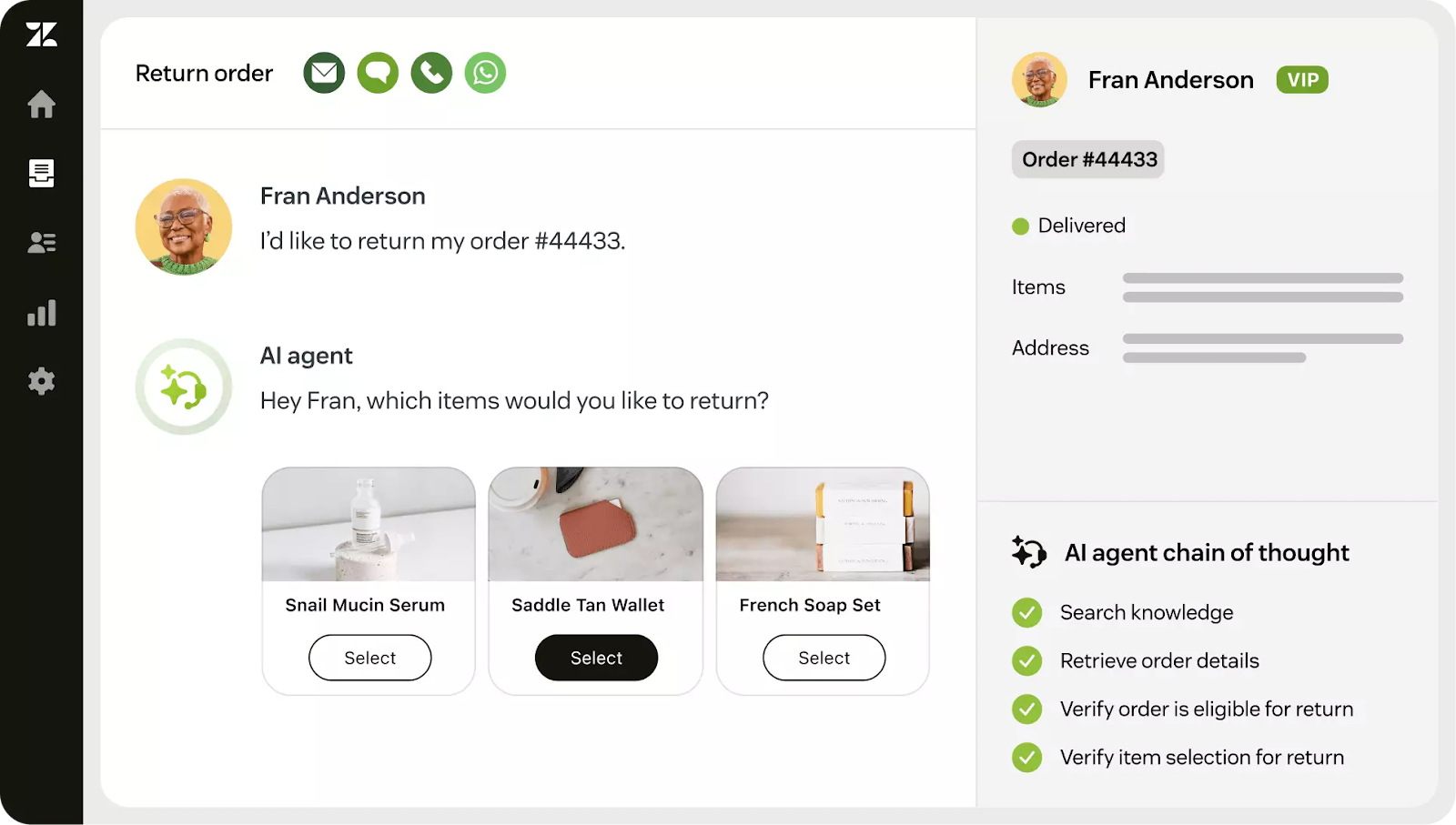
Zendesk is one of the most established names in customer service, trusted by enterprises for its powerful automation, granular SLA management, and highly customizable workflows. Built to support large teams with complex routing requirements, Zendesk lets you define escalation paths, automate ticket prioritization, and tailor processes across departments.
Feature Highlights
- Omnichannel Ticketing with SLA Management: Route tickets from email, chat, phone, and social into a unified queue with configurable SLAs, escalation rules, and priority automation.
- Help Center & Knowledge Base: Build a searchable self-service portal that deflects common inquiries and serves as a reference for both customers and agents.
- AI Agents: Deploy AI-powered bots that resolve routine issues across channels, reducing ticket volume while maintaining consistent response quality.
Pricing
- Support Team: $25/user/month
- Suite Team: $69/user/month
- Suite Professional: $149/user/month
- Support Team: $219/user/month
Pros
- Scales effectively for high-volume, multi-department support operations
- Deep customization options for workflows, routing, and reporting
- Massive integration ecosystem supports nearly any existing tech stack
Cons
- Configuration complexity requires dedicated admin time; it's not plug-and-play
- Pricing escalates quickly as you add agents and advanced features
4. HappyFox
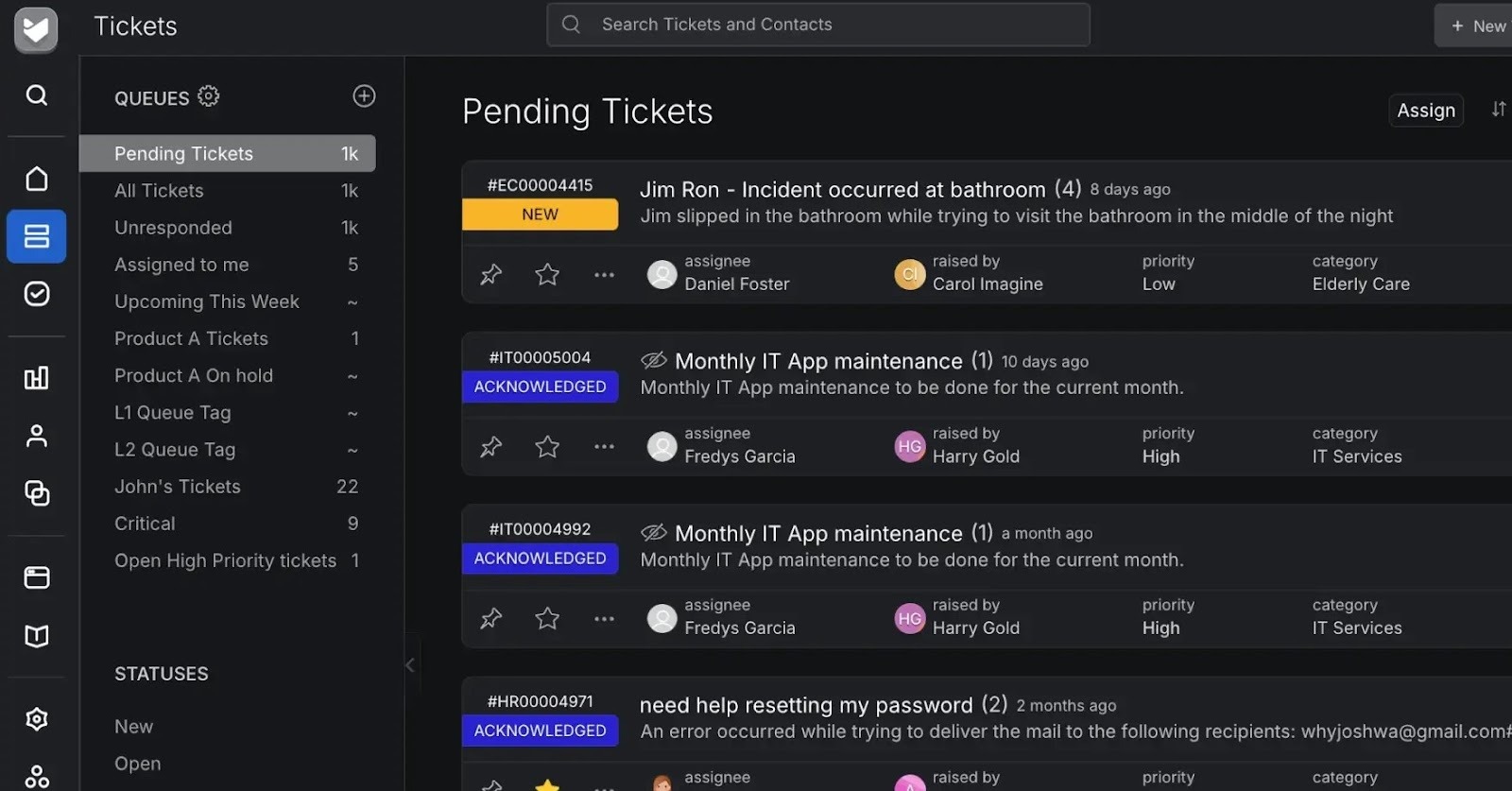
HappyFox stands out with its intuitive Kanban-style ticket view, making it easy for support teams to visualize workload and track progress at a glance. Designed for organizations managing tickets across multiple departments (support, IT, HR, accounts) HappyFox offers customizable workflows that adapt to each team's process. Its built-in asset tracking is particularly useful for IT teams managing hardware requests alongside customer inquiries.
Feature Highlights
- Kanban Ticket Views: Visualize ticket status and workload with drag-and-drop boards that make prioritization intuitive for agents and managers.
- Multi-Department Workflows: Configure separate ticket queues, SLAs, and automation rules for different teams within a single platform.
- HappyFox AI: An AI assistant that handles up to 60% of routine resolutions and provides conversation summaries for faster agent handoffs.
Pricing
- Basic: $29/user/month
- Team: $69/user/month
- Pro: $119/user/month
- Enterprise plan available.
Pros
- Kanban views make ticket management visual and accessible for teams of all sizes
- Smart automation rules reduce manual triage and routing
- Quick implementation compared to enterprise-grade alternatives
Cons
- Advanced reporting and AI features require higher-tier plans or separate subscriptions
- Reporting dashboards have a learning curve—labels and metrics aren't always intuitive
5. Front
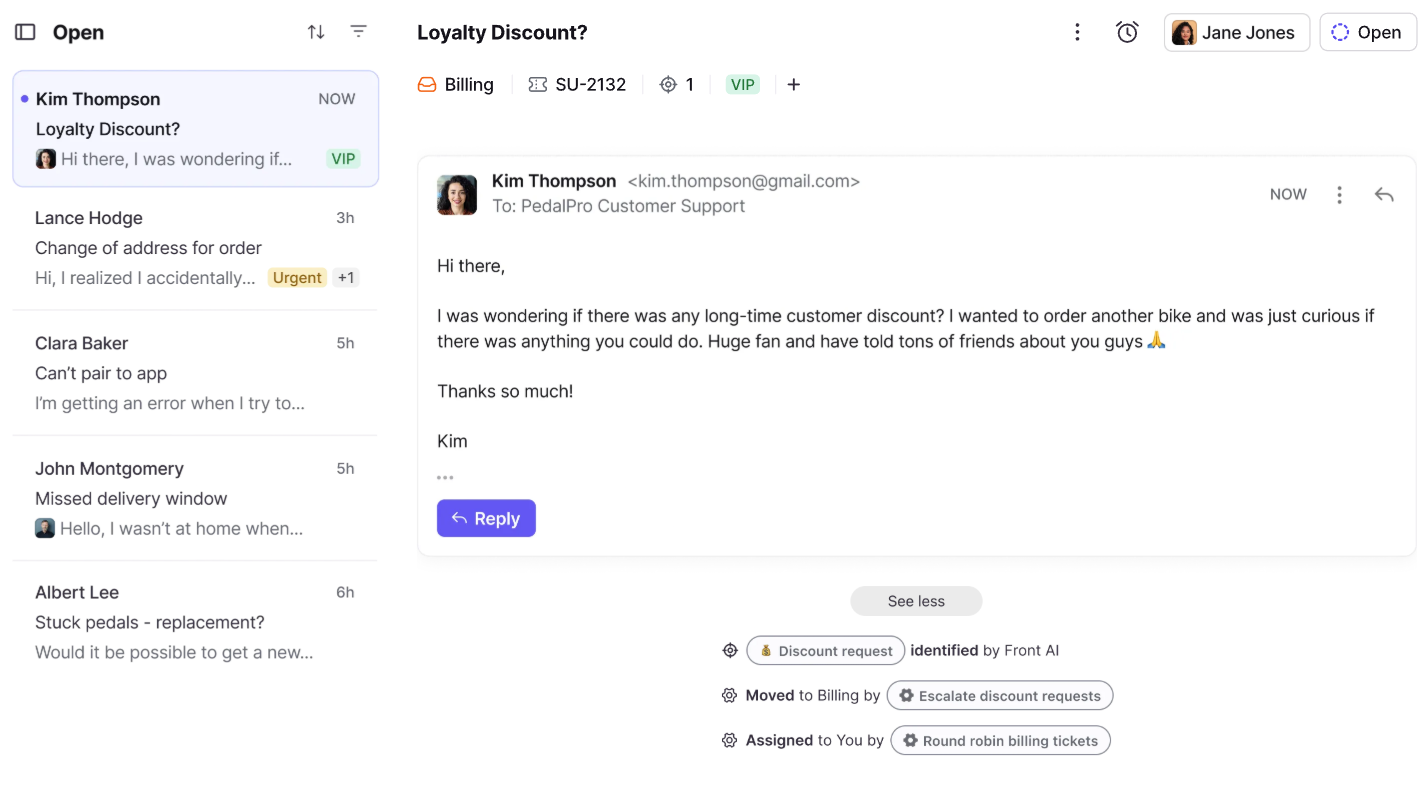
Front is built for teams that need to collaborate on customer communication without stepping on each other's toes. Its shared inbox model combines email, SMS, social, and live chat into a single view where agents can draft responses together, leave internal comments, and see in real time when a colleague is already replying.
Feature Highlights
- Collaborative Shared Inbox: Work on messages together with shared drafts, internal comments, and collision detection that prevents duplicate replies.
- Omnichannel Messaging: Manage email, SMS, social media, and live chat from one unified inbox without switching platforms.
- Automated Routing & Tagging: Set rules to automatically assign conversations, apply tags, and escalate based on keywords, sender, or channel.
Pricing
- Starter: $35/user/month
- Professional: $85/user/month
- Enterprise plan available.
Pros
- Collision detection and shared drafts eliminate duplicate responses and miscommunication
- Intuitive interface keeps teams organized without heavy onboarding
- Strong integrations with CRMs and project management platforms
Cons
- Per-user pricing becomes expensive as teams scale, especially with add-on features
- Analytics and reporting are limited compared to dedicated helpdesk platforms
6. Kustomer
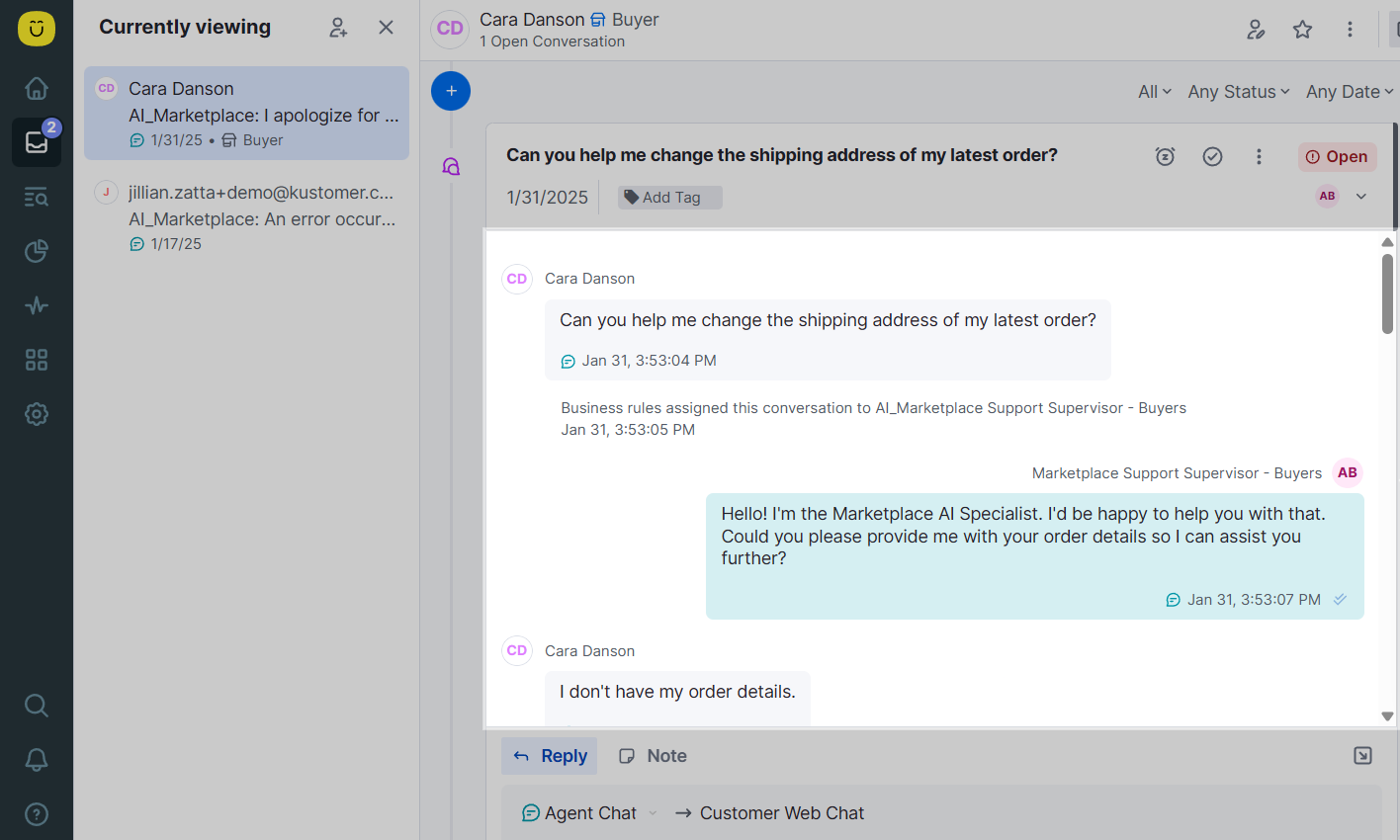
Kustomer takes a CRM-first approach to customer support, organizing every interaction around a unified customer timeline rather than isolated tickets. This means agents see the full picture, including purchase history, previous conversations, and browsing behavior, before they even respond. Its data-driven routing ensures high-value customers or complex issues reach the right agents automatically.
Feature Highlights
- Unified Customer Timeline: View every interaction, order, and touchpoint in a single chronological feed. No tab-switching or context hunting required.
- Data-Driven Ticket Routing: Automatically prioritize and assign conversations based on customer value, issue type, sentiment, or custom attributes.
- AI Assistants: Leverage AI to handle routine inquiries, suggest responses, and surface relevant knowledge base articles for agents.
Pricing
- Enterprise: $89/user/month
- Ultimate: $139/user/month
Pros
- Customer timeline view gives agents full context for personalized responses
- Flexible routing logic adapts to complex support structures and VIP workflows
- Strong automation capabilities reduce manual triage
Cons
- High starting price makes it less accessible for smaller teams or early-stage brands
- Initial setup and data migration can be time-intensive depending on your existing stack
7. FreshDesk
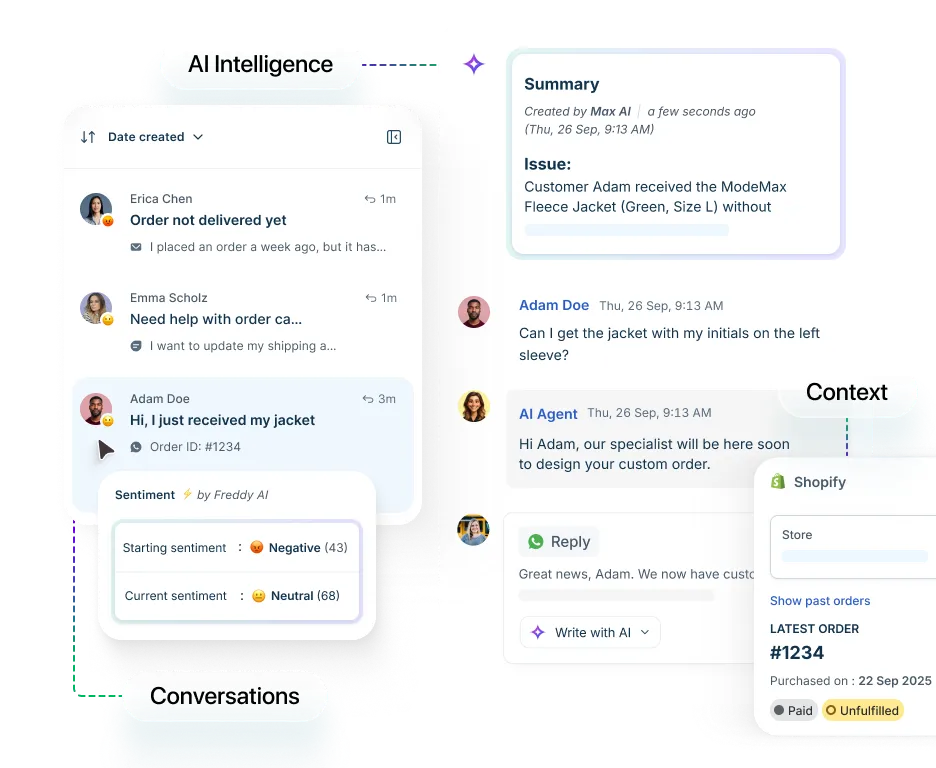
FreshDesk focuses on making support agents more productive with its AI Copilot, which delivers real-time conversation summaries, suggested replies, and live language translation. For teams handling high ticket volumes across multiple languages or time zones, these AI-assisted features reduce response time and cognitive load.
Feature Highlights
- AI Copilot: Get real-time response suggestions, conversation summaries, and automatic translations to help agents resolve tickets faster and more accurately.
- Advanced Ticketing: Update priority, status, and assignments with bulk actions and automation rules that keep queues moving efficiently.
- Multichannel Support: Manage email, chat, phone, and social conversations from a unified agent workspace.
Pricing
- Growth: $23/user/month
- Pro: $66/user/month
- Enterprise: $107/user/month
Pros
- AI Copilot meaningfully reduces time-to-resolution with smart suggestions and summaries
- Accessible pricing for growing teams with room to scale
- Clean interface with reasonable onboarding time
Cons
- Performance can lag when handling large ticket volumes or running multiple automations simultaneously
- Some advanced features require higher-tier plans, limiting flexibility on lower tiers
8. Zoho Desk
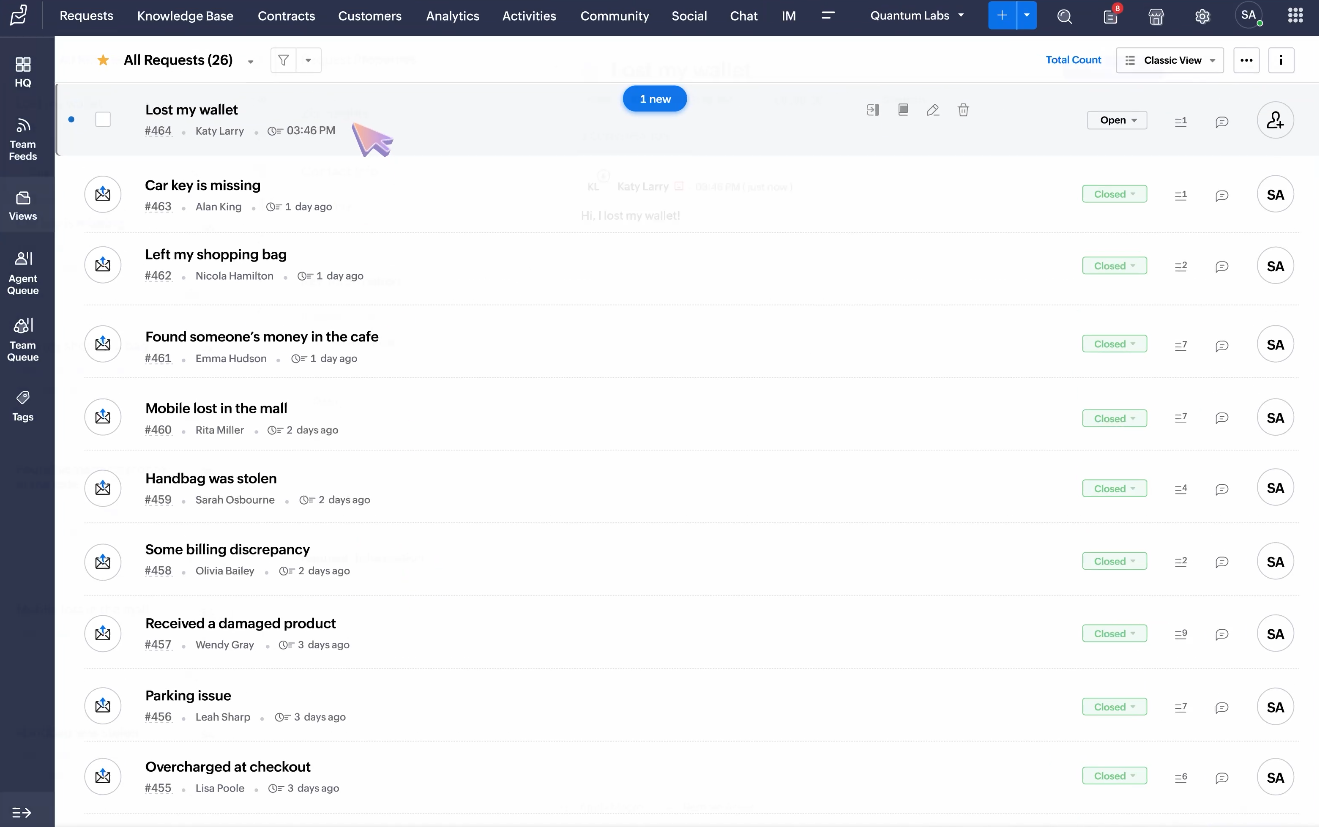
Zoho Desk is built around self-service, giving customers multiple ways to find answers before they ever reach an agent. Its guided conversations and searchable knowledge base empower users to resolve common issues independently, which reduces ticket volume and frees up support teams for complex inquiries. For businesses already invested in the Zoho ecosystem, Zoho Desk integrates seamlessly, creating a unified view of customer data across sales and support.
Feature Highlights
- Self-Service Portal: Offer customers a branded help center with guided conversations, FAQs, and a searchable knowledge base that deflects routine tickets.
- Omnichannel Support: Handle inquiries from email, social media, live chat, web forms, and phone in a single agent interface.
- Zoho Ecosystem Integration: Sync seamlessly with Zoho CRM, Projects, and Analytics for a unified view of customer relationships and support performance.
Pricing
- Express: $9/user/month
- Standard: $20/user/month
- Professional: $35/user/month
- Enterprise: $50/user/month
Pros
- Highly affordable entry point (one of the lowest starting prices in the category)
- Strong self-service capabilities reduce ticket volume effectively
- Deep integration with other Zoho products for teams already in that ecosystem
Cons
- Less intuitive for teams not already using Zoho; standalone adoption has a steeper learning curve
- Interface can feel dense when managing high ticket volumes, requiring customization to stay organized
9. Intercom
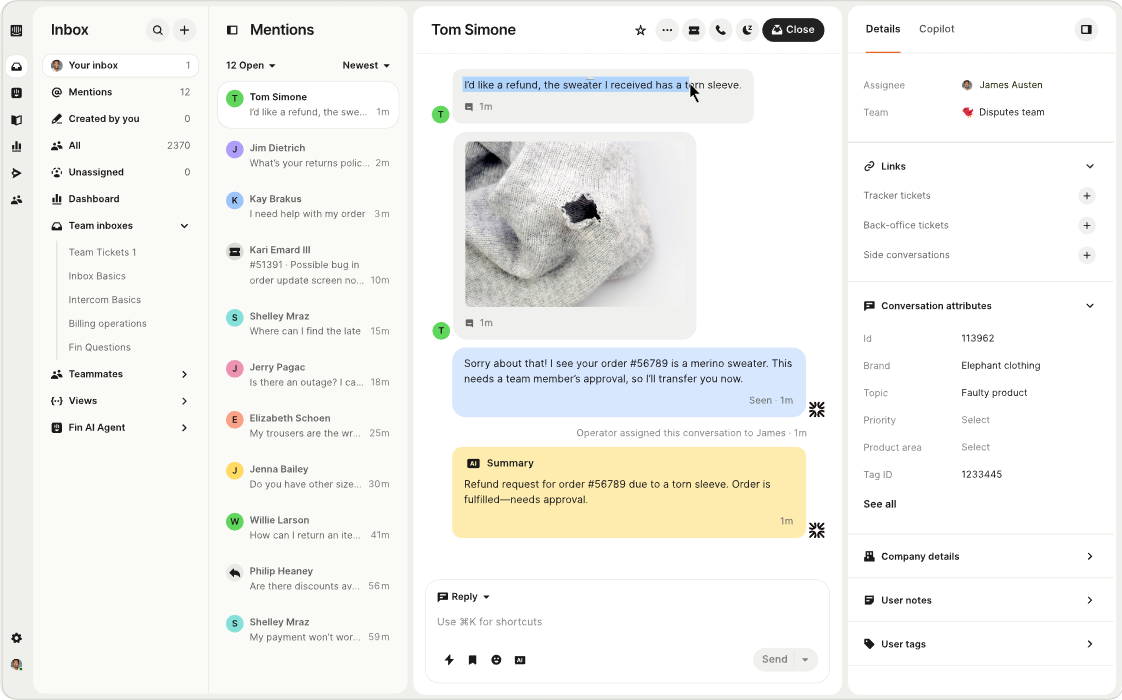
Intercom is purpose-built for proactive customer engagement, excelling at targeted in-app messaging, onboarding flows, and behavior-triggered campaigns. Rather than waiting for customers to reach out, Intercom lets you initiate conversations based on user actions, such as page visits, feature usage, and cart activity. Its Fin AI agent handles routine support queries, though it's sold as a separate add-on.
Feature Highlights
- Targeted Messaging & Campaigns: Trigger personalized messages based on user behavior, segment, or lifecycle stage to drive engagement and conversions.
- Fin AI Agent: An AI-powered bot that resolves common inquiries autonomously, learning from interactions to improve over time.
- Multichannel Communication: Reach customers via in-app chat, email, WhatsApp, and SMS from a single platform.
Pricing
- Essential: $39/user/month
- Advanced: $99/user/month
- Expert: $139/user/month
Pros
- Best-in-class for proactive engagement and product-led onboarding flows
- Behavior-triggered messaging enables highly personalized customer journeys
- Clean, modern interface with strong documentation and support
Cons
- Fin AI is sold separately, adding significant cost on top of already premium pricing
- Less suited for traditional helpdesk use cases—strengths are in engagement, not ticket management
10. Gladly
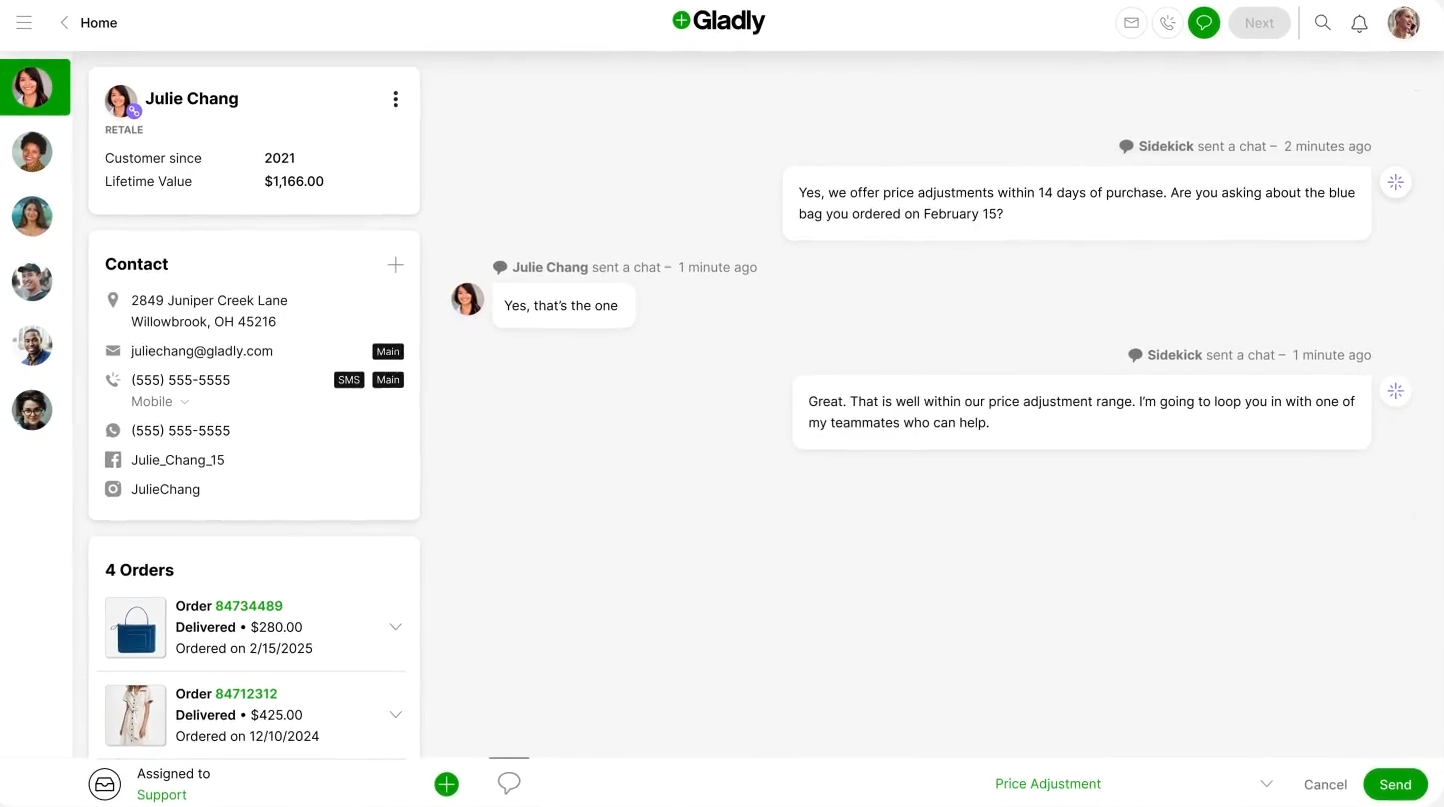
Gladly takes a fundamentally different approach by organizing support around people, not tickets. Every customer gets a single, persistent profile that captures their entire conversation history across channels—so agents never ask customers to repeat themselves. This customer-centric model, combined with smart routing that matches inquiries to the best-suited agent, makes Gladly a strong choice for brands that prioritize white-glove service and long-term customer relationships over ticket throughput.
Feature Highlights
- Unified Customer Profiles: See every interaction across email, chat, phone, and social in a single, persistent timeline tied to the customer.
- Smart Routing: Automatically match customers to the most qualified agent based on skills, history, or issue type.
- Sales Assist: Surface personalized product recommendations during support conversations to create natural upsell and cross-sell opportunities.
Pricing
No public pricing available. Contact sales for a custom quote.
Pros
- People-first model eliminates the need for customers to repeat context across interactions
- Clean, intuitive interface that agents can learn quickly
- RESTful API enables flexible integrations with custom tech stacks
Cons
- Enterprise-focused pricing and sales process—not accessible for smaller teams or early-stage brands
- Lacks a built-in CSAT survey solution, requiring third-party integrations for satisfaction tracking
11. Kayako
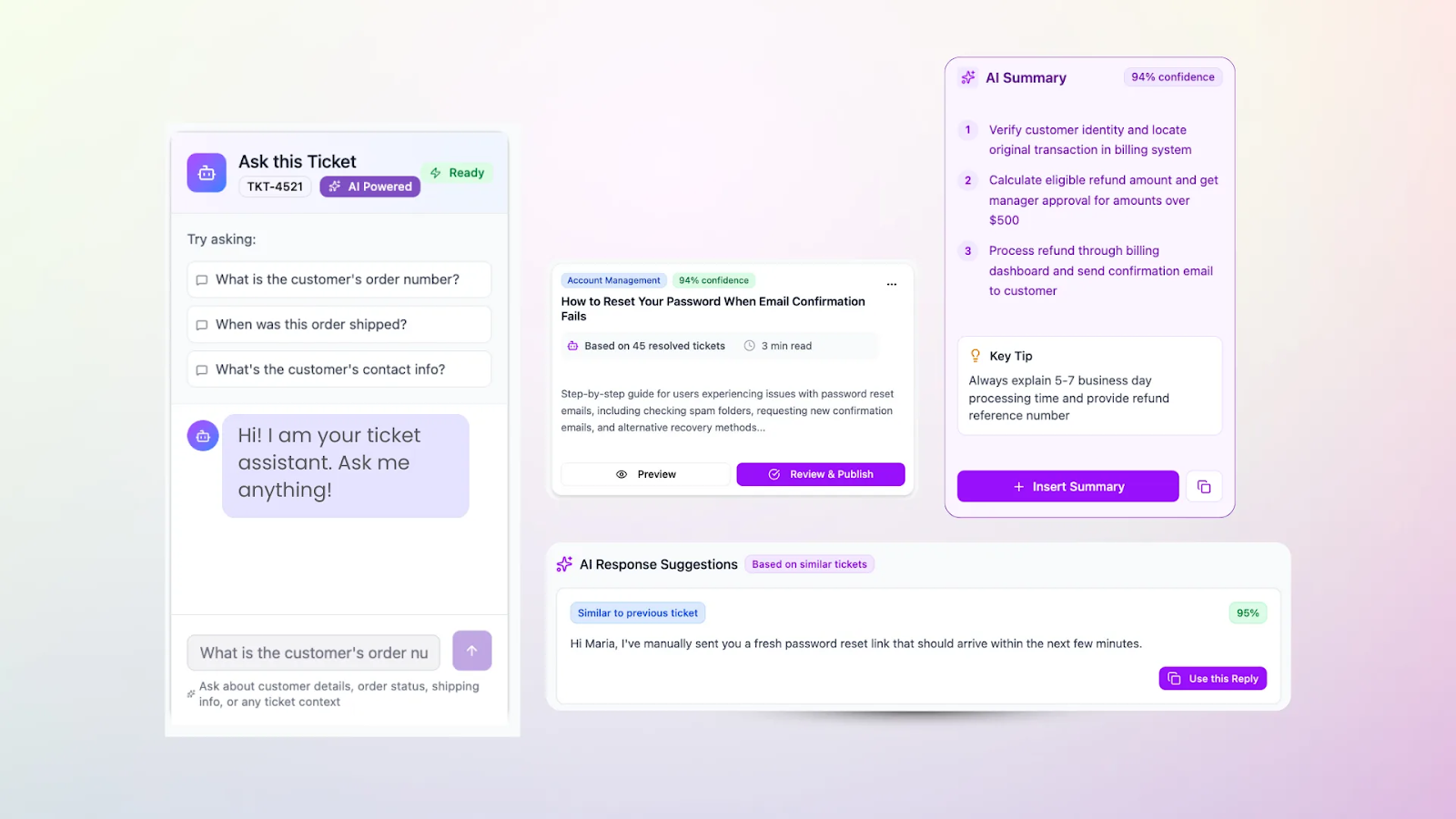
Kayako offers a streamlined, minimalist approach to helpdesk management while still delivering full conversation context through its SingleView feature. This consolidates purchase history, past tickets, communication preferences, and order details into one clean timeline, giving agents everything they need without visual clutter.
Feature Highlights
- SingleView Timeline: Access purchase history, past conversations, order details, and customer preferences in one consolidated view.
- No-Code Automation Builder: Create workflow automations with a visual drag-and-drop editor, routing tickets and triggering actions without developer involvement.
- Conversational AI Bots: Deploy bots that pull answers from your knowledge base to resolve common inquiries before they reach an agent.
Pricing
- Kayako One: $79/user/month
Pros
- SingleView provides strong context without overwhelming agents with cluttered interfaces
- No-code automation makes workflow customization accessible to non-technical teams
- Conversation summaries and AI suggestions speed up resolution times
Cons
- Premium pricing ($79/user) is difficult to justify for smaller teams given the feature set
- Mobile experience is underdeveloped, and the platform lacks auto-refresh for real-time ticket updates
12. LiveAgent
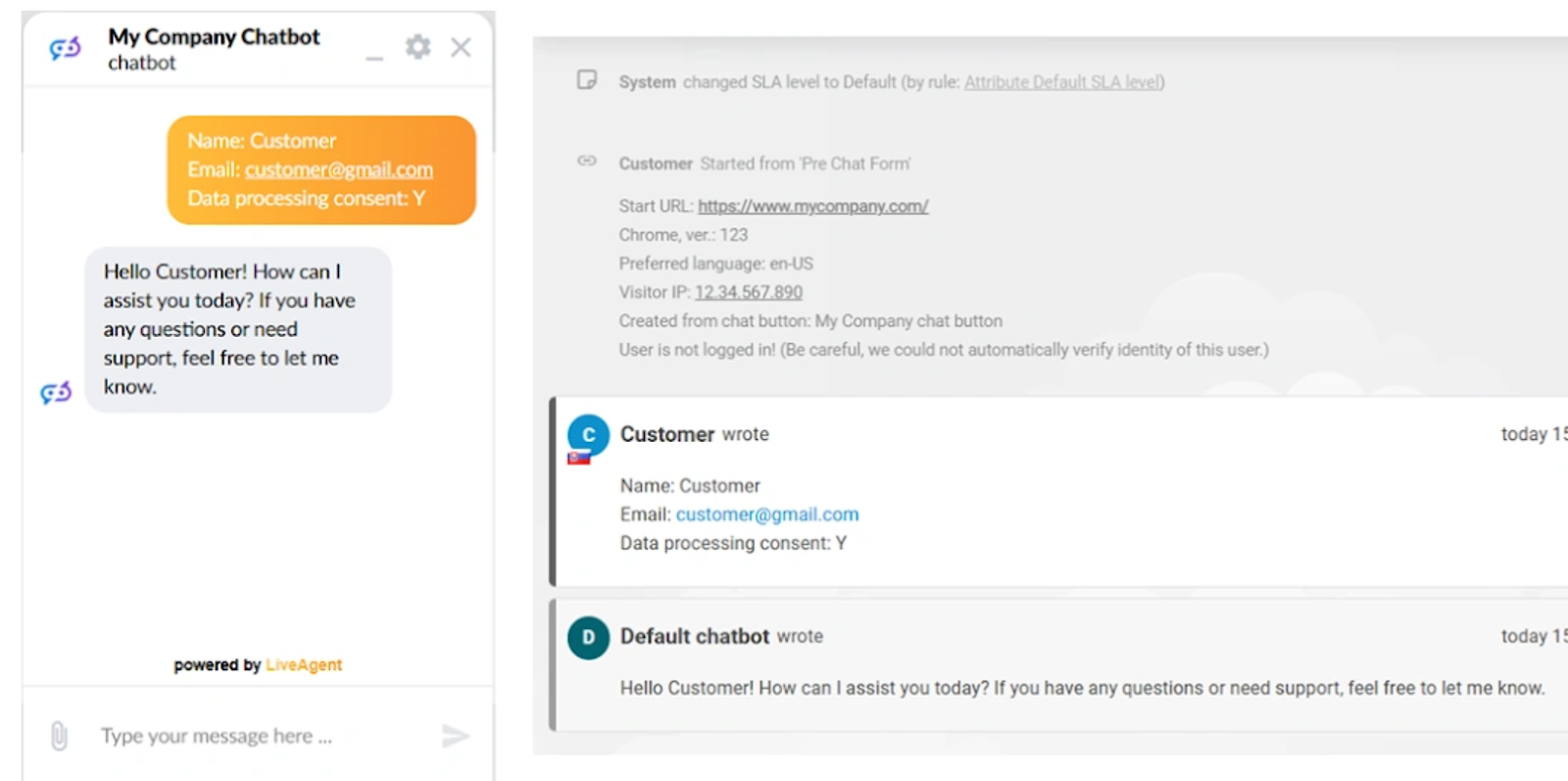
LiveAgent is designed for support teams that need to manage high ticket volumes efficiently without overpaying for enterprise features they won't use. Its automated ticket distribution ensures inquiries are routed to available agents quickly, while built-in live chat handles hundreds of concurrent conversations with VIP prioritization.
Feature Highlights
- Automated Ticket Distribution: Route incoming tickets to available agents based on load balancing, department, or custom rules to keep queues moving.
- High-Volume Live Chat: Handle hundreds of concurrent chat sessions with VIP prioritization and canned responses for common inquiries.
- Internal Tickets & Notes: Create internal-only tickets for team coordination and add private notes to customer conversations for context handoffs.
Pricing
- Small Business: $19/user/month
- Medium Business: $35/user/month
- Large Business: $59/user/month
- Enterprise: $85/user/month
Pros
- Affordable pricing tiers make it accessible for teams at every stage
- Descriptive categorization and tagging help agents find and prioritize relevant tickets quickly
- Solid onboarding flow gets new agents productive faster.
Cons
- User interface feels dated compared to modern alternatives, which can slow down agent workflows
- Agents require more training to use the platform efficiently due to unintuitive navigation in some areas
13. Tidio
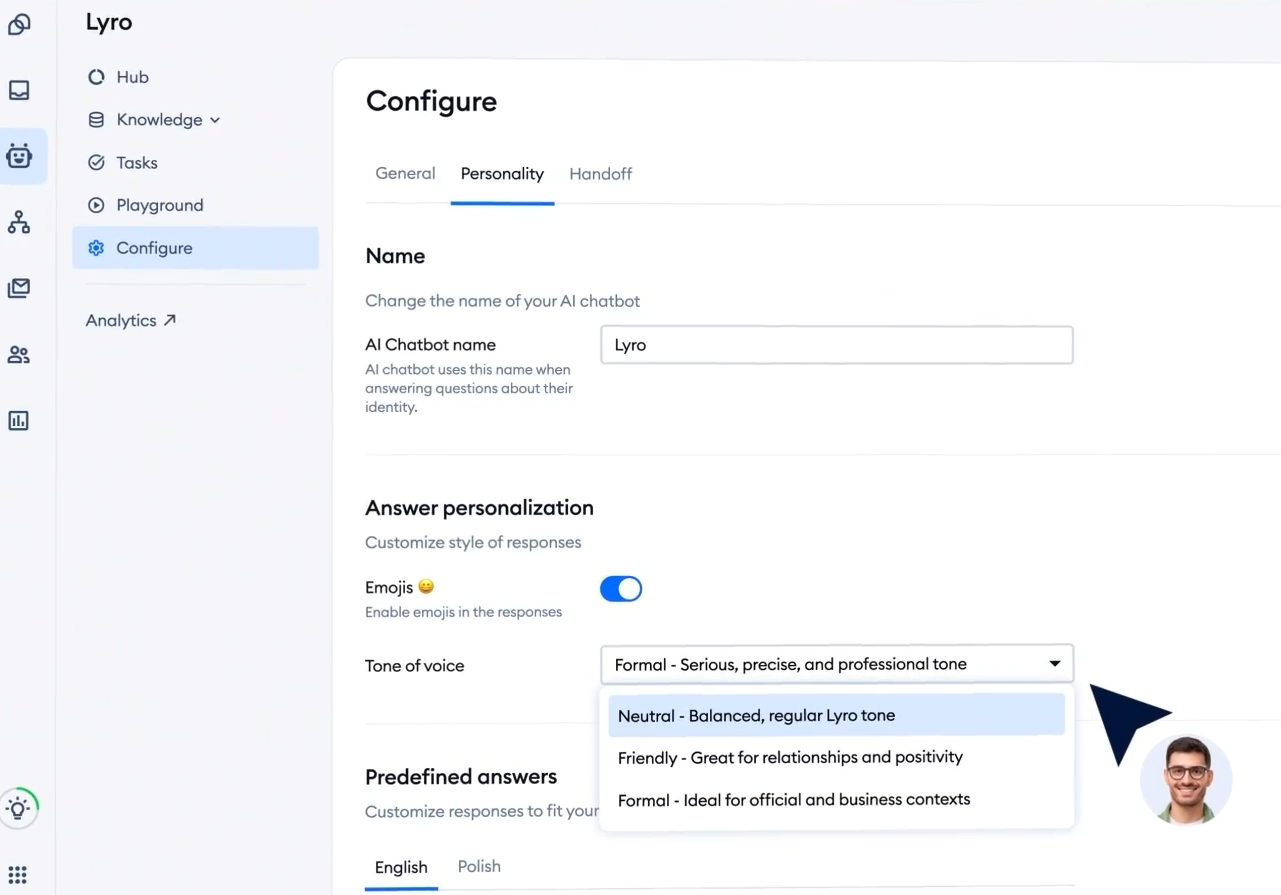
Tidio is a live chat and chatbot platform built for small to mid-sized e-commerce businesses looking to automate customer interactions without a heavy lift. Its drag-and-drop chatbot builder lets teams create automated flows for order status, product questions, shipping inquiries, and more without writing code.
The platform is an accessible entry point for brands, though its scripted chatbot logic and limited AI capabilities place it in the "basic automation" category rather than true conversational AI.
Feature Highlights
- Visual Chatbot Builder: Create automated conversation flows with a drag-and-drop editor—no coding required. Pre-built templates cover common e-commerce scenarios like order tracking and FAQs.
- Shopify Integration: Pull customer and order data directly into chat conversations, allowing agents to view purchase history and respond with context.
- Multichannel Inbox: Manage live chat, email, and Messenger conversations from a single dashboard with basic routing and assignment.
Pricing
- Free plan available
- Starter: $29/month (100 conversations)
- Growth: $59/month (250 conversations)
- Plus: $749/month (custom volume)
- Premium: Custom pricing
Pros
- Easy setup with minimal technical knowledge required
- Affordable entry point with a functional free tier for low-volume stores
- Native Shopify integration provides useful order context during conversations
Cons
- Chatbot logic is rule-based and lacks the natural, conversational AI capabilities of Rep AI
- Limited analytics and reporting make it difficult to measure the impact on sales or support efficiency
- Quickly outgrown by scaling brands, the jump from Growth to Tidio+ is steep
The Best Gorgias Alternative for Your E-Commerce Team
Gorgias handles support well enough, but support alone doesn't grow revenue. For Shopify brands ready to turn customer interactions into a competitive advantage, Rep AI delivers what helpdesks can't: proactive sales engagement, intelligent support automation, and the shopper intelligence needed to optimize every touchpoint.
The result? 10–30% conversion lift, 50–70% fewer support tickets, and a guaranteed 5X ROI in 30 days.
Ready to see the difference an Agentic Commerce OS makes? Sign up for your free trial today and experience Rep AI for yourself.
More from REP AI

AI Shopping Assistant: How It Guides Ecommerce Shoppers in 2026
When a shopper hesitates, timely guidance can help them decide what to explore next. An ai shopping assistant can answer product questions, narrow choices, and guide product discovery without taking control of checkout. Shoppers get help comparing options, while still making the purchase decision th...

Benefits of Agentic Commerce: How AI Can Help Brands Sell and Serve Better
When a shopper hesitates, a useful answer can turn a moment of uncertainty into a chance to help, rather than a sale lost or a question left unanswered. The benefits of agentic commerce come from connecting shopper intent with timely action, then learning from those interactions to improve sales gui...
Want to see what your store would do with Rep?
Run your real Shopify catalog through the simulator before you commit to anything. No sales call required.

