


AI Helpdesk Chatbot Deployment: Measuring the Accuracy and Success for Ecommerce Stores
Quick Summary
The accuracy of AI helpdesk chatbots in e-commerce depends on five components: intent recognition, factual correctness, policy compliance, response completeness, and brand alignment. Measuring it means tracking resolution rate, CSAT, deflection rate, hallucination rate, and revenue attribution, then validating those numbers through regular conversation audits.
Why Measuring AI Chatbot Accuracy Is Harder Than It Looks
Your chatbot dashboard says it resolved 85% of conversations last month. While your CX team says customers are still frustrated. Both things can be true at the same time.
Most e-commerce brands measure chatbot success using numbers that look good on paper but don't reflect what's actually happening in conversations. A conversation marked "resolved" might mean the customer stopped replying, not that they got what they needed.
The gap between what the dashboard says and what customers experience is where most brands lose money. Inaccurate AI responses lead to repeat contacts, higher ticket volumes, and eroded trust.
This guide covers what accuracy means in e-commerce terms, which metrics to track, what makes those metrics unreliable, and what it takes to build measurements you can trust.
Why Trust Us
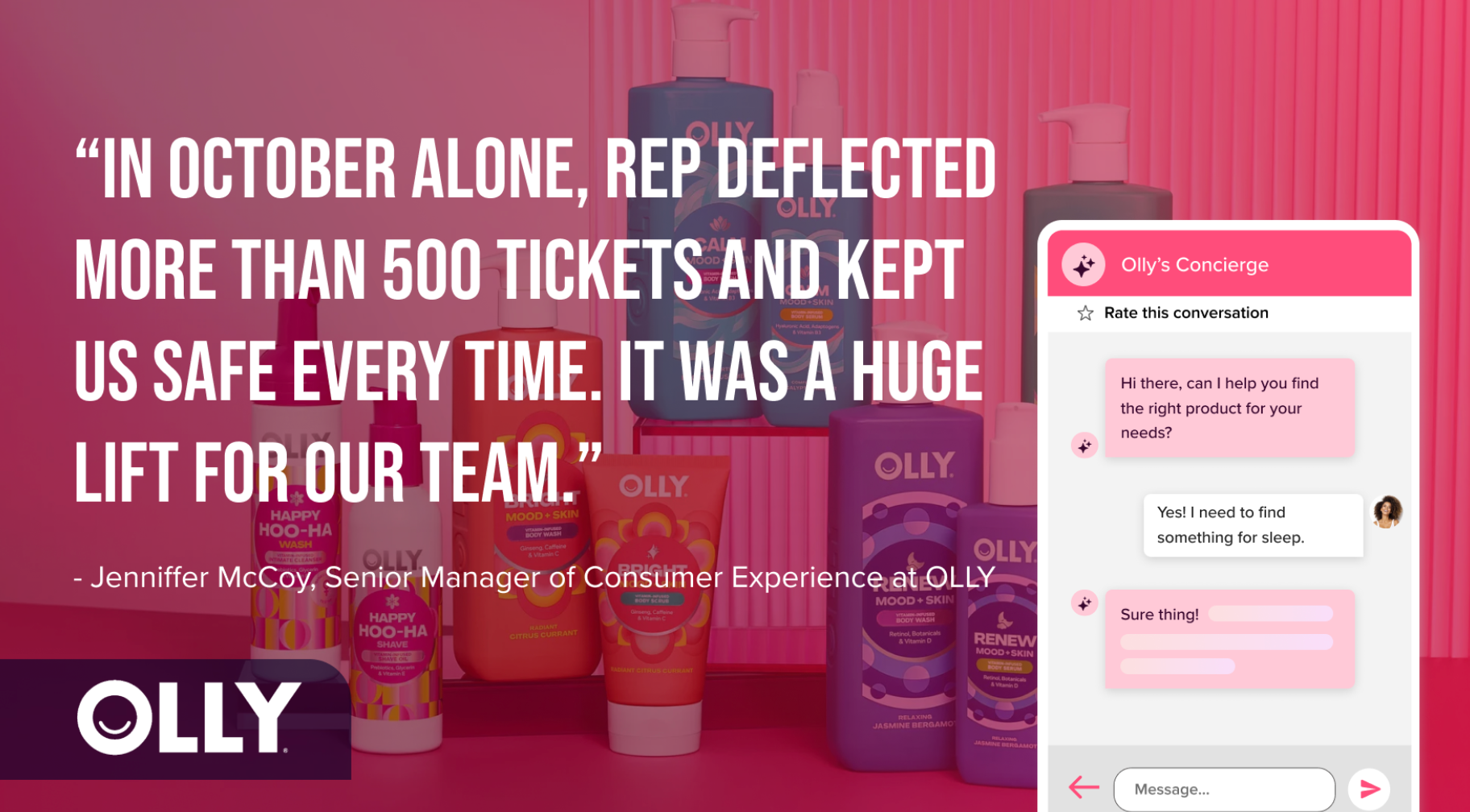
Rep AI works with e-commerce brands like Olly, processing over 100 million shopping sessions across 550+ Shopify Plus stores. The platform handles up to 97% of customer requests autonomously across the website, email, and social channels.
Built as an Agentic Commerce OS for Shopify and Salesforce Commerce Cloud, Rep AI combines sales, support, and shopper intelligence into a single platform. The accuracy framework in this guide is based on real deployment experience across DTC verticals.
What Is AI Helpdesk Chatbot Accuracy in E-commerce?
AI helpdesk chatbot accuracy in e-commerce depends on correctly understanding the customer’s intent, providing factually accurate information, following store policies, and resolving the query without requiring follow-up.
A failure in any one of these areas reduces accuracy. Here’s how it typically shows up:
- A return request is identified, but the chatbot provides the wrong return window.
- The response is factually correct, but does not align with the brand tone.
- Product details are generated without support from verified data.
Each issue affects accuracy differently and has a measurable impact on support quality and customer trust.
Components of AI Chatbot Accuracy
Accuracy in e-commerce AI can be broken down into five components. Each one matters in different contexts, and each one fails in different ways:
How to Evaluate AI Helpdesk Chatbot Accuracy
Evaluating chatbot accuracy requires a structured approach:
Define What Accuracy Means for Your Store
Different stores have different accuracy priorities:
- A fashion brand needs accurate sizing and a precise return policy.
- A supplement brand needs ingredient and compliance accuracy.
- A furniture brand needs a delivery window and accurate assembly information.
Start by mapping your top 10 ticket categories and identifying which accuracy component matters most for each.
For example, if 40% of your tickets are WISMO, then factual accuracy of shipping status and delivery windows is your priority. But if sizing questions drive most of your pre-purchase conversations, intent recognition and response completeness matter more.
Establish Your Measurement Baseline
Before you evaluate the AI, know where you stand. Pull your current ticket volume, resolution rate, CSAT, and average handle time. If possible, review a sample of 50-100 recent AI conversations manually and tag each for intent accuracy, factual correctness, and completeness.
This gives you a real baseline to compare against once the AI is live or after any training update.
Build E-commerce-Specific Test Scenarios
Generic prompts are not enough. Use real queries from your store.
Include variations of WISMO queries, policy edge cases, product comparisons, and multi-intent requests. For example, customers asking about delayed shipments, return conditions, or differences between product variants.
Test across multiple product categories, as performance can vary depending on how well each category is represented in the training data.
Set Confidence Thresholds and Escalation Rules
Not every query needs the same confidence level. For straightforward questions like store hours or shipping rates, a moderate confidence threshold works.
However, for policy-sensitive queries like returns on final-sale items, warranty claims, or payment disputes, the threshold should be higher, and the AI should escalate rather than guess.
The escalation experience matters as much as the threshold itself. If the AI escalates but the chat locks and the customer has to start over, you've traded one accuracy problem for a worse customer experience. The handoff should preserve the full context so the customer doesn't have to repeat themselves.
Audit Conversations, Not Dashboards
Set up a cadence where someone on your CX team reads 20 to 30 AI conversations per week and flags answers that are wrong, incomplete, off-brand, or that require the customer to repeat themselves.
This catches things automated metrics miss, like an AI that gives a technically correct but unhelpful answer, or one that sounds confident while fabricating information.
Evaluation Techniques for E-commerce AI Accuracy
Once your evaluation framework is in place, you need to decide how to actually run the assessments. There are four common techniques, each with different strengths and trade-offs:
Benchmarking With a Golden Dataset
A golden dataset is a fixed set of ground-truth questions and verified correct answers derived from your actual customer queries. It includes WISMO questions, edge cases in the return policy, product comparisons, and multi-intent requests.
You run this dataset through your AI regularly and compare its responses to the expected answers. If the response matches the expected outcome, it passes. In case it doesn't, you've found an accuracy gap to fix.
Pros:
- Repeatable and consistent across every test cycle.
- Easy to track improvements over time.
- Catches regressions quickly after training data or policy updates.
Cons:
- Only test what you think to include.
- Misses new query types and edge cases not yet in the dataset.
- Requires regular updating as your catalog and policies change.
Judge LLM Evaluation
A judge LLM uses a separate, more capable AI model to review your chatbot's responses and score them against criteria you define. For instance, against factual accuracy, completeness, tone, and policy compliance.
You start by having your CX team manually score a batch of conversations. Then you configure the judge model to match those scores. Once aligned, it can automatically review thousands of conversations and flag those that fall below your quality standards.
Pros:
- Scales to thousands of conversations without manual effort.
- Catches patterns across large volumes that human reviewers would miss.
- Faster feedback loop than manual review.
Cons:
- Can miss context-dependent nuances that a human reviewer would catch.
- Requires initial setup time to align with your team's scoring standards.
- Less reliable on policy edge cases where the correct answer depends on order-specific details.
Human Evaluation
Human evaluation involves CX team members regularly reviewing AI conversation logs. Reviewers tag errors by type: wrong fact, missed intent, incomplete answer, off-brand tone, or hallucination.
So, build a shared rubric so every reviewer scores conversations consistently. Log findings in a shared tracker that feeds back into AI training.
Pros:
- Catches subtle failures that no automated system can detect.
- Identifies tone mismatches and unhelpful but technically correct answers.
- Builds institutional knowledge about where the AI struggles.
Cons:
- Doesn't scale beyond a small sample each week.
- Subject to reviewer inconsistency without a shared rubric.
- Time-intensive for already busy CX teams.
Simulation and Stress Testing
Simulation testing means running varied versions of common queries through your AI before real customers encounter them. This includes misspellings, slang, multi-intent requests, incomplete sentences, and edge cases your golden dataset might not cover.
Run test queries before launch to catch weak spots in intent recognition, and again after every major training update or policy change. Most platforms let you test conversations directly in the admin console without needing any technical setup.
Pros:
- Reveals intent recognition weaknesses before real customers hit them.
- Good for pre-launch testing and post-update validation.
- Can cover hundreds of query variations in a single testing session.
Cons:
- Test queries don't replicate real customer emotion or urgency.
- Can generate false confidence if the test phrasing doesn't match how your actual customers write.
- Requires someone to maintain and expand the test set as your catalog grows.
Key Metrics for Measuring Chatbot Success in E-commerce
To measure chatbot accuracy in practice, track the following metrics:
Resolution Rate
Resolution rate measures the percentage of conversations the AI resolves without human intervention. A common issue is inflated reporting. Some platforms count a conversation as resolved if the customer stops replying, which does not confirm that the issue was actually solved.
Track resolution rate alongside recontact rate to identify whether customers return with the same issue.
Customer Satisfaction Score (CSAT)
CSAT is collected through post-chat surveys and reflects how customers rate their experience. The limitation is response bias. Feedback is mostly from highly satisfied or frustrated users, while neutral experiences are underrepresented.
Use CSAT as a directional signal rather than a standalone measure. Segment it by query type, since simple queries tend to score higher than more complex or delayed support issues.
Deflection Rate
Deflection rate measures the number of queries the AI handles without escalating to a human agent. It is widely used but often misinterpreted. High deflection can indicate effective automation. It can also indicate that customers are abandoning conversations.
Whereas poor deflection occurs when the AI provides vague answers, creates loops, or makes escalation difficult. So, evaluate deflection alongside CSAT and escalation data to understand its quality.
Hallucination Rate
Hallucination occurs when the AI generates a confident but incorrect response. In e-commerce, this includes incorrect shipping timelines, invalid return policies, or inaccurate product details.
This metric is rarely tracked directly. Most platforms do not surface it.
You can measure hallucination through manual audits. Review a sample of conversations and compare responses against actual policies and product data. Log each instance where incorrect information is presented as fact.
Revenue Attribution
Revenue attribution measures the extent to which chatbot interactions influence revenue. This metric depends heavily on how attribution is defined. Longer attribution windows often over-credit the chatbot, while shorter windows provide a more conservative view.
Thus, always verify how attribution is calculated. Confirm whether revenue is tied to direct interaction within the same session or includes delayed purchases that may not be influenced by the chatbot.
Common Pitfalls in Measuring Chatbot Success
Even with the right metrics, chatbot performance is misread because those metrics are interpreted differently. The following are the most common pitfalls:
- Frozen Measurement Frameworks: Most e-commerce teams set up chatbot analytics once and rarely revisit them. But ticket categories change, product lines expand, and policies shift, but the measurement framework stays fixed. The result is a dashboard that reflects past operations rather than current performance.
- No Pre-Chatbot Baseline: Measuring the AI in isolation creates misleading conclusions. Without a baseline, there is no way to determine whether performance has improved or declined. Comparing current results against pre-chatbot performance is necessary to understand the real impact.
- Aggregate-Level Evaluation: Overall performance metrics hide category-level failures. A chatbot may perform well on average but underperform on high-impact queries, such as returns or order issues. These gaps are where the highest costs occur.
- No Correction Loop: Data is collected and reported, but not used to improve the system. Without a structured process to feed errors back into training, the same issues repeat. Teams that improve consistently review errors regularly and update training in short cycles.
Improving AI Helpdesk Chatbot Accuracy With Rep AI
Measuring accuracy only works if your platform gives you the visibility to act on what you find. Rep AI is built to make both measurement and improvement straightforward. Here’s how:
Conversation-level Transparency
Every AI conversation in Rep AI is fully readable. Each answer shows where the AI pulled its information from and whether that source was current. You can click through to the original knowledge base entry, FAQ, or product page that the AI referenced.
This speeds up manual auditing because you can trace the error back to a specific source instead of guessing why the AI responded incorrectly.
Direct AI Correction
When the AI gets something wrong, you can correct it directly on the platform in one step. The correction is visible, traceable, and the AI learns from it immediately.
This matters because if correcting errors is a multi-step process, most teams skip it entirely, leading to the same mistakes recurring. Rep AI keeps the feedback loop short so corrections actually get made.
Real-time Automatic Website Syncs
When you update a product page, change a return policy, or adjust shipping windows, Rep AI automatically syncs those changes. So, no manual resyncing is required.
This prevents the chatbot from using outdated policies or information and removes the need to manually maintain training data after every change.
Conservative Attribution
Rep AI uses a same-session attribution window. A same-session window counts revenue only when the AI was part of the active buying decision. This gives you a more honest read on whether the AI is actually driving revenue or just taking credit for it.
Shopper Intelligence Beyond Metrics
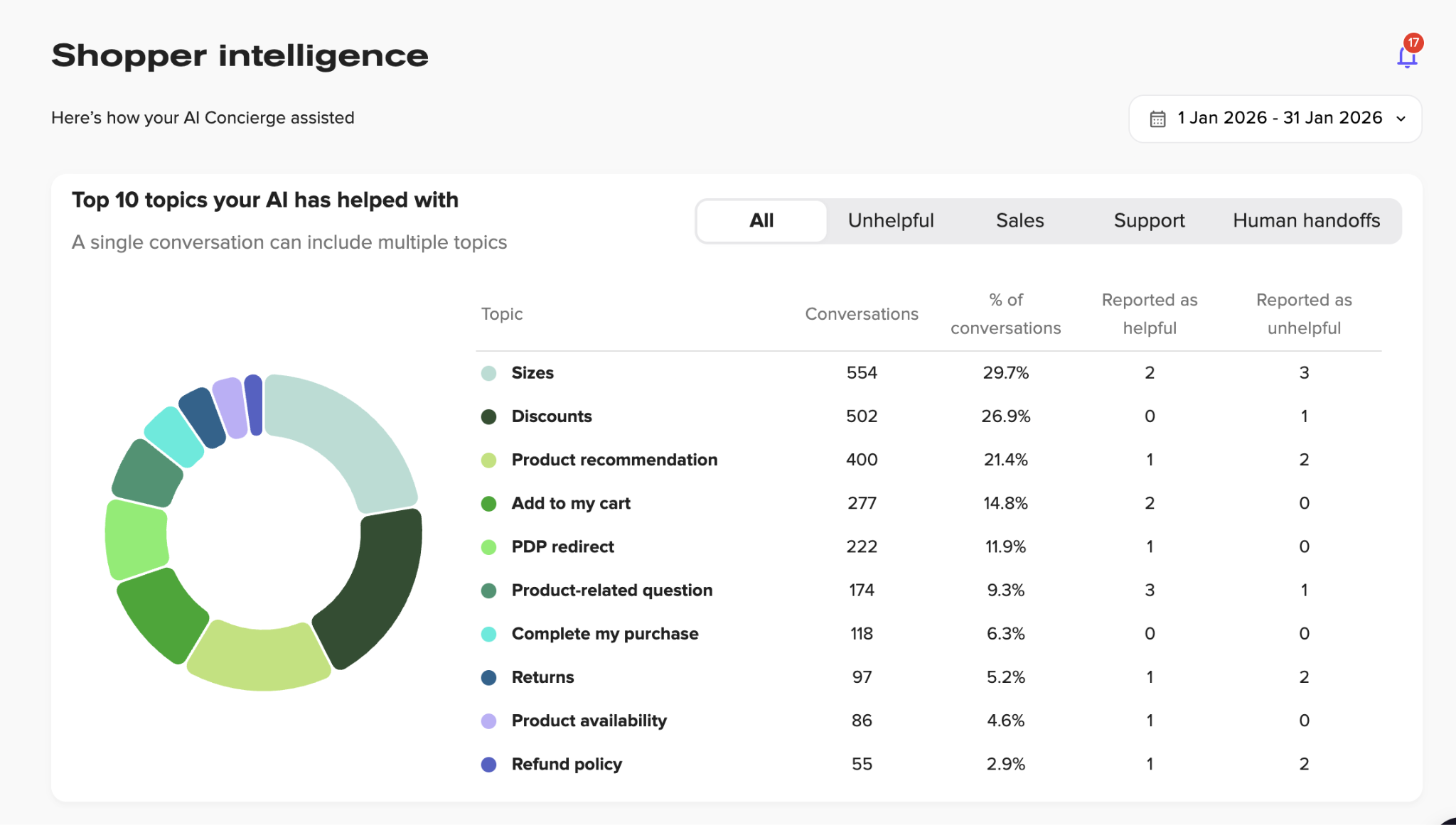
Most chatbot platforms tell you how many conversations happened and how many were resolved. Rep AI goes further by surfacing intelligence about what's happening across those conversations at scale:
- Visitor drop-off reasons (why shoppers leave without buying, broken down by category).
- Shopper emotion analysis (initial sentiment when customers engage, such as seeking clarity, needing assistance, or expressing frustration).
- Missing website information (unanswered questions that reveal gaps in your product pages or policies).
- Unanswered question tracking (questions the AI couldn't answer, ranked by frequency).
- AI-generated CX recommendations (specific actions to improve your store based on conversation patterns).
These insights close the loop between measurement and action. Instead of just knowing that accuracy dropped, you can see exactly what customers asked about that the AI couldn’t handle. You can also identify what information is missing from your site and what changes would have the biggest impact.
Bottom Line
Accuracy measurement gets easier over time. The first month is the hardest because you're building the auditing habit, learning where the AI struggles, and figuring out which metrics your team actually checks.
By month two or three, the patterns become predictable, and corrections get faster. The brands that reach 90%+ accuracy don't get there by launching with a perfect setup. They get there by building a short feedback loop between what the AI gets wrong and what the training data needs.
A platform like Rep AI makes this process simpler by showing exactly what customers asked, where the AI failed, and what content is missing on your site. This makes it easier to fix issues quickly and improve accuracy over time.
To see how Rep AI gives you the visibility to build that loop, start your 30-day free trial.
Measuring AI Helpdesk Chatbot Accuracy: FAQs
What accuracy rate should I target for my e-commerce chatbot?
For routine queries like store hours and shipping rates, aim for 95% or higher. But for complex categories such as returns, exchanges, and product comparisons, 85-90% is a realistic starting target. The goal is not a single number across the board, but separate benchmarks per query type that reflect the actual risk each category carries.
Can I measure chatbot accuracy without an analytics team?
Yes. Manual conversation audits are more reliable than automated scoring and don't require technical setup. Have a CX team member read a sample of conversations each week, tag errors by type (wrong fact, missed intent, incomplete answer), and log them in a shared spreadsheet. That's enough to identify patterns and prioritize fixes.
How do I know if my chatbot is hallucinating?
Pull a sample of AI conversations weekly and check responses against your actual product data, shipping policies, and return rules. Any instance where the AI stated something incorrect as fact counts as a hallucination.
Common examples include wrong delivery estimates, invented discount codes, and inaccurate stock claims. If your platform shows where the AI sourced its answer, tracing these errors is significantly faster.
More from REP AI

AI Shopping Assistant: How It Guides Ecommerce Shoppers in 2026
When a shopper hesitates, timely guidance can help them decide what to explore next. An ai shopping assistant can answer product questions, narrow choices, and guide product discovery without taking control of checkout. Shoppers get help comparing options, while still making the purchase decision th...

Benefits of Agentic Commerce: How AI Can Help Brands Sell and Serve Better
When a shopper hesitates, a useful answer can turn a moment of uncertainty into a chance to help, rather than a sale lost or a question left unanswered. The benefits of agentic commerce come from connecting shopper intent with timely action, then learning from those interactions to improve sales gui...
Want to see what your store would do with Rep?
Run your real Shopify catalog through the simulator before you commit to anything. No sales call required.

