


How to Add AI to Your E-commerce Helpdesk: A Guide for CX Leaders

Quick Summary
There are five approaches to adding AI to an e-commerce helpdesk, like scripted bots, macros, LLM copilots, conversational AI, and agentic AI. Scripted bots and macros deflect tickets without resolving them. Copilots speed up agents without reducing headcount.
While conversational AI resolves tickets autonomously, agentic AI goes further, combining support resolution with proactive sales conversion and shopper intelligence in one layer. Though the right choice depends on your ticket volume, revenue goals, and operational maturity.
Most E-commerce Helpdesks Still Run on Manual Support
AI is no longer just a support tool. It’s becoming the core layer that powers how e-commerce brands manage customer conversations, reduce costs, and even drive sales. It cuts helpdesk handling times by 80% and inquiry volumes by up to 70% (Klarna). Yet most e-commerce teams still run manual, reactive support.
This means agents only respond after customers reach out, which slows down resolution and misses important buying signals. It also creates higher costs and inconsistent customer experiences as ticket volume grows. If you are faced with these issues and wish to avoid them, this post maps five approaches to adding AI to your e-commerce helpdesk, including what works and what fails.
Why Listen to Us
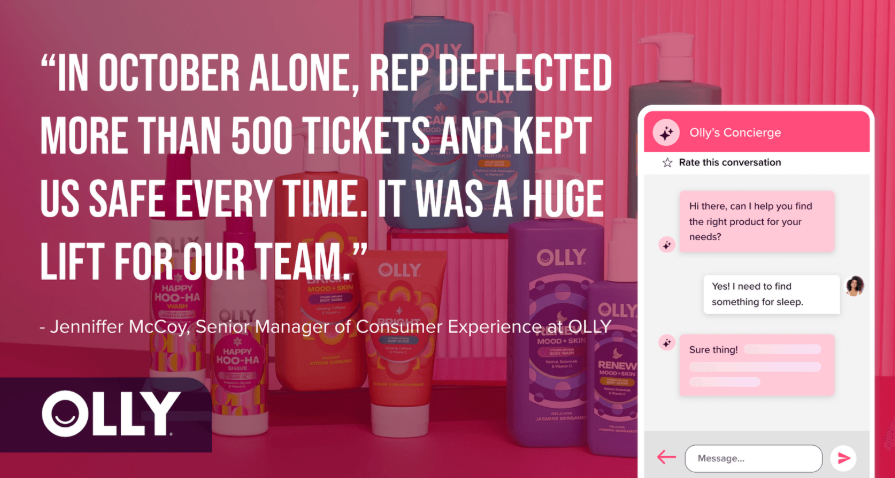
Rep AI powers e-commerce brands like Olly. The platform has processed several shopping sessions and resolves up to 97% of support requests autonomously across the website, email, and social channels.
As an Agentic Commerce OS built for Shopify and Salesforce Commerce Cloud, Rep AI handles sales and support in a single AI layer. So, the perspective for this post comes from production-grade helpdesk AI deployment, not theory.
What Is an AI-Powered Ecommerce Helpdesk?
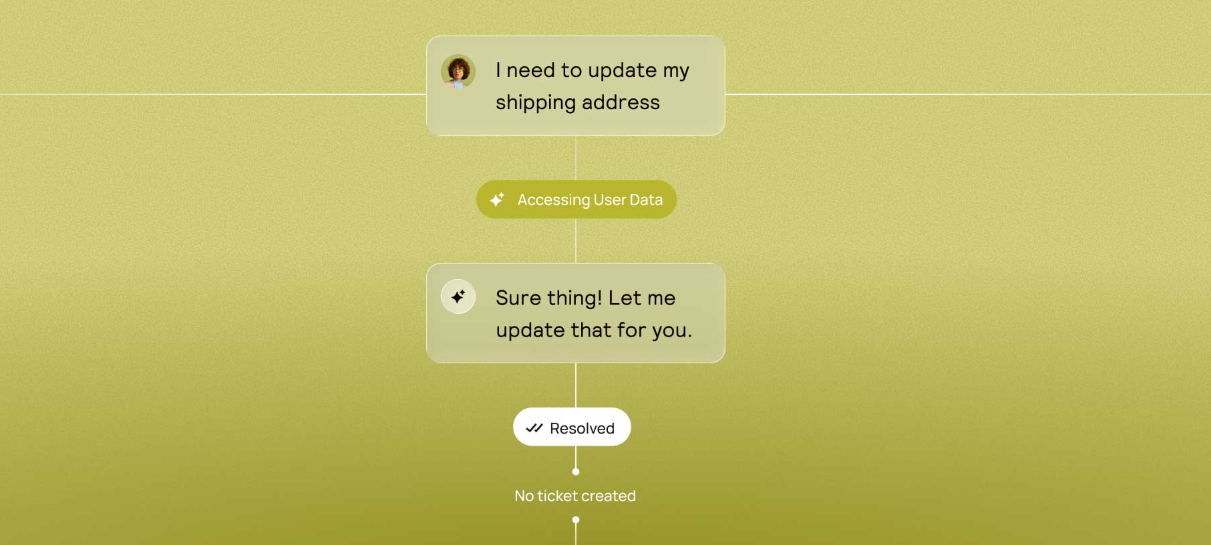
An AI-powered helpdesk is not a traditional inbox with a scripted bot. It understands natural language, accesses order and catalog data in real time, and executes backend actions like refunds and address changes. In addition, it operates across every channel your shoppers use.
Most e-commerce teams today run conventional helpdesks like Gorgias, Zendesk, and Freshdesk, with basic automation layered on top. The bot and the helpdesk operate as separate systems. Whereas an AI-powered help desk merges these layers.
Why "AI-Powered" Means Different Things Across Vendors
Every helpdesk vendor now markets AI-powered features. Some mean keyword-triggered macros. Some mean LLM-drafted response suggestions. While some mean fully autonomous ticket resolution with backend action execution. The rest of this article maps that spectrum so you can evaluate what "AI" actually delivers in each case.
Why Add AI to Your Ecommerce Helpdesk?
AI is quickly becoming a core part of modern e-commerce support, not just for efficiency but for growth. It helps brands move beyond basic ticket management to faster resolutions, better coverage, and smarter customer interactions. Here’s how adding AI to your helpdesk improves both cost and customer experience:
Reduce Cost Per Resolution Without Reducing Quality
AI resolves repetitive tickets at a fraction of the cost of a human agent handling the same request. Autonomous resolutions run an order of magnitude cheaper than human-handled ones, and the gap widens as ticket volume climbs. For a store fielding 5,000 tickets a month, that delta is large enough to reshape an entire CX budget, not trim it at the edges.
Provide 24/7 Coverage Without 24/7 Staffing
E-commerce is global. Shoppers buy at 2 am. Support gaps during off-hours lead to lost sales and frustrated customer tickets stacking up for the morning shift. AI eliminates this coverage gap without adding overnight headcount.
Turn Support Conversations into Revenue
Most helpdesk content misses this angle. A shopper asking about sizing is not just a support ticket. It is a pre-sale conversation, one step away from conversion. AI that can recommend the right size and add the product to the cart in the same conversation turns a cost-center interaction into a revenue event. Rep AI's one-click add to cart within chat is built for exactly this.
Unlock Shopper Intelligence Beyond Traditional Ticket Data
Traditional help desks tell you about ticket volume and close times. They don't tell you why shoppers leave, what questions your product pages fail to answer, or which concerns are costing you conversions.
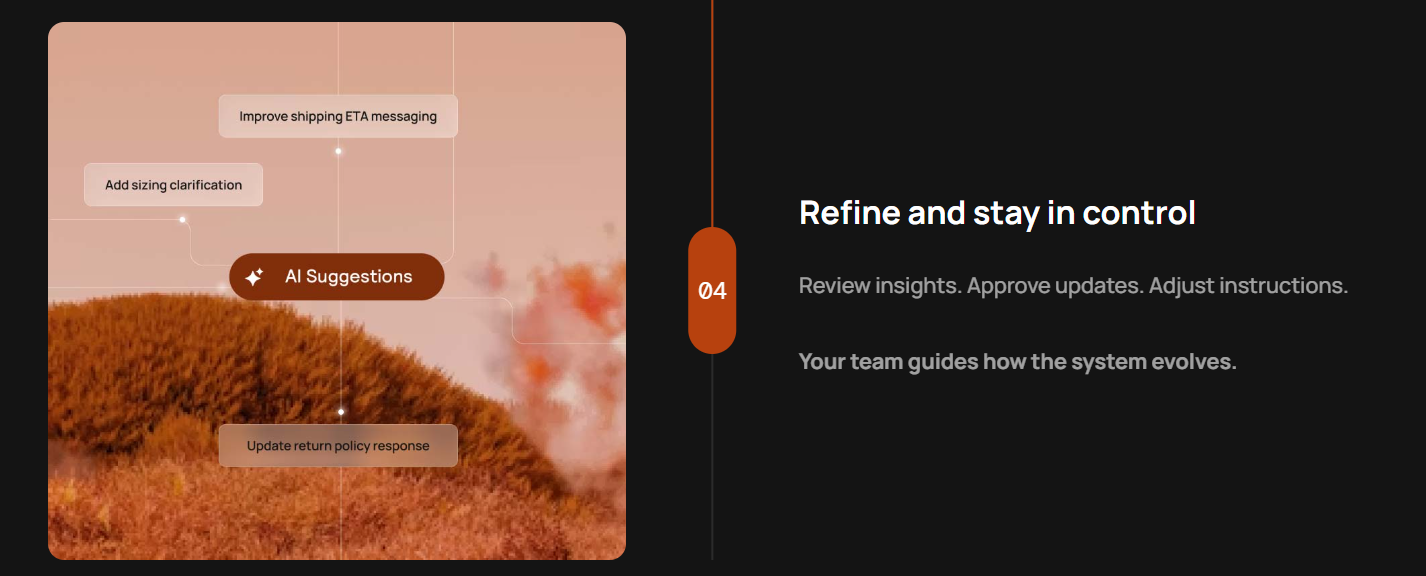
AI that analyzes conversation patterns surfaces this intelligence and makes it actionable. Rep AI's Deep Research analytics hub is one example. It categorizes every conversation into built-in, custom, and AI-discovered topics that feed directly into merchandising and marketing decisions.
How Your Current Helpdesk Setup Is Costing You Revenue
Here are some reasons why most current helpdesk setups are quietly costing e-commerce brands revenue:
Manual Triage Slows Everything Down
Agents spend time reading, categorizing, routing, and context-switching between tickets before they even start resolving. A Stanford study of 5,179 support agents found that those using AI resolved 14% more issues per hour. While novice agents saw 34% productivity gains. Without AI, your most expensive resource (human attention) gets consumed by administrative sorting.
Reactive Support Misses the Pre-Sale Window
Most helpdesks only activate when a customer opens a ticket. By then, the purchase decision has already been made or abandoned. There is no mechanism to catch a hesitating shopper, confused about a return policy, or comparing your product against a competitor in real time.
Platforms like Rep AI address this with a behavioral algorithm that detects disengagement signals and initiates a conversation before the shopper leaves.
Siloed Systems Create Blind Spots
Support data lives in the helpdesk, sales data in Shopify, and marketing data in Klaviyo. No single team has visibility into the full customer journey. A customer who asked about sustainability, abandoned items in their cart, and called about shipping is three separate interactions with three separate teams.
Rep AI's Klaviyo conversation sync closes this gap. It pushes conversation topics and events to customer profiles automatically, giving marketing and support teams shared context.
Five Ways to Add AI to Your E-commerce Helpdesk
There are several ways to bring AI into your helpdesk, but not all of them deliver the same level of impact. Some tools simply make agents faster, while others actually reduce workload and drive revenue. Here are 5 main approaches, from basic automation to fully autonomous AI:
1. Scripted Chatbots
What it is: Rule-based decision trees that follow if/then logic. Often labeled as AI, but fundamentally rule-based systems with no learning capability. The bot follows a script. When the shopper goes off-script, the bot fails.
How it works: You build flows manually. If a customer says, "Where is my order," the bot triggers an order status lookup. But if a customer says "return," the bot triggers a return policy message. Each branch is hand-configured, and every new intent requires a new branch.
What it resolves: Basic FAQ deflection, WISMO routing, simple order status lookups. It’s effective for the 10-15% of tickets that are completely predictable and single-intent.
Where it falls short: There is no context retention between messages or catalog awareness. They cannot handle multi-intent queries like "I want to return the shoes and exchange the jacket for a larger size." It breaks the moment a customer phrases something outside the predefined script. Common examples are basic Tidio flows, legacy Zendesk bots, and Freshchat bots.
Verdict: Deflects volume. Does not resolve it.
2. Macros and Auto-Responders
What it is: Template-based replies triggered by ticket category, keywords, or tags. They are pre-written responses that agents select manually or that fire automatically on ticket creation.
How it works: You build a library of templated responses, like an order delayed template, a return instructions template, and a sizing guide template. When a ticket comes in, the system either suggests a macro to the agent or auto-fires a response based on keyword matching.
What it resolves: It reduces typing time for agents. Then, standardizes response quality across the team. It’s useful for high-volume, low-complexity tickets where the answer is always the same.
Where it falls short: It still requires human review in most implementations. Macros do not reduce ticket count. They only handle time per ticket, and cannot personalize beyond merge fields like customer name and order number. A macro cannot look at an order, determine shipment status, check the return window, and decide what action to take. Common examples are Gorgias macros, Zendesk triggers, and Freshdesk canned responses.
Verdict: Reduces handle time per ticket. Does not reduce ticket count.
3. LLM Copilots
What it is: It is a large language model that assists human agents by drafting responses, summarizing ticket history, and suggesting next actions. The agent remains the decision-maker. While the copilot accelerates their workflow.
How it works in practice: Two approaches are common.
General-purpose LLMs as makeshift copilots: CX teams paste ticket context into ChatGPT, Claude, or Gemini to draft a response, then copy it back into the helpdesk. This is fast, common, and completely disconnected from order data, store policies, or customer history. The agent becomes a middleman between the LLM and the helpdesk.
Vendor-embedded copilots: Zendesk Agent Copilot (approximately $50/agent/month add-on), Intercom Fin Copilot, Freshdesk Freddy Copilot, and Gorgias AI assist. These exist inside the helpdesk, access ticket context, and draft replies grounded in your knowledge base. It’s more reliable than general-purpose LLMs because they are connected to store-specific data.
What it resolves: It speeds up agent response drafting measurably, helps new hires ramp faster, and is useful for complex tickets where full automation isn't appropriate.
Where it falls short: You cannot scale copilots without scaling headcount. Every copilot interaction requires a human to review, approve, and send. A copilot drafts a refund response, but a human still processes the refund. Pricing also layers on top of existing helpdesk costs, creating dual billing structures that add up fast during peak months.
Verdict: Improves agent efficiency. Does not reduce headcount or resolve tickets autonomously.
4. Conversational AI Integrations
What it is: AI that resolves tickets end-to-end without human intervention. It understands natural language, accesses order data in real time, and executes backend actions autonomously. Furthermore, processes refunds, generates return labels, edits shipping addresses, and pauses subscriptions.
How it works: The AI receives a ticket, classifies intent, retrieves order context from your commerce platform, applies your store's policies, takes action, and closes the ticket. Human agents only see the tickets the AI escalates.
What it resolves: Automates the bulk of routine support tickets like WISMO, returns, cancellations, order modifications, subscription management, and sizing questions. First response times drop from hours to seconds, and cost-per-resolution falls to a fraction of what a human-handled ticket costs.
Where it falls short: Most conversational AI integrations are support-only. They resolve post-purchase tickets efficiently. However, they do not engage pre-purchase shoppers, guide product discovery, drive conversions, or surface insights into why visitors leave. This results in support costs going down while revenue does not go up. Examples include Yuma AI, Siena, and Gorgias AI Agent.
Verdict: Automates 60-92% of support tickets. Leaves revenue on the table.
5. Agentic AI Platforms
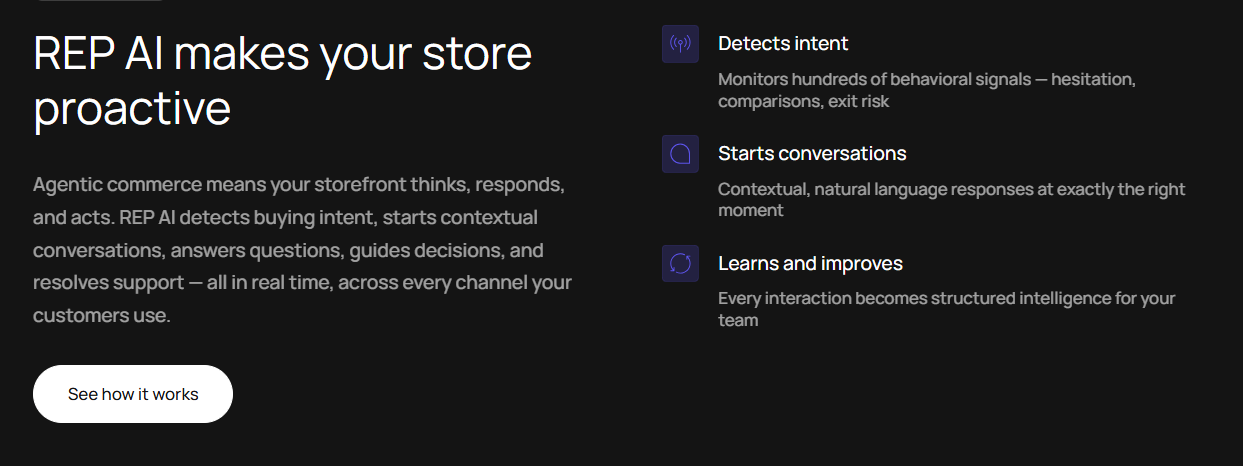
What it is: This evolution goes beyond conversational AI. An agentic AI platform does not wait for a ticket to be filed. It proactively detects shopper behavior and engages visitors who are about to disengage. It guides product discovery through conversation, resolves support issues autonomously, and surfaces intelligence about customer intent, drop-off reasons, and missing information across your store.
How it works: Behavioral algorithms monitor every session. When a visitor shows a disengagement signal, the AI initiates a contextual conversation. If the conversation is sales-oriented, it recommends products, answers questions, and enables one-click add-to-cart within chat.
Though if the conversation is support-oriented, it resolves the issue with full backend access. All conversations feed into an intelligence layer that surfaces what customers ask about, what your site fails to answer, and which topics correlate with conversion or abandonment.
What it resolves: Support ticket volume drops by 50–70%, while conversion rates climb by 10–30%. It replaces the need for separate scripted bots, copilots, support AI, and sales AI with a single unified layer.
Where it falls short: This is not a bolt-on to an existing helpdesk. It is a platform-level decision. Brands need to be ready to let AI own the conversation layer rather than just assist it.
Example: Rep AI is the first Agentic Commerce OS built for Shopify and Salesforce Commerce Cloud. It combines behavioral engagement, conversational sales, autonomous support resolution, and shopper intelligence in one platform, replacing the need for separate bots, copilots, and support AI.
Verdict: Reduces support costs and increases revenue. One platform, full journey coverage.
What Actually Works vs What Fails
Not all AI approaches deliver real results. Some improve surface-level metrics like deflection or response speed, but they fail to solve customer problems or drive meaningful growth. Here’s where most solutions fall short, and what actually works in practice:
The Deflection Trap
Scripted bots and macros deflect volume. They route tickets, auto-respond, and reduce how often an agent has to type the same paragraph. However, they do not resolve the underlying issue.
A deflected customer who does not get an actual answer either files another ticket, calls support, or leaves your store entirely. Deflection metrics look good on dashboards, but resolution metrics tell the real story.
The Copilot Ceiling
Copilots are the best version of human-assisted support. They are not automation. Every copilot interaction still requires a human in the loop to review, approve, and send.
When ticket volume spikes during BFCM or a product launch, copilot-assisted teams still need more agents to handle the load. The ceiling is always agent availability, not AI capability.
The Support-Only Blind Spot
Conversational AI that handles support and nothing else solves half the problem. It reduces ticket cost. Though it does not capture the revenue sitting inside pre-sale conversations.
A shopper asking, "Does this come in black?" is not a support ticket. It is a buying signal. Support-only AI treats it as a question to answer. Whereas Agentic AI treats it as a conversation to convert.
What Actually Works
AI that operates across the full buying journey, including pre-sale engagement, in-sale guidance, post-sale resolution, and cross-session intelligence. The metric that matters is revenue impact per conversation.
Rep AI delivers this by combining a 50-70% ticket reduction with a 10-30% conversion lift in a single deployment, measured over a conservative 24-hour attribution window.
Common Mistakes When Adding AI to a Helpdesk
Adding AI to your helpdesk can unlock major gains, though only if it’s implemented the right way. Many brands rush in expecting quick wins and end up with fragmented tools or misleading results. Here are the most frequent mistakes to avoid when bringing AI into your support stack:
Treating AI as a Bolt-On Instead of a Layer
Adding a chatbot on top of a legacy helpdesk creates two disconnected systems. The bot handles the surface, and the helpdesk handles the depth. Neither shares context with the other. Look for AI that integrates deeply into your commerce stack or entirely replaces the need for separate systems.
Rep AI takes the latter approach. It is a unified platform where support, sales, and intelligence share the same conversation data and the same AI.
Choosing Based on Deflection Rate Alone
A 90% deflection rate means nothing if 60% of those deflected customers are still unresolved and filing follow-ups. Ask vendors about resolution rate, not deflection rate. Also, ask about CSAT scores post-AI interaction, not just ticket closure speed.
Ignoring Knowledge Base Quality
AI is only as good as the information it can access. If your help center articles are outdated, your product descriptions are thin, and your return policy is buried in a PDF nobody maintains, the AI will give incomplete answers. Getting your knowledge base right before launch is unglamorous work, but it's what decides how well the AI performs from day one.
Not Accounting for Pricing That Scales Unpredictably
Ticket-based pricing sounds affordable at 300 tickets per month. During BFCM, when volume triples, the bill triples too. Per-resolution pricing on top of per-agent pricing results in double-billing that catches teams off guard. You have to understand the pricing model under peak conditions and not just average months.
Rep AI uses session-based pricing that scales with traffic volume rather than ticket count or headcount, avoiding the unpredictable spikes that plague per-ticket and per-resolution models.
How Rep AI Adds AI Across Your Entire Helpdesk Stack?
AI in modern e-commerce support is no longer just about answering tickets faster. It now exists across the entire customer journey, from first visit to post-purchase, connecting support, sales, and intelligence in one system. Here’s how Rep AI adds AI across the full helpdesk stack and beyond:
One AI Layer for Support and Sales
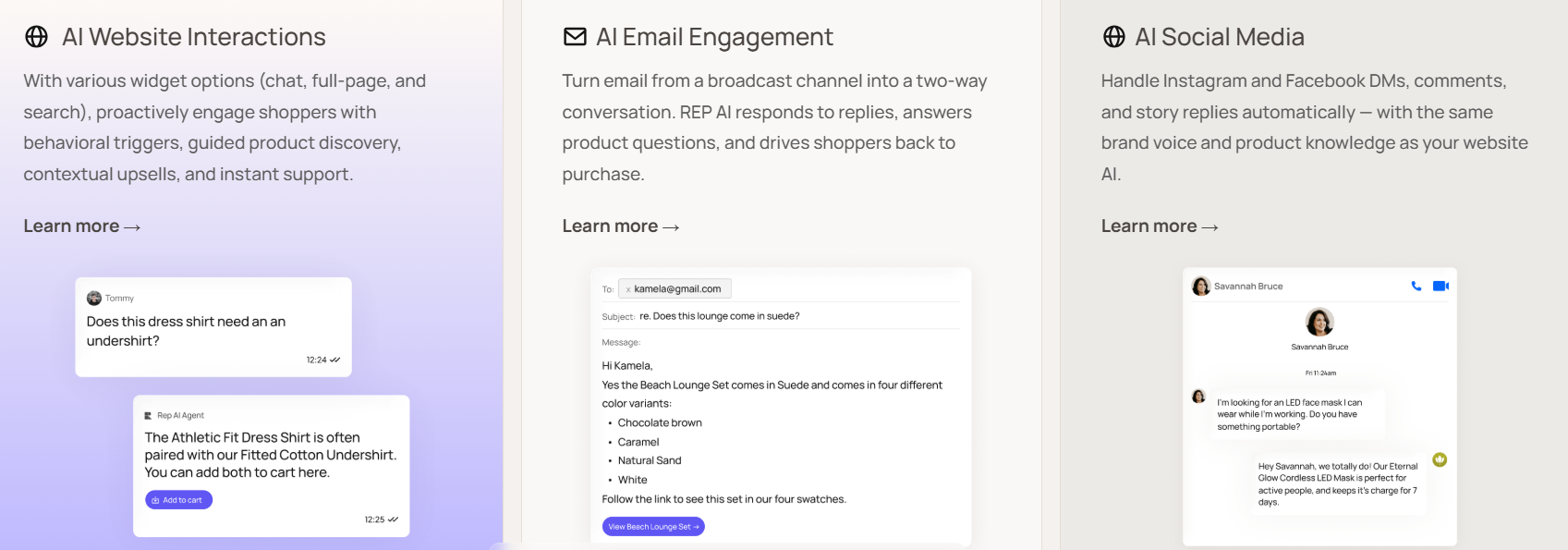
Rep AI is not a helpdesk add-on. It is an Agentic Commerce OS that handles support resolution and sales conversion in a single conversation across websites, email, Instagram, Facebook, and WhatsApp.
A shopper who asks about the return policy and then asks for a product recommendation is not handed off between systems. The same AI handles both.
Works with Your Existing Helpdesk
Rep AI is agnostic to other helpdesk solutions. It integrates with Gorgias, Zendesk, and others. It ingests your existing help center articles and FAQs in one click.
The knowledge base includes auto-synced website URLs, offline files like size guides, custom FAQs, and scheduled promotions with customer segmentation rules.
Support That Goes Beyond Ticket Resolution
The AI resolves up to 97% of support requests autonomously. Prebuilt support skills handle order status, cancellations, address changes, returns, and damaged order image validation with autonomous refunds.
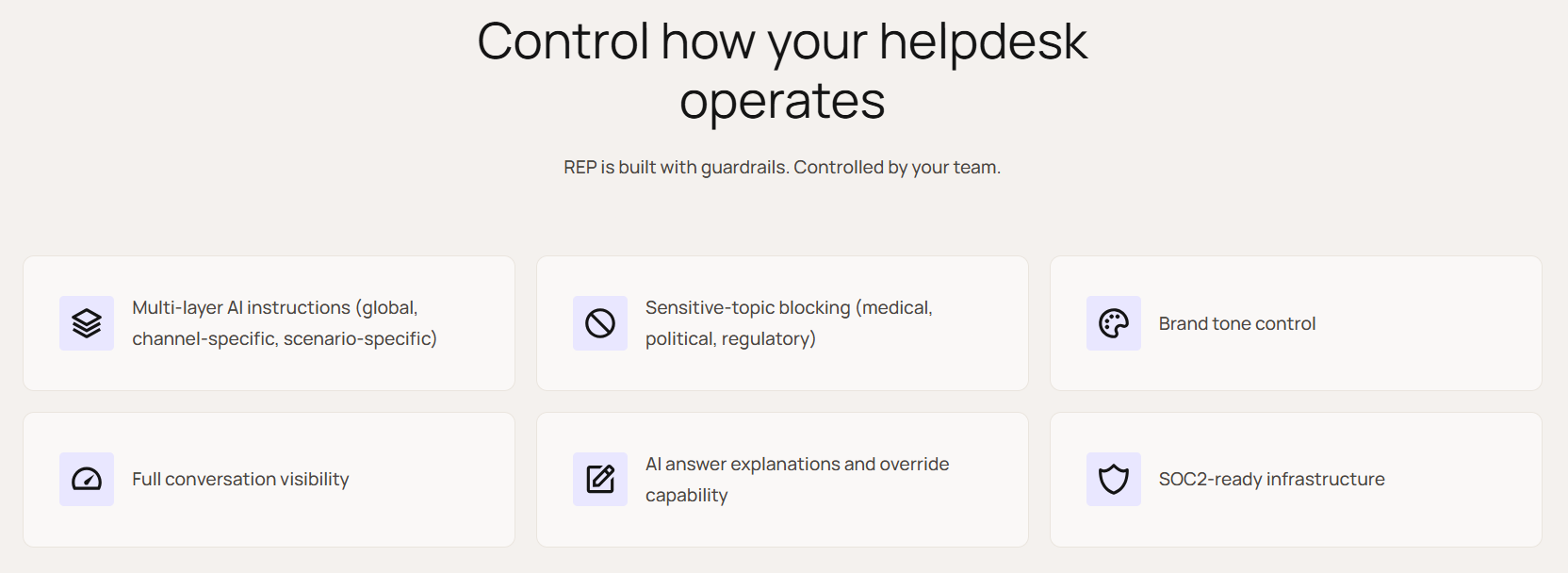
A multi-tiered instruction architecture lets you control AI behavior at three levels:
- Globally across all interactions.
- By channel, with email and chat having different instructions.
- By scenario, where a returning customer is handled differently from a new visitor.
Guardrails are active by default on every deployment and backed by SOC 2 compliance.
Sales Capabilities No Helpdesk AI Offers
A behavioral algorithm detects disengaging visitors and engages proactively based on buying journey context, not generic triggers. Shoppers can add products to the cart directly within the conversation without being redirected.
Visual product filtering, post-add-to-cart upsells, and Virtual Try-On for clothing, accessories, and footwear. These aren't support features tucked into an AI. They're sales capabilities that turn browsers into buyers, built right into the same conversation.
Shopper Intelligence from Every Conversation
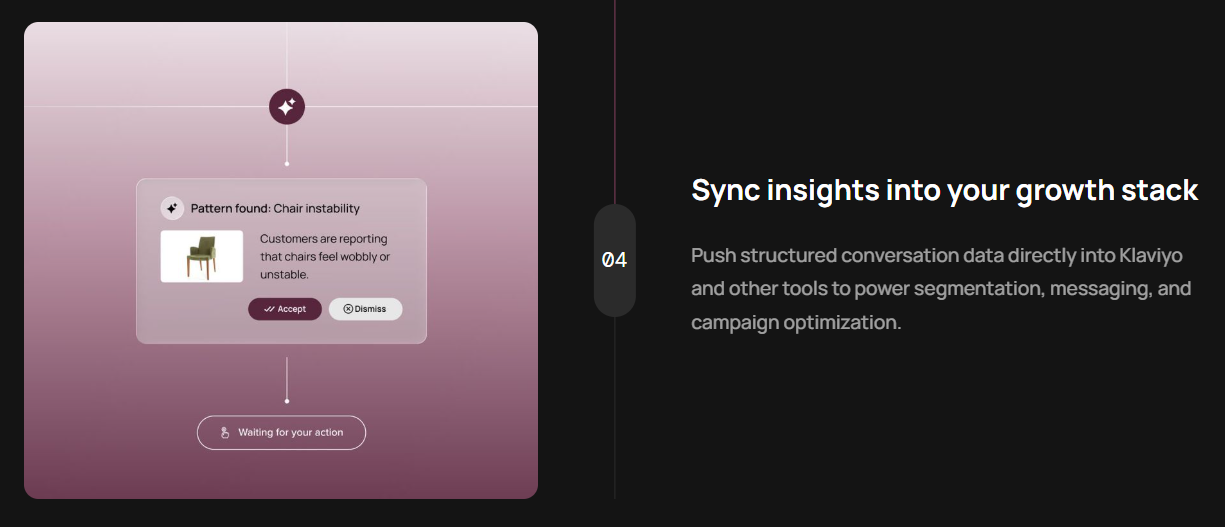
The Deep Research analytics hub categorizes conversations by built-in topics, custom topics you define for your business, and AI-discovered patterns:
- Klaviyo topic sync pushes conversation intelligence to customer profiles automatically, so your marketing team can build segments based on what shoppers said.
- Missing information detection tells you which questions your site fails to answer.
- Drop-off reason analytics tell you why visitors leave.
What Rollout Actually Looks Like
Adding AI to your helpdesk shouldn't feel like a platform migration. With Rep AI, it doesn't. Onboarding is built around a single principle that the team repeats internally, such as "go live first, and optimize over time." Here’s what a practical, low-friction AI rollout looks like in action:
Go Live in Six Clicks
Fill in your store details, download the Rep AI Chrome Extension, and launch. The AI's personality, tone, and selling style are auto-generated during onboarding based on your brand. Best practices come pre-activated, so you're not configuring a platform, but you're switching one on.
Then Let It Learn
The moment you're live, Rep AI starts ingesting your product catalog, website URLs, help center articles, and any files you upload. It begins by resolving support tickets and engaging shoppers from conversation one.
The knowledge base dashboard shows you exactly which pages and FAQs the AI is pulling from, and how often, so you can see what's driving resolution in real time.
Optimize with Evidence, Not Guesswork
Features like missing-information detection, Deep Research, and Klaviyo sync are deliberately second-stage. They only become meaningful once you have real conversations feeding them.
As volume builds, the platform surfaces what your site fails to answer, which topics correlate with drop-off, and where to tighten your knowledge base. For mid-market and enterprise accounts, a dedicated CSM handles onboarding end-to-end.
How to Measure Success After Adding AI
Measuring AI success in your helpdesk goes beyond faster replies or lower ticket counts. The real impact shows up in whether support workload actually drops and whether conversations start driving revenue. Here are the crucial metrics to track after adding AI:
Resolution Rate vs Deflection Rate
Deflection counts how many tickets the AI touched, and resolution counts how many it solved without human intervention and without the customer filing a follow-up.
However, always track the resolution rate. It is the only metric that reflects whether AI is reducing workload or just rerouting it.
Revenue Attributed to AI Conversations
This is the metric that most helpdesk AI cannot measure because most helpdesk AI does not sell. Rep AI tracks AI-generated sales, conversion rate from AI-engaged sessions, and AOV from AI-assisted purchases, all with a conservative 24-hour attribution window, compared to Gorgias's 3-day window.
Shopper Intelligence Metrics
Knowing what shoppers ask about most, why they leave without buying, and what questions your site fails to answer isn’t just vanity data. That's product, marketing, and merchandising intelligence, drawn directly from real conversations.
Cost Per Resolution
Compare your pre-AI cost per ticket against your post-AI cost per resolution. Then factor in the revenue generated from AI sales conversations:
Net ROI = support cost savings + incremental revenue generated.
Rep AI guarantees at least 5X return on investment within the first 30 days, backed by a money-back guarantee.
How to Choose the Right AI Approach?
Choosing the right AI approach depends on your support volume and business goals. Some solutions focus on basic efficiency, while others are built to reduce costs or even drive revenue. Here’s how to decide which approach fits your stage and needs:
If You Handle Under 500 Tickets Per Month
Start with macros and a vendor-embedded copilot. Your ticket volume does not justify a full AI platform yet. Build a clean knowledge base, standardize your response templates, and get your team comfortable with AI-assisted workflows. This foundation makes the transition to full automation smoother when you are ready.
If You Need to Cut Support Costs Fast
Conversational AI integrations will automate 60-90% of routine tickets within 30-60 days.
Look for outcome-based pricing, backend action capabilities, and compatibility with your existing helpdesk. This approach solves the cost problem., not the revenue problem.
If You Want Cost Savings and Revenue Growth
The right platform does both. It engages and sells. Look for AI that proactively engages visitors instead of only responding to incoming requests, and can recommend products while also adding items directly to the cart. It should also explain why visitors drop off and work flawlessly across all major channels, including websites, email, social media, and WhatsApp.
Five Questions to Ask Any Vendor
- Does your AI resolve tickets or just deflect them?
- Can it sell, or only support?
- Does it learn from my catalog or only my help center?
- How does pricing scale during peak volume months?
- What shopper intelligence does it surface beyond ticket metrics?
From Ticket Inbox to Revenue Channel
The e-commerce helpdesk has evolved from a ticket inbox to a revenue-relevant layer of the customer experience. Adding AI is no longer optional for stores handling high traffic volumes. The question is which approach matches your maturity, cost targets, and revenue ambition.
Scripted bots and macros handle the basics. Copilots make agents faster. Whereas conversational AI resolves tickets autonomously. Each of these approaches addresses a piece of the puzzle.
An Agentic AI, like Rep AI, addresses the full picture. It unifies support automation and sales conversion in a single platform for Shopify and Salesforce Commerce Cloud. Moreover, it ensures a 50-70% ticket reduction, a 10-30% conversion lift, and a 5X ROI guarantee with money-back.
So, start your 30-day free trial with Rep AI.
FAQs
Can I add AI to my existing helpdesk without migrating?
Yes. Rep AI integrates with platforms like Gorgias and Zendesk. It imports s your existing help center articles and FAQs in one click, so there is no migration and no re-platforming required.
How long does it take to see results after adding AI?
Rep AI launches in six clicks. Most brands see measurable ticket reduction and conversion impact within 30 days. By day 60, the AI has learned from thousands of conversations and delivers full analytics on conversation topics, drop-off reasons, and content gaps.
What is the difference between a chatbot, a copilot, and an AI agent?
A chatbot follows scripted rules and breaks when a customer goes off-script. While a copilot drafts responses for a human agent to review and send. An AI agent resolves tickets autonomously by understanding language, accessing order data, and executing backend actions.
Does helpdesk AI hurt customer satisfaction?
Not when implemented with the right guardrails. Rep AI auto-generates brand voice and personality during onboarding, and includes built-in guardrails that prevent sensitive topic discussions. Human escalation is always available when the AI detects that it cannot resolve an issue.
Can AI helpdesk automation also drive sales?
Most helpdesk AI cannot. It is built for support-only workflows. Rep AI is the exception. Its behavioral algorithm proactively engages shoppers showing disengagement signals, recommends products, enables one-click add to cart within the conversation, etc. Support and sales happen in the same AI layer.
More from REP AI
AI Shopping Assistant: How It Guides Ecommerce Shoppers in 2026
When a shopper hesitates, timely guidance can help them decide what to explore next. An ai shopping assistant can answer product questions, narrow choices, and guide product discovery without taking control of checkout. Shoppers get help comparing options, while still making the purchase decision th...
Benefits of Agentic Commerce: How AI Can Help Brands Sell and Serve Better
When a shopper hesitates, a useful answer can turn a moment of uncertainty into a chance to help, rather than a sale lost or a question left unanswered. The benefits of agentic commerce come from connecting shopper intent with timely action, then learning from those interactions to improve sales gui...
Want to see what your store would do with Rep?
Run your real Shopify catalog through the simulator before you commit to anything. No sales call required.

