


How the REP AI chat icon stays clear of sticky add-to-cart bars
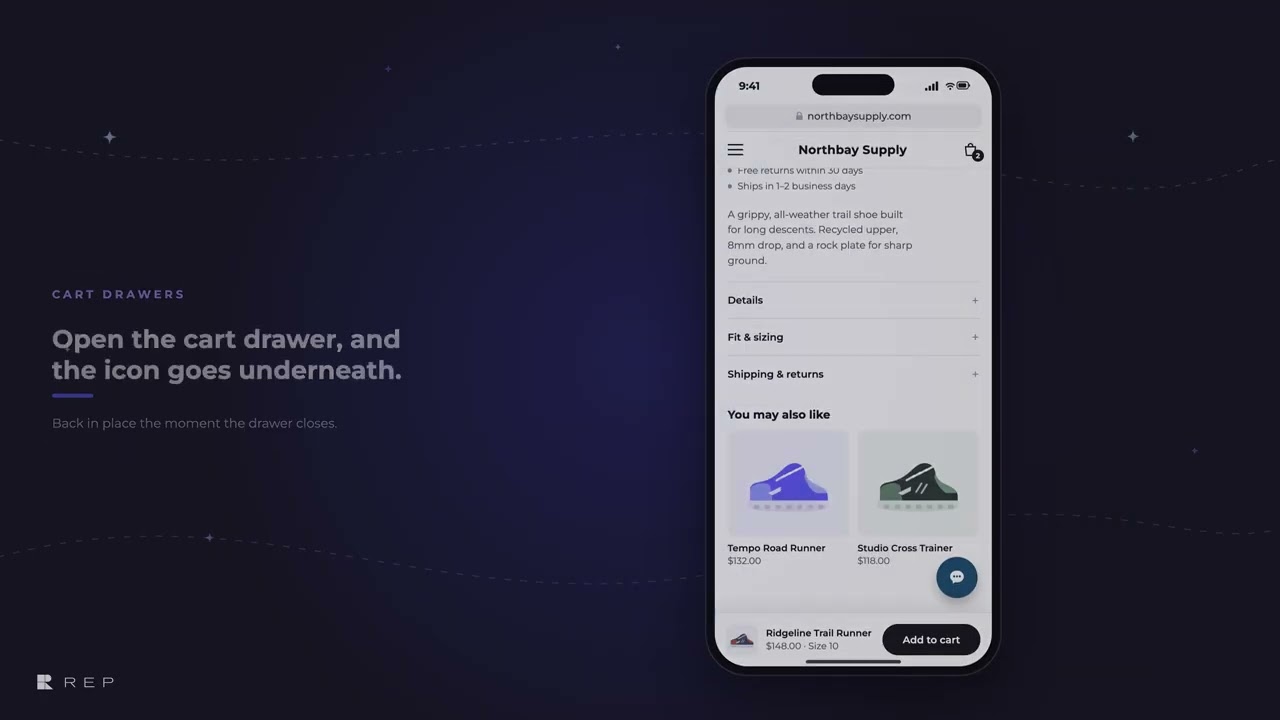
The REP AI chat icon lifts itself 20px clear of a theme's sticky add-to-cart bar and drops back down when the bar goes away. It handles sticky bars on phones and tablets up to 1024px wide and cart drawers on every screen size, and it's on for every store with nothing to configure.
Chapters
Transcript
Sticky add-to-cart bars
When a theme pins its add-to-cart bar to the bottom of the screen, the chat icon lifts itself just clear of it. And when the bar goes away, it drops back down.
Cart drawers
A cart drawer gets the screen to itself. The chat icon waits underneath while it's open. As soon as the drawer closes, the icon is back, still clear of the bar.
Where it works
It's on for every store with nothing to configure. If a store already set its own layering in the Console, REP leaves that alone.
Common questions
Will the REP AI chat icon cover my sticky add-to-cart bar?
No. The chat icon lifts itself just clear of a sticky add-to-cart bar and drops back down when the bar goes away.
Do I need to set anything up?
No. It's on for every store with nothing to configure, and if you already set your own z-index in the Console, REP leaves it alone.
Does it work on desktop?
Cart drawers are handled on every screen size, including desktop. Sticky bars are handled on phones and tablets up to 1024px wide; wider screens keep your placement.
See it working on your own store.

