


How to build custom support skills in REP AI, no engineer needed
REP AI lets you build custom support skills for the jobs only your store has, in five steps: name and description, permissions, fields, policy and review. Start from Support skills > Add new skill with one of six templates or from scratch; the AI follows your policy as an exact playbook, and escalation to a human is always on.
Chapters
Transcript
Custom skills in the grid
REP's built-in skills cover the common jobs. Custom skills cover the ones only your store has.
Templates and description
Templates are only a starting point. Everything in them stays editable after you pick one. The description isn't decoration. It's what the orchestrator matches a shopper's problem against.
Permissions and API endpoints
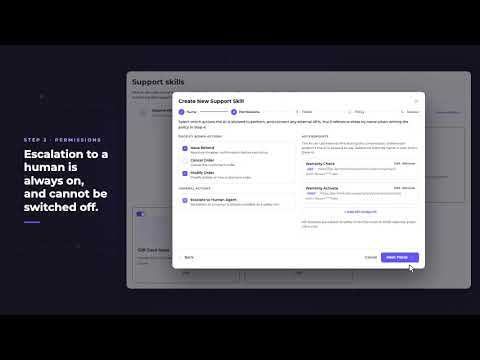
Permissions are a fence, not a to-do list. They set what this skill may ever do. Your own endpoints connect here. The agent can call them, but it can never invent one.
Fields, policy and review
Anything marked required gets collected before the agent can resolve anything at all. Then you write the policy, plain English, number your rules. The agent treats it as an exact playbook. It won't reorder your steps or invent new ones.
The AI runs it
The shopper describes the problem, and the orchestrator picks this skill from the description you wrote. Order number and ZIP first. That check runs whether or not your policy asks for it.
Common questions
Can I build my own support workflows in REP AI?
Yes. Custom support skills cover the jobs only your store has: you name and describe the skill, set its permissions, choose the fields to collect and write the policy in plain English.
Can a REP AI custom support skill call my own API?
Yes. You can connect your own endpoints for the agent to call, and it can never invent one.
Can I turn off human escalation in a custom support skill?
No. Escalation to a human is always on and cannot be switched off.
See it working on your own store.

