


How REP AI offers discount codes only when you allow it
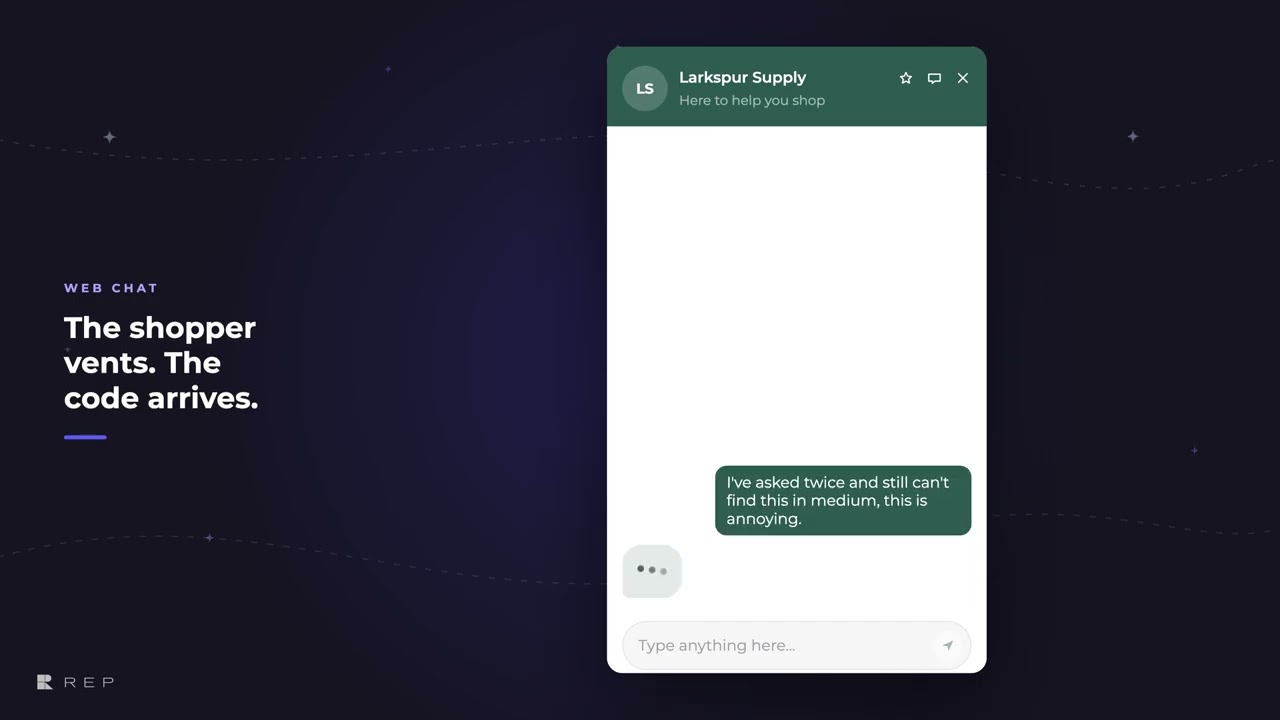
REP AI offers a discount code only in the moments you choose, such as a shopper who is clearly frustrated, and doesn't mention discounts at all when no rule matches. Turn it on in AI Sales > Sales Skills > Offer discounts by your rules, which works in web chat only and needs the Sales Skills add-on; the shopper gets their own code in a card with Copy code and Apply to cart.
Chapters
Transcript
Pick the moments
A discount goes out only in the moments you choose here: a shopper who is clearly frustrated. Each shopper gets their own single-use code, 10% off.
Limits the AI keeps
Limits sit on top of every rule. And when no rule matches, the AI doesn't mention discounts at all.
The offer in web chat
REP answers the real question first. Then it offers the code once, as the last thing it says, and points to the card instead of typing it out.
One tap applies the code
Then a tap puts the code on the shopper's cart without leaving the page.
Common questions
Can I stop REP AI from giving out discounts?
Yes. The AI offers a code only when one of your rules allows it, every rule starts switched off, and it never goes above your limits.
Does REP AI offer discount codes on Instagram or WhatsApp?
No. Offer discounts by your rules works in web chat only, not in email, Instagram, Facebook or WhatsApp, and it needs the Sales Skills add-on.
How does the shopper use the discount code?
The code arrives in a card with Copy code and Apply to cart, and one tap puts it on the shopper's cart without leaving the page.
See it working on your own store.

