


How to place the REP AI product page widget in your Shopify theme
REP AI's product page widget is placed through the Shopify theme editor: choose Theme editor, the recommended option, and the block opens already added to your product template, ready to drag into place with no code. Find it in Chat widget settings › Embedded widgets › Inline PDP widget, where every save checks your live product page and turns green when shoppers can see it.
Chapters
Transcript
Two ways to place it
Turn the product page widget on and the only question left is where it should sit. Theme editor is the recommended answer, and it is already selected.
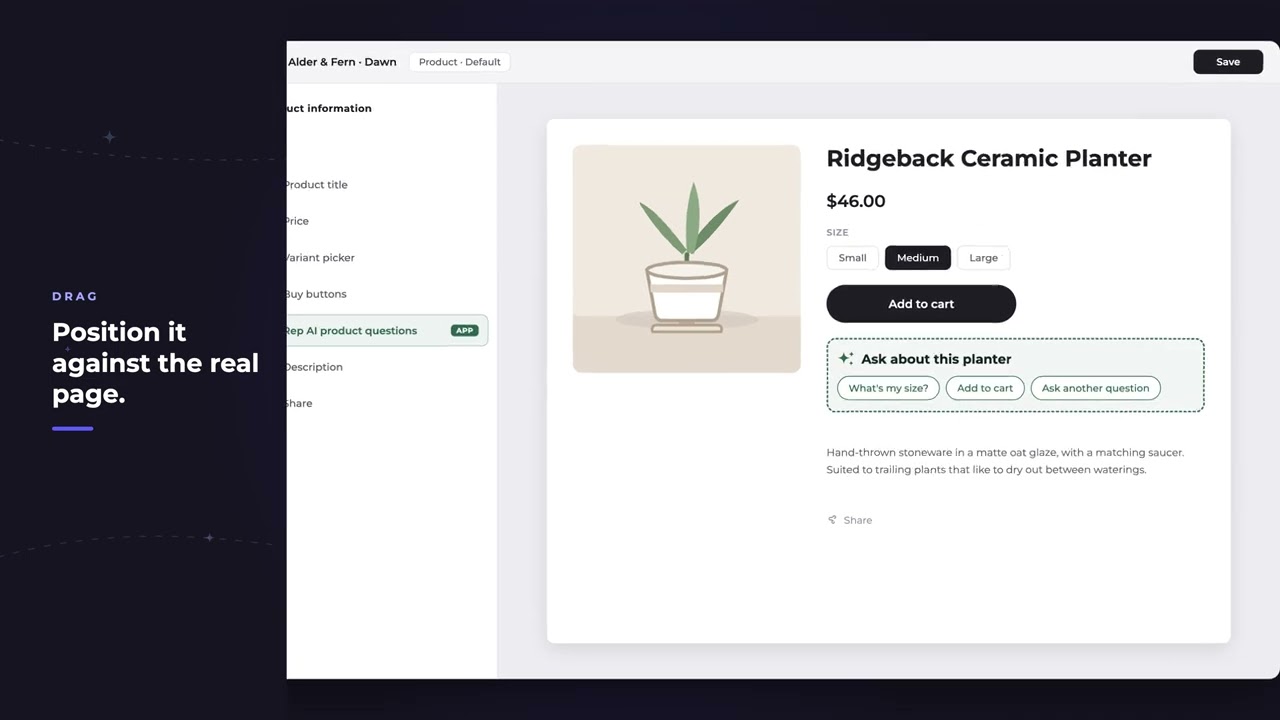
Drag it in the theme editor
The block opens already added to your product template. Drag it where the page reads best. The placeholder shows you what you are positioning.
Every save checks the store
Save, and Console goes and looks at your live product page. Green means a shopper can see it and it tells you where.
What shoppers see
This is their side of it. Questions sit right under the buy button, on the page where the decision happens.
One tap opens the chat
Tapping one opens the chat with that question already asked.
Common questions
Do I need code to add the REP AI product page widget?
No. The recommended Theme editor option opens the block already added to your Shopify product template so you can drag it into place; a custom container option exists for developers.
How do I know the widget is live on my product pages?
Every save checks your live store. A green status says it's live on your product pages and where it was placed, with a View on store link.
What do shoppers see?
Questions right under the buy button; tapping one opens the chat with that question already asked.
See it working on your own store.

