


How to share a live chat with a teammate in REP AI
REP AI lets you share any live conversation with a teammate through a Console link, while the shopper is still in the chat. Click Share on the row in Console › Conversations › Live conversations and paste the link anywhere your team talks; only people signed in to your store's Console can open it.
Chapters
Transcript
A chat that needs a teammate
This chat needs a teammate now, while the shopper is still in it, not after it ends. Each live conversation gets its own link, and it's a Console link, not a public page,
A Console-only link
so in-flight messages stay inside your team.
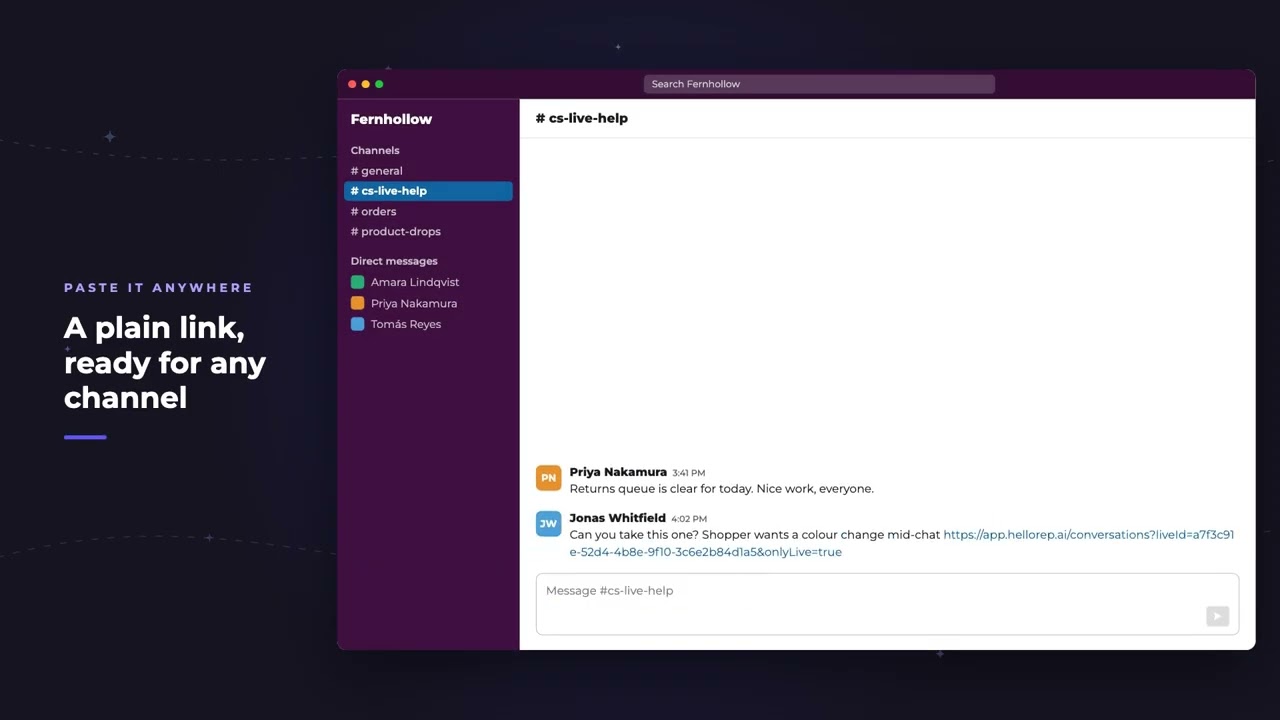
Paste it anywhere
It's a plain web address, so it travels wherever your team already talks: a channel, a ticket, an email. Amara lands on that exact conversation, already open in the live list.
Opens on the conversation
And it keeps moving, each new reply shows up within seconds.
After the chat ends
When the chat wraps up, the same link still works. It shows how the conversation finished, and when.
Common questions
Can I share a live REP AI conversation with a teammate?
Yes. Every live conversation has a Share button that copies a link to that exact conversation, which your teammate can open while the shopper is still chatting.
Who can open a shared conversation link?
Only people signed in to your store's Console. It's a Console link, not a public page, so in-flight messages stay inside your team.
Does the link still work after the chat ends?
Yes. The same link keeps working and shows how the conversation finished, and when.
See it working on your own store.

