


Can you turn off photo uploads in REP AI chat? Yes, one switch
Yes: REP AI lets shoppers attach a photo to any chat message by default, and one switch turns that off. It's in Settings › Chat widget › Chat experience › Shopper image upload; switched off, the paperclip and drag-and-drop disappear, but REP can still ask for a photo when a skill needs proof, like a damaged order.
Chapters
Transcript
On by default
Shoppers can add a photo to any chat message, and it's switched on for every store by default.
One switch in settings
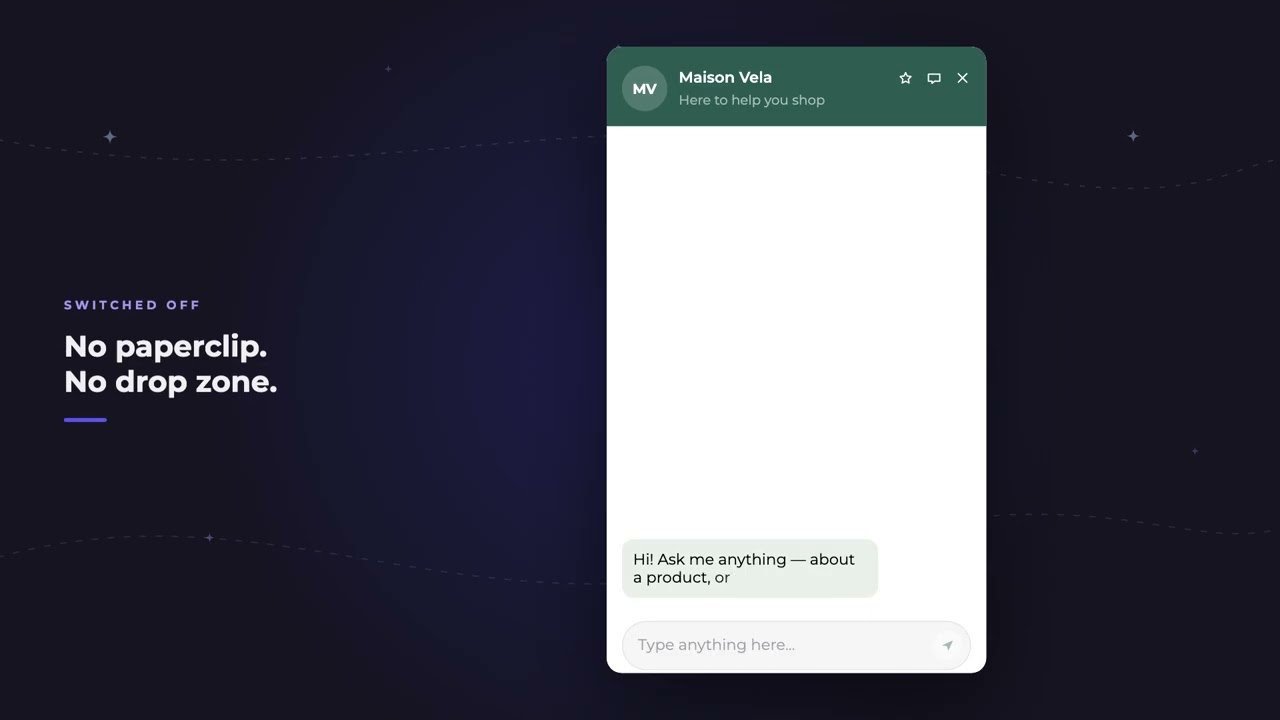
Some brands would rather keep their chat text only, so the switch sits with your other chat experience settings. The preview beside it is the shopper's message box, so you see the paperclip go before you save.
Switched off for shoppers
Once you save, shoppers get a plain message box, and dropping a file onto the chat does nothing.
Photo requests still work
One thing stays on purpose. When a skill needs proof, like a damaged order, REP can still ask the shopper for a photo.
Common questions
Can shoppers send photos in REP AI chat?
Yes. Shopper image upload is on by default, so shoppers can attach a photo to any chat message.
How do I turn off photo uploads in the chat?
Switch off Shopper image upload in Settings › Chat widget › Chat experience and save; the paperclip and drag-and-drop disappear.
If uploads are off, can the AI still ask for a photo?
Yes. When a skill needs proof, like a damaged order, REP can still ask the shopper for a photo.
See it working on your own store.

