


Rep Inbox analytics: see how many tickets REP AI closes
Rep Inbox analytics in REP AI splits closed tickets by who replied: if no one on your team wrote back, REP AI closed it, and one reply from a person makes it your team's. It lives under Rep Inbox > Analytics, where every number opens the tickets behind it, and you can email the report to your team daily, weekly, monthly or on a custom schedule with a CSV of the period's tickets.
Chapters
Transcript
REP AI vs your team
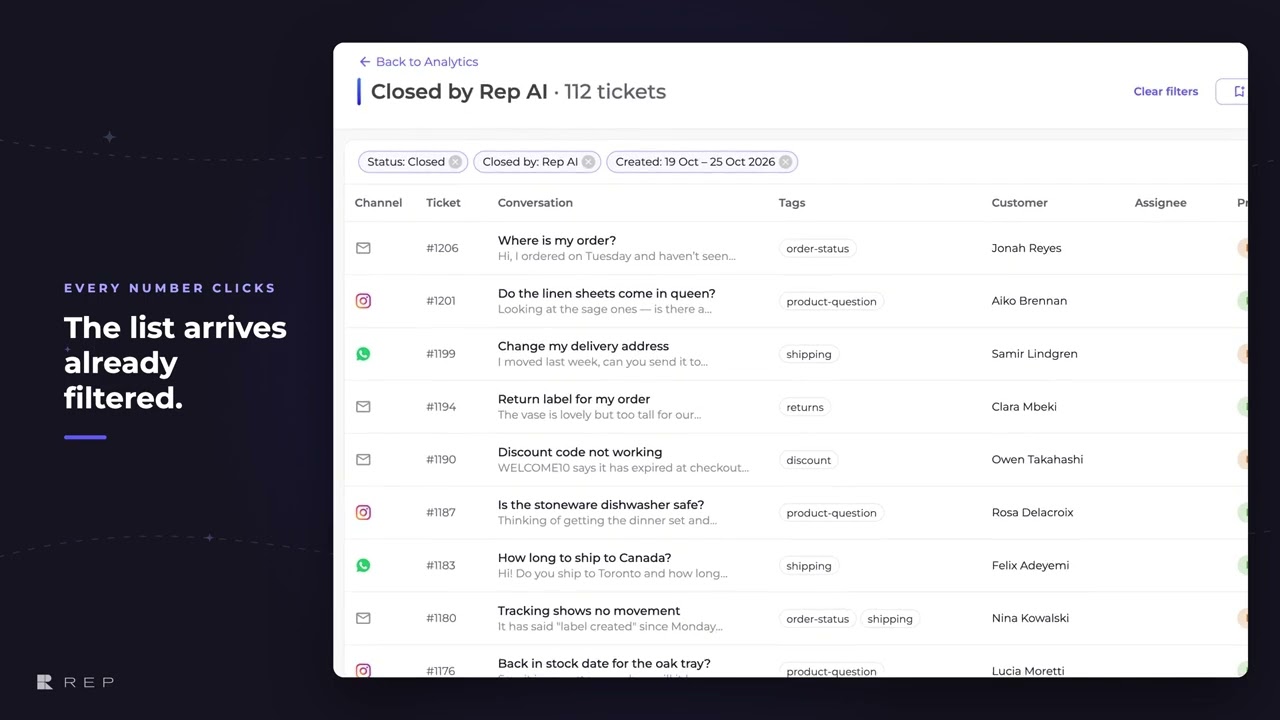
Closed tickets are split by who replied. If no one on your team wrote back, REP AI closed it. One reply from a person makes it your team's. Every number on the page is a link.
Every number is a link
This one opens the 112 tickets REP AI closed, ready to save as a view or export as a CSV.
Schedule a report
Reports follow your store's own calendar and time zone. Before you save, you see the exact days the next one will cover.
The report email
Your team gets the same numbers by email, on your schedule, with every ticket from the period in a CSV.
Common questions
How do I see how many tickets REP AI closed without a human?
Open Rep Inbox > Analytics. The Closed tickets card counts a ticket as closed by REP AI when no one on your team replied, and as your team's after one reply from a person.
Can I get Rep Inbox reports by email?
Yes. Schedule report emails the page's numbers to your team daily, weekly, monthly or on a custom schedule, with every ticket from the period in a CSV.
Can I export the tickets behind a number?
Yes. Every number on the page links to its tickets, which you can save as a view or export as a CSV.
See it working on your own store.

