


Ecommerce AI Chatbot Not Working? 7 Common Issues and How to Fix Them
Quick Summary
Most e-commerce chatbots fail not because they’re broken, but because they’re built for support rather than sales. They wait instead of engaging, give outdated answers, miss buying intent, and go silent after add-to-cart. Fixing these issues requires accurate product data, smarter escalation rules, and ongoing training so the chatbot can support shoppers throughout the buying journey.
The gap between e-commerce AI chatbot and conversions
AI chat has become a standard part of the e-commerce experience. Many brands now use it to answer product questions, handle order updates, and reduce repetitive support requests. But adoption doesn’t guarantee results. In fact, 39% of shoppers say they have abandoned a purchase after a frustrating interaction with an AI chatbot.
The question is no longer whether your store needs AI chat. It’s whether the chatbot you already have is helping shoppers complete a purchase or quietly driving them away.
In this article, we’ll cover seven common reasons ecommerce AI chat underperforms, how to identify each issue, and what you can do to fix them.
Why listen to us
REP AI works with 500+ e-commerce brands and has analyzed more than 160 million shopping sessions. Those insights shape everything from its exit-intent detection to its understanding of why shoppers leave without buying.
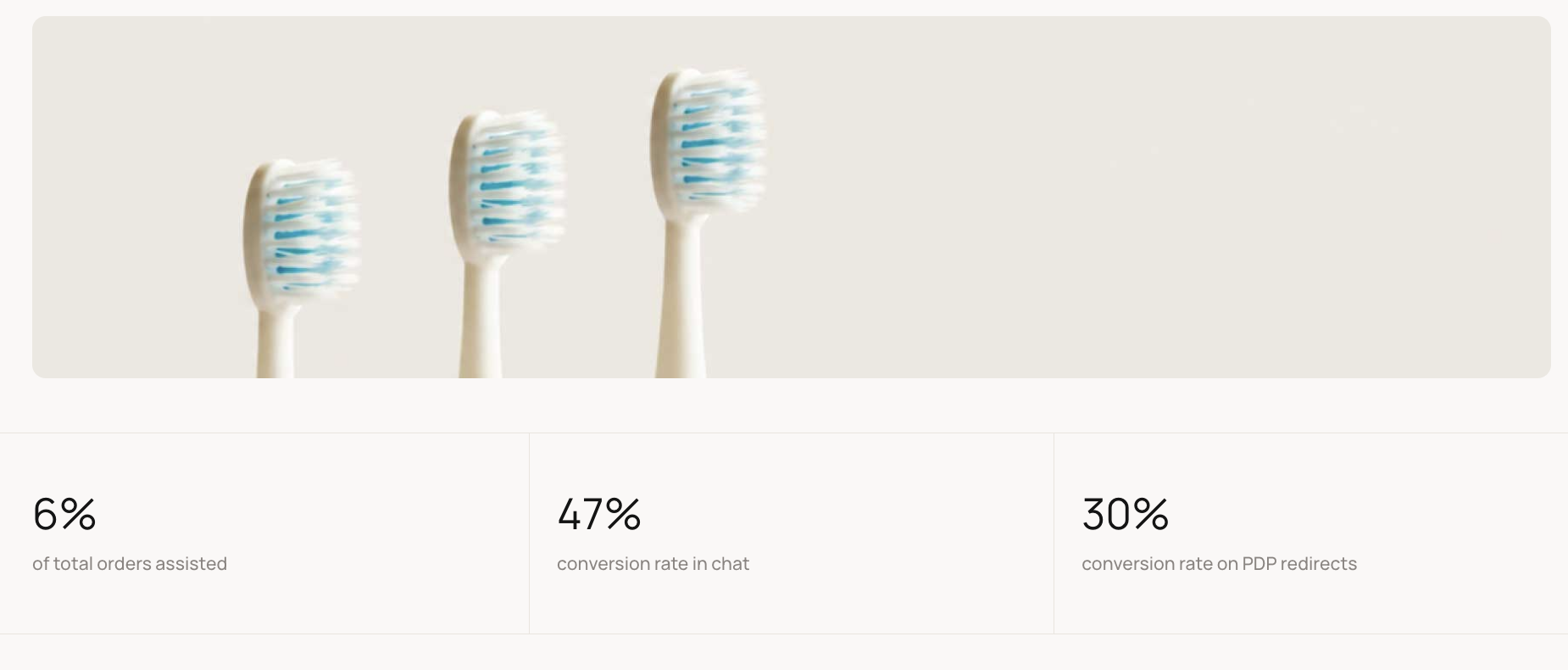
Pür Smile shows the impact of a well-trained AI chatbot. Before REP AI, its support team spent hours answering repetitive questions about orders and products. After deploying AI Support, the brand eliminated 99% of support tickets, achieved a 47% chat conversion rate, and saw AI assist 6% of total orders.
Where is your e-commerce AI chatbot failing?
Before jumping into fixes, it helps to identify where the breakdown is happening. The table below maps the most common problems to their likely cause, so you can skip straight to what is relevant for your store:
| The Problem | The Cause |
|---|---|
| Lots of conversations but few purchases | Chatbot isn’t moving shoppers toward checkout |
| Wrong product or policy answers | The knowledge base is outdated or not syncing |
| Visitors leave without interacting with the chat widget | Chatbot waits instead of reaching out first |
| Shoppers engage, but intent goes unrecognized | Chatbot matches keywords, not meaning |
| Agents get handed incomplete conversations | Escalation drops the conversation history |
| AOV isn’t moving | No upsell or cross-sell after add-to-cart |
| Chatbot responses feel slow or frozen | Processing time is too high, or there is no status feedback |
Once you know where things are breaking down, the fixes become a lot more straightforward. Here are the issues and how you can resolve each of them:
Issue 1 - Your chatbot waits for shoppers instead of starting the conversation
Most ecommerce chatbots are reactive. They sit on the page and wait for someone to click.
The shoppers most likely to leave are often comparing products, checking prices, or feeling unsure about sizing. At the same time, they're also the least likely to open a chat window and ask for help. They’re just going to leave.
How to fix it
- Set up behavioral triggers: If your current platform supports it, configure basic triggers based on time on page, scroll depth, or exit intent.
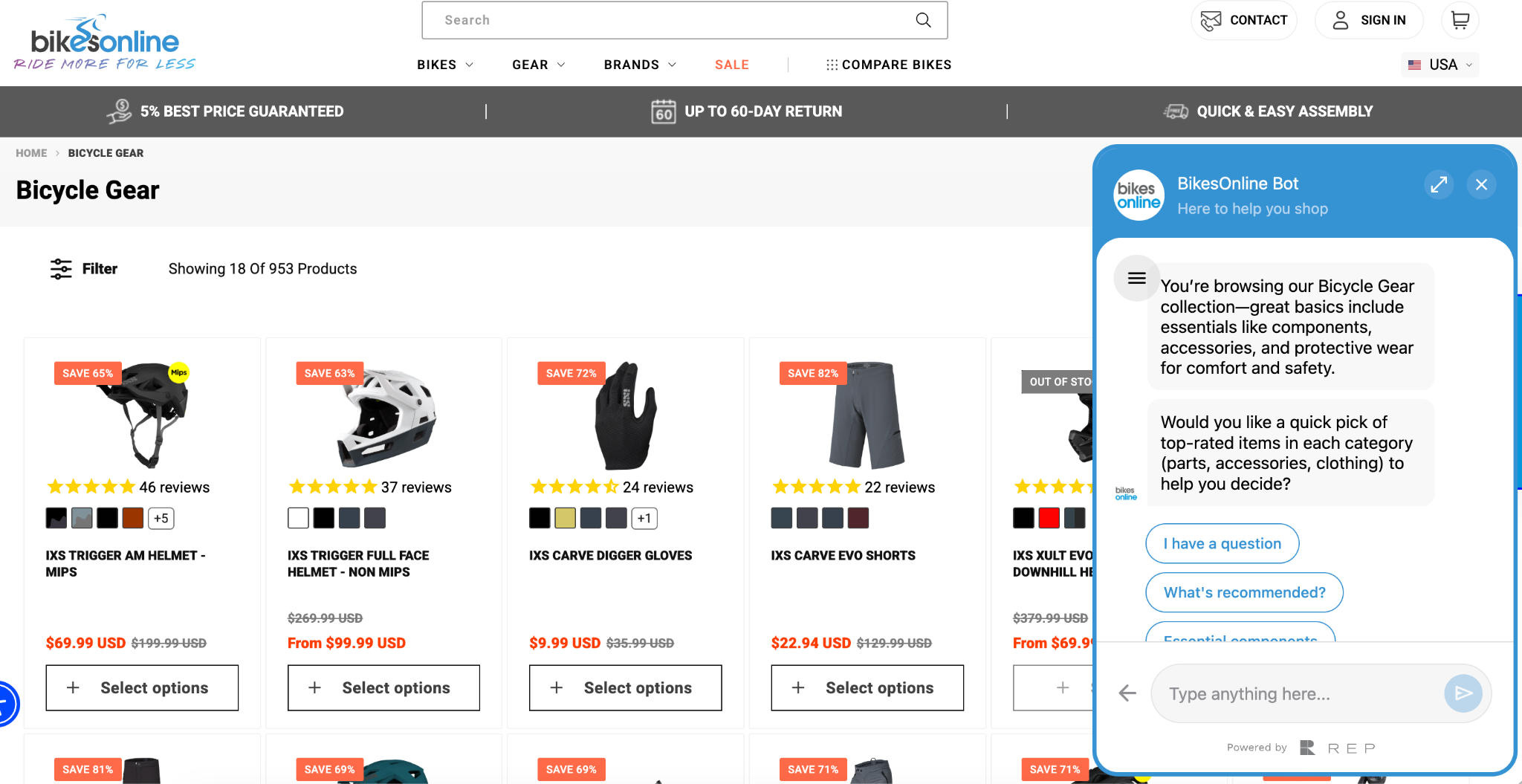
- Revisit your opening message: A generic "Hi, how can I help?" gives hesitant shoppers no reason to engage. Bikes Online's chat, for example, opens with a reference to the exact category the shopper is browsing and immediately offers a quick pick of top-rated items.
Issue 2 - Your chatbot gives wrong or outdated answers
For any store running regular promotions, updating shipping policies, or managing a large catalog, outdated chatbot responses pose a constant risk.
Here are two scenarios that play out more often than most teams realize:
- A shopper asks about a product that went on sale yesterday. The chatbot quotes the original price.
- Another asks about the return window. The chatbot gives a policy that changed two months ago.
Both end the same way: the shopper loses confidence and leaves.
The most common reason this happens is manual syncing. Many platforms require someone on the team to update the knowledge base every time something changes on the site. That process gets missed, information goes stale, and shoppers get wrong answers delivered with complete confidence.
How to fix it
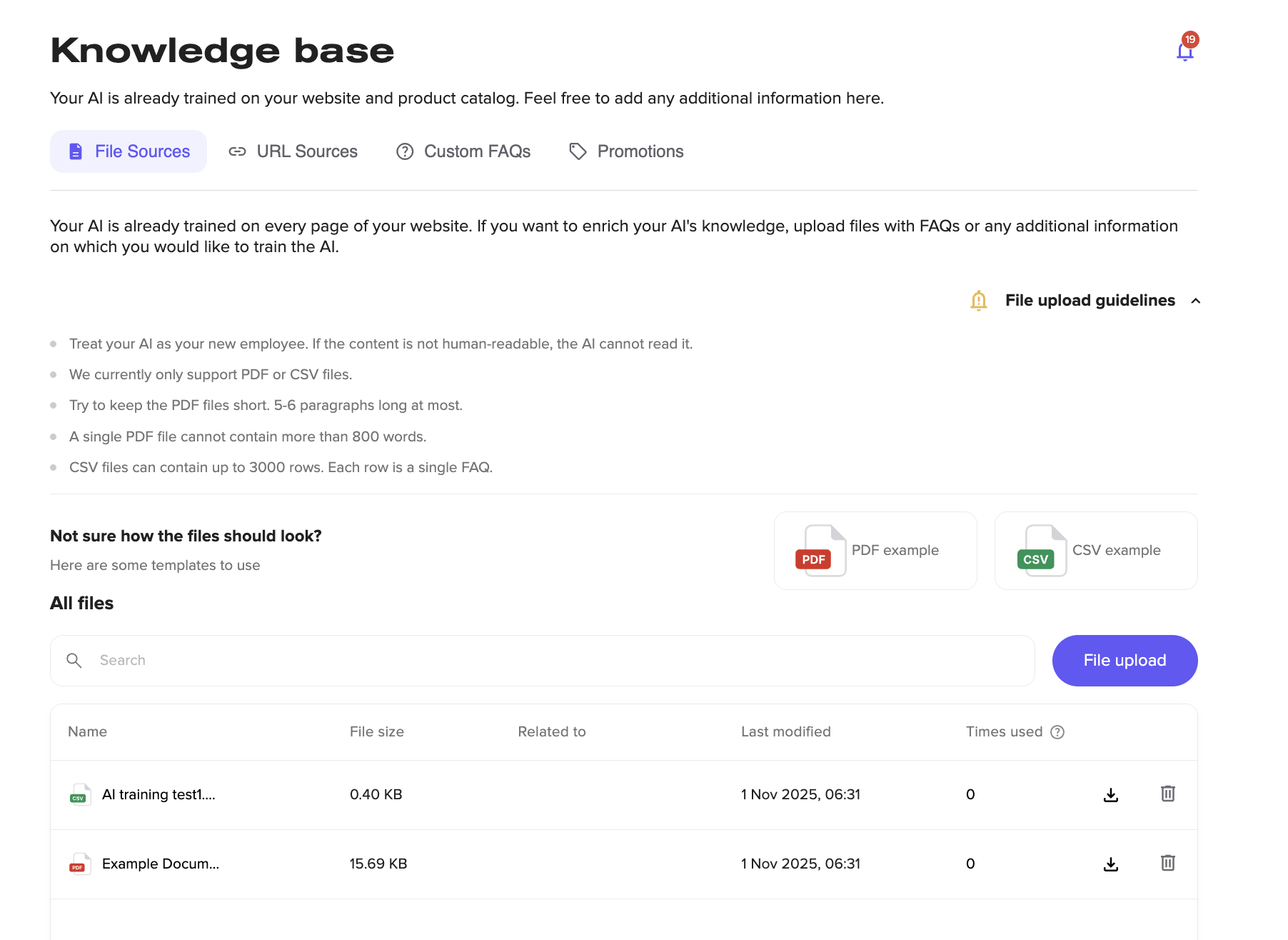
- Audit your knowledge base regularly. Check pricing, policies, product details, and promotions against your live site on a set schedule. REP AI, for example, lets you manage everything in one place, like file uploads, URL sources, custom FAQs, and active promotion. So, auditing is straightforward rather than scattered across different places.
- Flag high-risk content for priority updates. Pricing, shipping costs, return windows, and promotional offers change most often and cause the most damage when wrong. These should be the first things updated whenever something on the site changes.
- Sync directly with Shopify. REP AI connects to your Shopify catalog, so when a price or product detail changes in Shopify, it updates on the AI side automatically. That removes the manual update step for catalog and pricing changes.
Issue 3 - Your chatbot can’t understand shopper intent
Most e-commerce chatbots are built around keywords and predefined flows. They work well enough when a shopper asks a straightforward question, such as "What is your return policy?" or "Where is my order?"
But the moment the question steps outside those boundaries, the experience falls apart. Shoppers don't talk in keywords.
They ask things like "Do these run small?", "Which one is better for wide feet?", or "Is this okay to gift for a 10-year-old?" A chatbot that can’t interpret intent will either give a generic fallback response or loop the shopper back to the same unhelpful answer.
How to fix it
- Review your fallback rate: Check how often your chatbot is hitting its fallback response. A high rate means shoppers are regularly asking things that it can’t handle.
- Train on real support conversations: Pull questions from your actual support inbox. They show how shoppers phrase things, which rarely matches the way a brand writes its help centre.
- Move toward intent-based AI: Keyword matching has a hard ceiling. REP AI, for example, uses conversational AI that understands context and natural follow-up questions. So, when a shopper asks, "Do these run small?" it knows they’re asking about fit, not looking for a keyword match on "size."
Issue 4 - Your chatbot isn’t converting shoppers
A shopper asks which product is right for them. The chatbot gives a solid answer. The shopper says thanks and leaves without buying anything.
This is one of the most common ways e-commerce AI chat fails to drive revenue. Answering questions and guiding a purchase are two different jobs, and most chatbots are built for only one of them.
This often appears as a product recommendation that opens in a new browser tab, or as a text response listing a product without showing its image or price. In other cases, the conversation simply ends after the question is answered, leaving the shopper with no clear next step.
How to fix it
- Test the full purchase flow on mobile. Try to complete a purchase through your chatbot on your phone. If you get redirected out of the chat at any point, that’s where shoppers are dropping off.
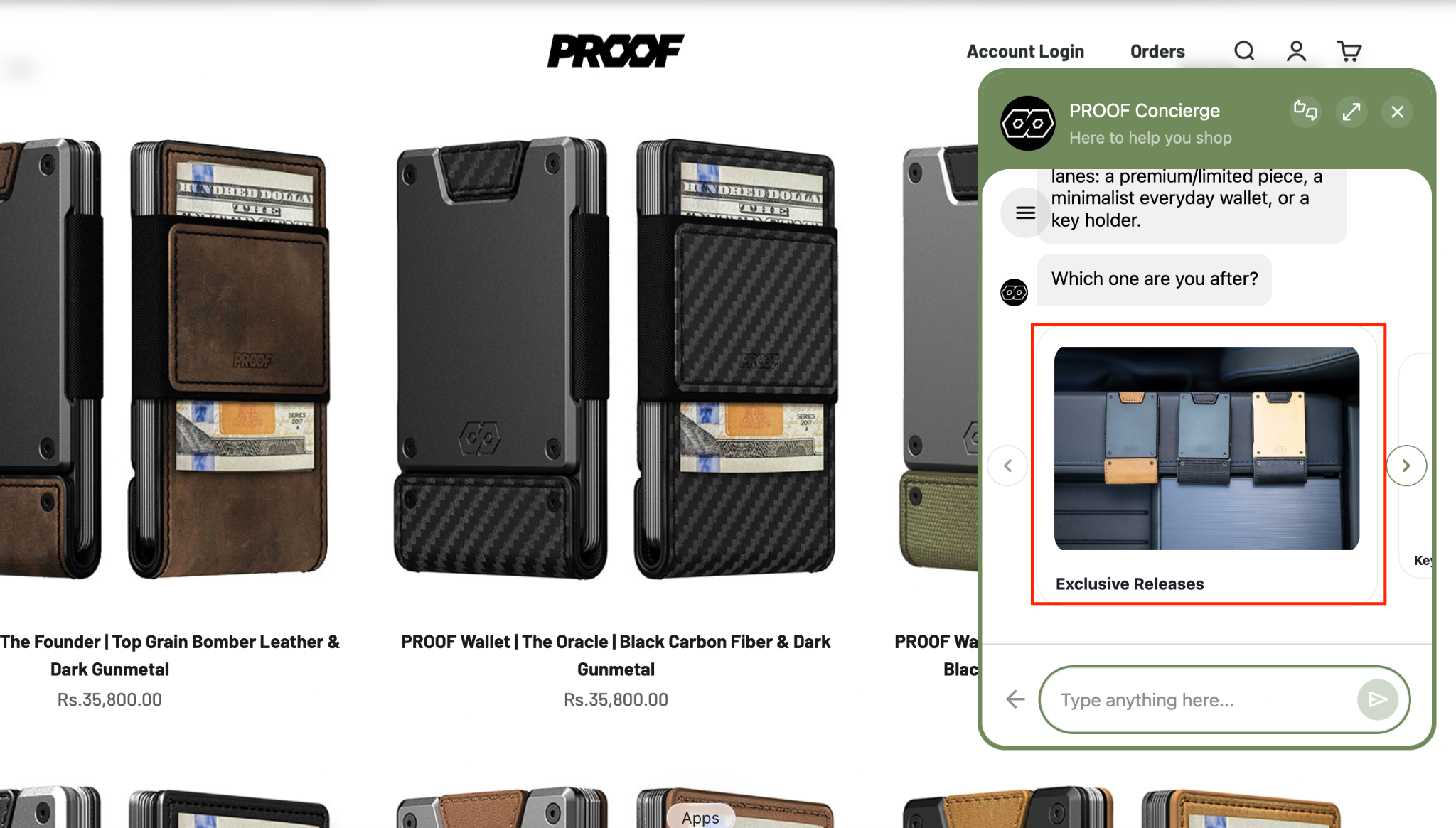
- Check how products appear in chat. Product images and pricing should all be visible without leaving the window. REP AI shows visual product carousels directly in chat, with one-click add-to-cart functionality.
- Make sure the conversation continues after answering. After a product question, the chatbot should offer a relevant next step using sales skills like REP AI’s Product Finder, Virtual Try-On, add-to-cart, and upsell. If the product is OOS, the AI should be able to detect any disengagement instantly and direct shoppers to relevant cross-selling opportunities.
Issue 5 - Your chatbot relies on human agents too quickly, even for WISMO queries
Most e-commerce chatbots handle straightforward questions well. Once a conversation falls outside the predefined flow, they escalate it to a human agent.
The problem isn’t the handoff itself. It’s how often it happens, and what gets lost when it does. Agents receive conversations with no context, no history, and no record of what the AI has already attempted. The shopper has to start over. That experience is worse than having no AI at all.
How to fix it
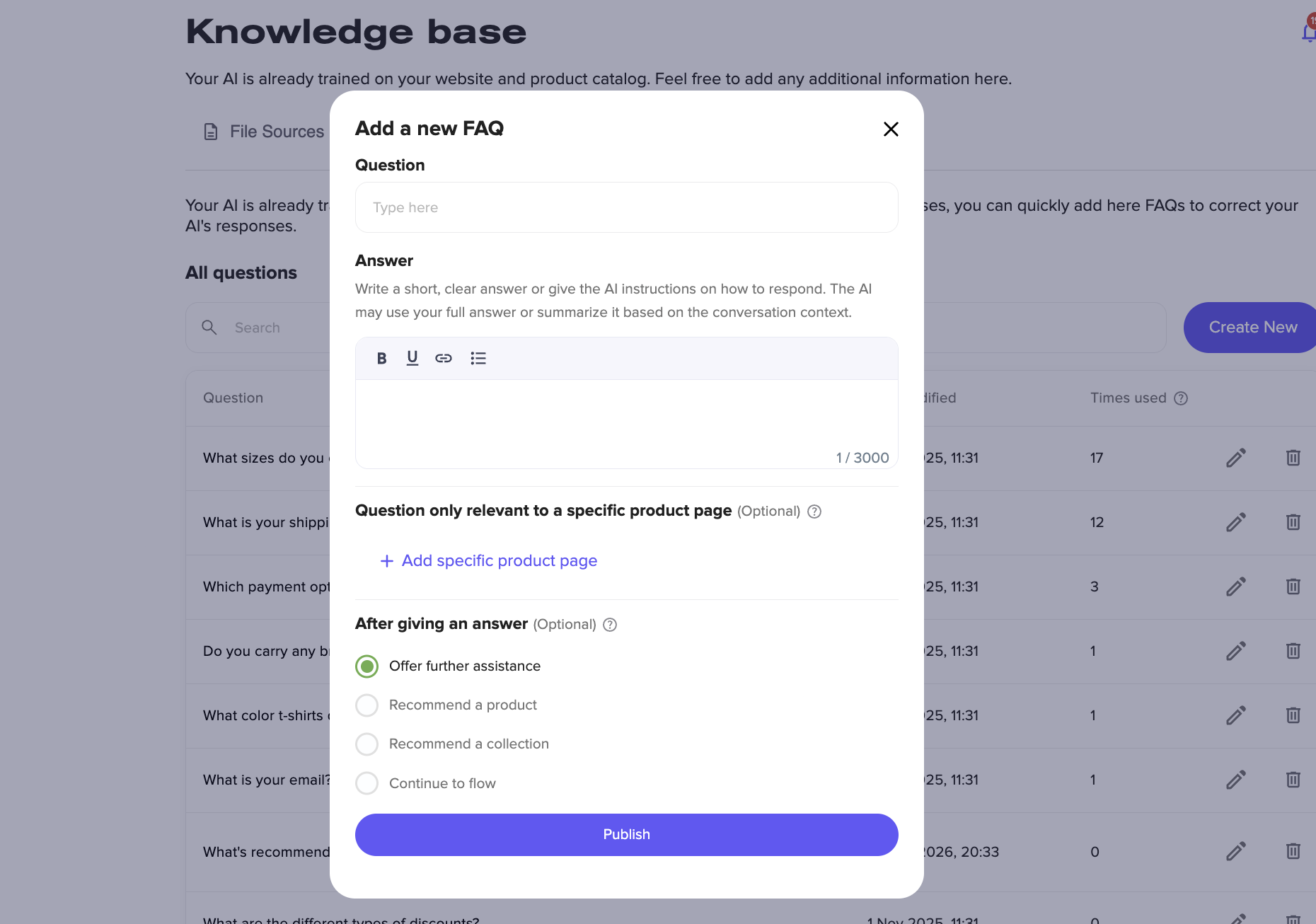
- Train your chatbot on your FAQs: Go through your support inbox and list the questions your team answers every single day. WISMO queries, return eligibility, and shipping windows should never reach a human agent.
- Update vague escalation rules. The more specific your rules, the better your AI performs. If your chatbot is set to escalate anything mentioning "returns," it will flag questions about return eligibility that it could have answered on its own.
- Make sure the chat stays open after handoff. Some platforms lock the chat window the moment escalation is triggered. REP AI keeps the conversation available even after a human takes over, so the shopper is never cut off mid-conversation.
Issue 6 - Your chatbot misses upsell and cross-sell opportunities
The shopper has already added a product to their cart. The hardest part is over. Instead of helping increase the order value, many chatbots stop engaging altogether.
This is one of the highest-value moments in the shopping journey. Shoppers who have already decided to buy are more likely to consider a complementary product, bundle, or accessory if the recommendation is relevant. When your chatbot goes silent, those opportunities disappear.
How to fix it
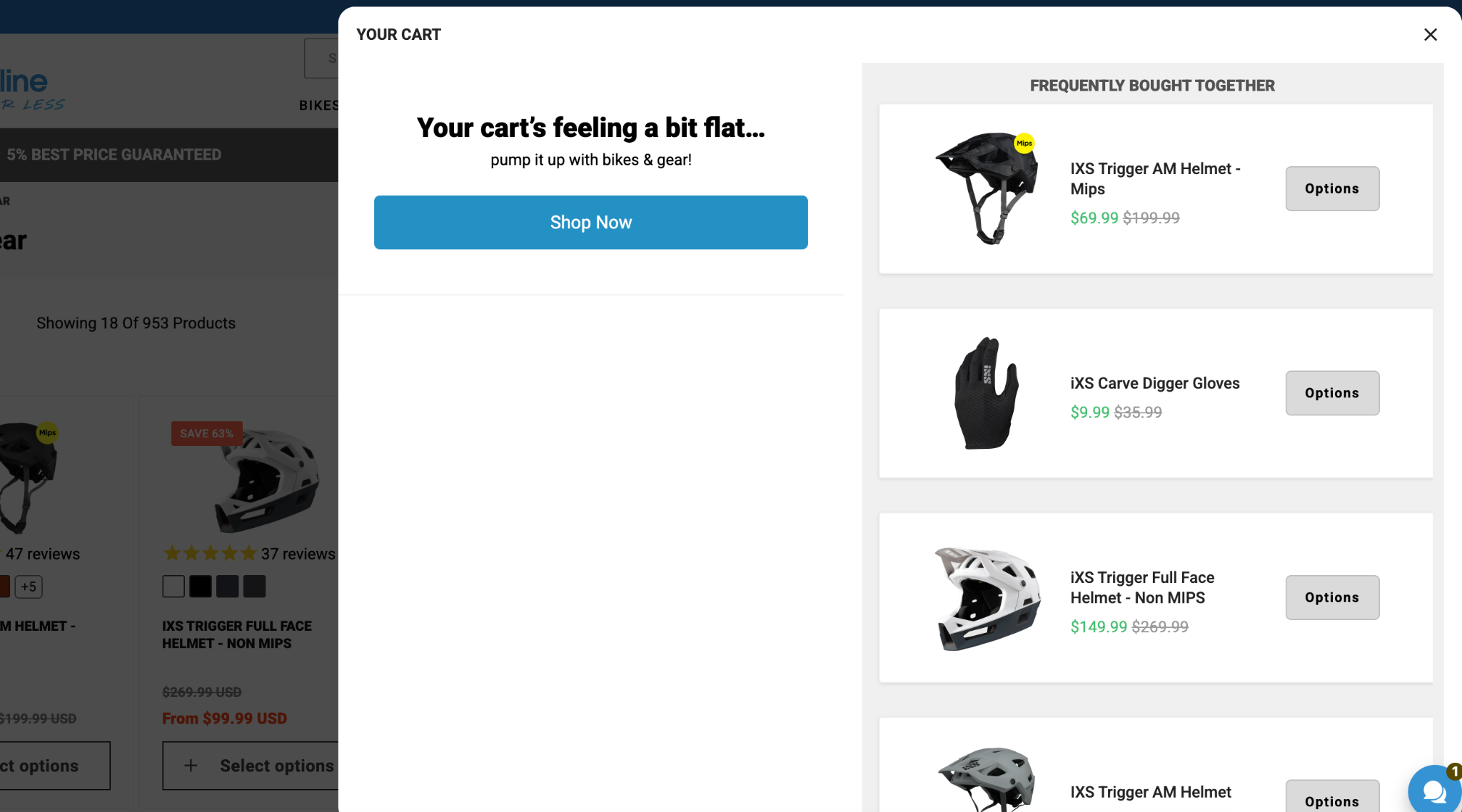
- Set up a cart value threshold trigger. Configure your chatbot to suggest a complementary product when a shopper's cart reaches a certain threshold. For example, "you're $15 away from free shipping," followed by a relevant product suggestion.
- Map your upsell and cross-sell opportunities: List your most common product pairings explicitly so the chatbot surfaces them. Don't rely on the AI to figure out pairings on its own. Tell it which products go together and when to suggest them.
Issue 7 - Your chatbot takes too long to respond
Shoppers have little patience for a loading screen. 88% of customers expect faster response times than they did just a year ago. When a chatbot takes a few seconds longer to reply, most assume it's broken and close the window.
This usually happens when the AI is processing complex queries, pulling from a large knowledge base, or running multiple checks in the background. The shopper sees a spinning loader and has no way of knowing whether the chatbot is working or frozen.
How to fix it
- Check your average response time: Most platforms surface this in their analytics dashboard. If responses are consistently taking more than 3-4 seconds, that’s a drop-off risk worth addressing.
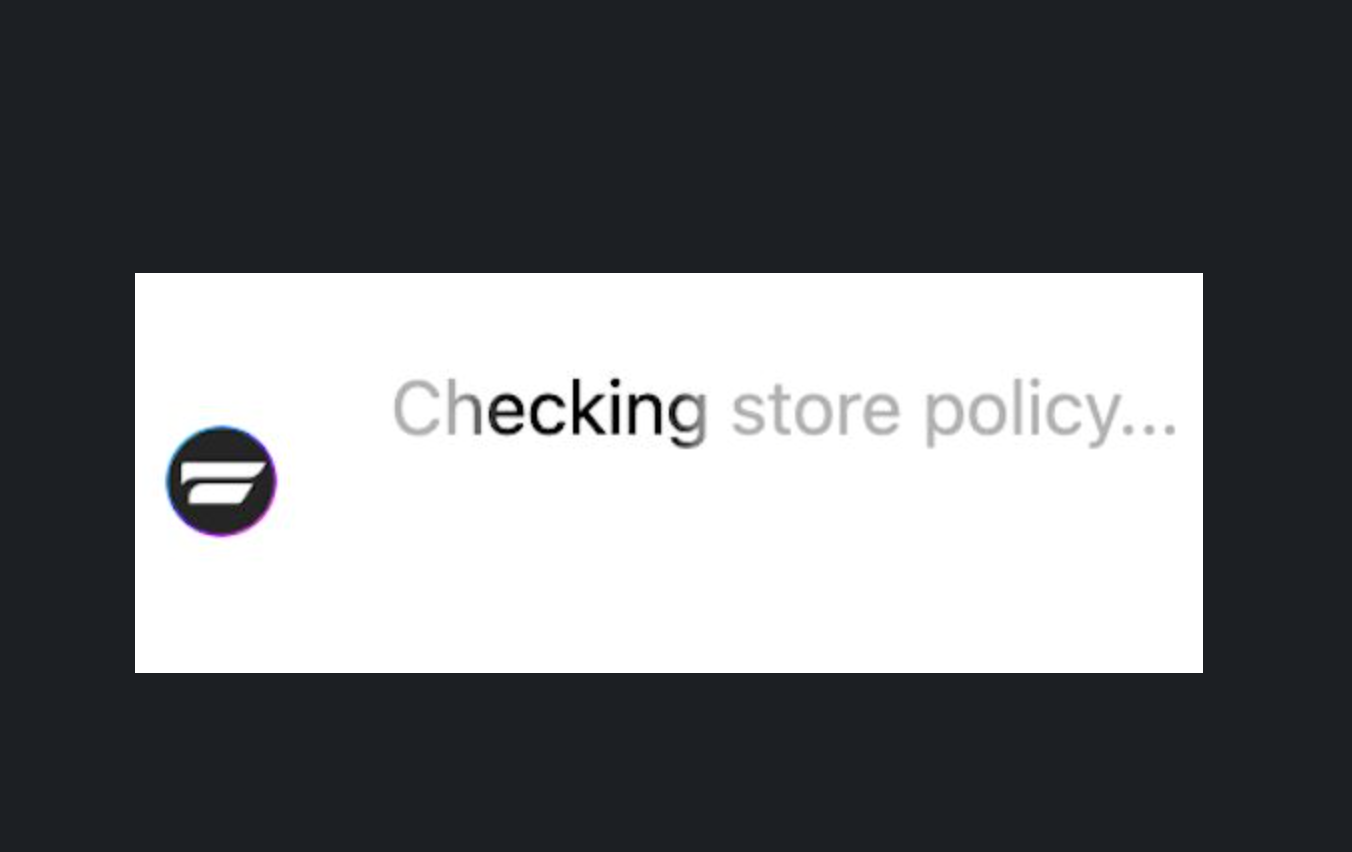
- Replace loading indicators with real-time status messages: A spinning dot tells shoppers nothing. REP AI, for example, shows messages like "Checking store policy..." or "Looking up your order details..." while it processes, so shoppers know it’s working, not broken, and stay engaged in the conversation.
- Reduce unnecessary complexity in your knowledge base: Conflicting information, overly long documents, and duplicate sources all slow the AI down. A well-structured knowledge base produces faster, more accurate responses.
Metrics that tell you if your chatbot is working
Conversation volume and response time only tell you that your chatbot is active. They don't tell you whether it improves the shopping experience or drives revenue. Focus on these insights instead:
- Containment rate. The percentage of conversations resolved without a human agent. A low rate points to gaps in training or escalation rules that are too broad.
- Conversion rate from chat. Of the shoppers who engage with the chatbot, how many complete a purchase? This is the number that connects chatbot activity to revenue.
- AOV from chat sessions. If shoppers who use the chatbot aren’t spending more than those who don't, your upsell and cross-sell logic needs attention.
- Escalation rate. How often does the chatbot hand off to a human? Track this alongside the containment rate to understand where the AI is falling short.
- CSAT score. A simple post-conversation rating tied to the transcript. Tells you how the experience felt, not just how it performed.
How to deploy e-commerce AI chat the right way
Most chatbot problems are easier to prevent than fix. If you're setting up AI chat for the first time or switching platforms, these are the things worth getting right from the start:
Start with sales, not support
Most teams configure their chatbot to handle support questions first because that’s where the immediate pressure is. The problem is that a support-first setup rarely gets reconfigured for sales later. Decide upfront what you want the chatbot to do. If conversion is the goal, build toward that from day one.
Choose a platform that engages proactively
A chatbot that waits for shoppers to click will always miss the visitors most likely to abandon. Before choosing a platform, check whether it can initiate conversations based on behavioral signals such as exit intent, browsing activity, or time on page.
Keep the purchase journey inside the chat
Test any platform you're evaluating on mobile before you go live. If the chatbot redirects shoppers to a new tab at any point, that’s a conversion problem you're inheriting before you even launch.
Set up attribution before you go live
Decide how you'll measure revenue impact from day one. Without a clear attribution model, you won't be able to tell whether the chatbot is driving results or just generating conversations.
Look for drop-off insight from the start
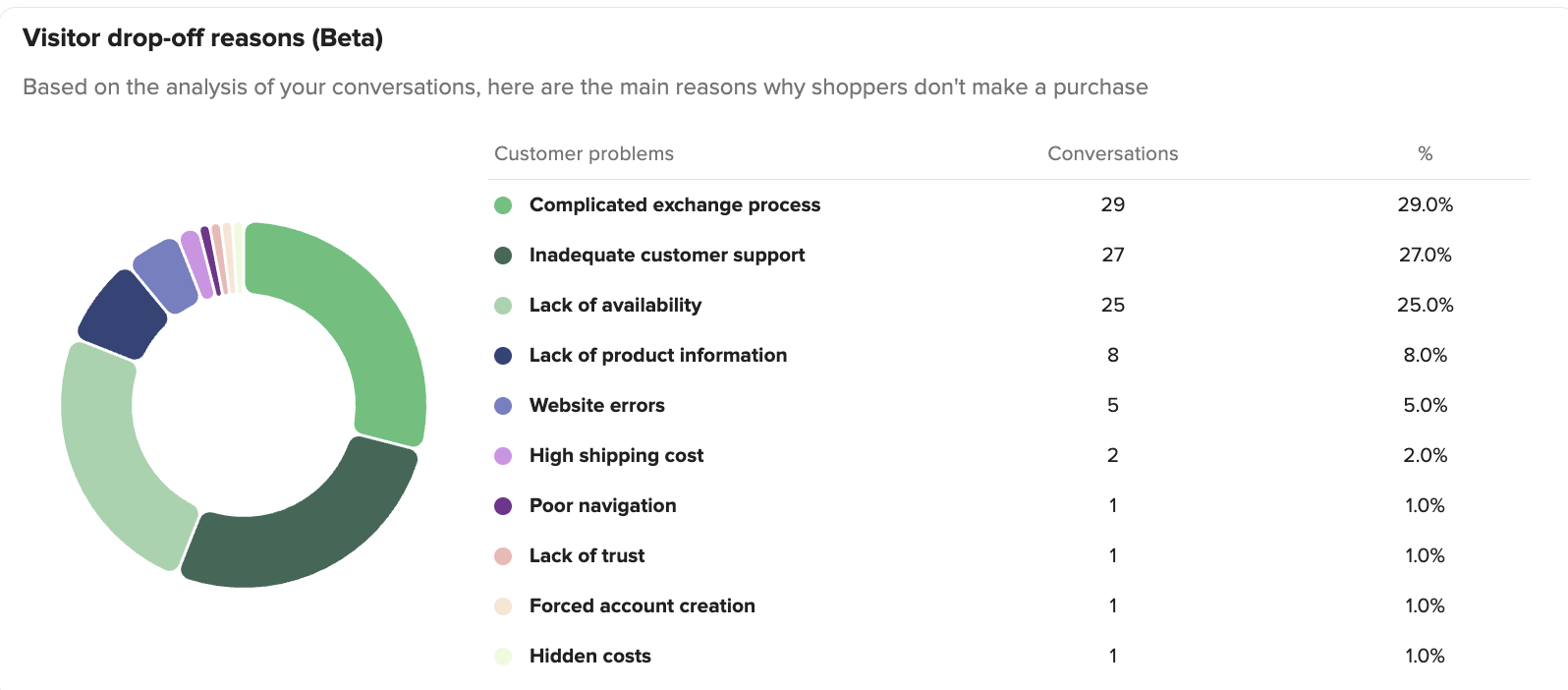
The most valuable thing a chatbot can tell you is why shoppers are leaving. If the platform you're evaluating can’t surface that data, you're flying blind on the most important question in your store.
Set up, test, and train your e-commerce AI chat with REP AI
Fixing chatbot issues isn't a one-time project. Product catalogs change, promotions come and go, and shoppers ask new questions every day. Regular testing and training are what keep your AI accurate and effective over time.
REP AI's AI Concierge is built for e-commerce teams that want more than a support bot. It handles sales, support, and shopper intelligence from a single platform. The training tools below are designed to get it working the way your brand needs before it ever reaches a real shopper:
AI personality and instructions
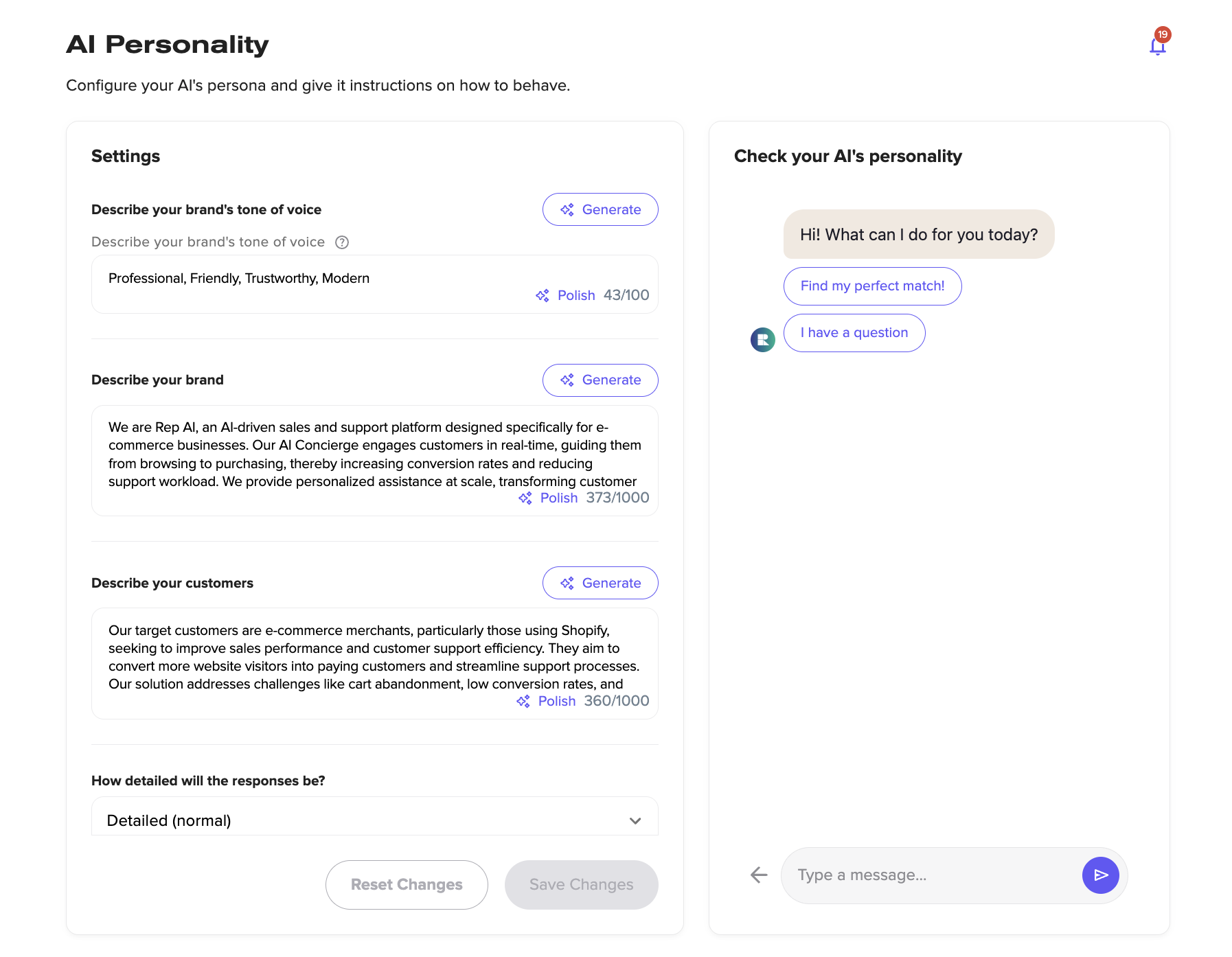
Before your chatbot goes live, you can define exactly how it should behave. Describe your brand, your customers, and your tone of voice. Set whether responses should be concise or detailed. Give the AI specific instructions for handling different types of conversations.
Test and train before you deploy
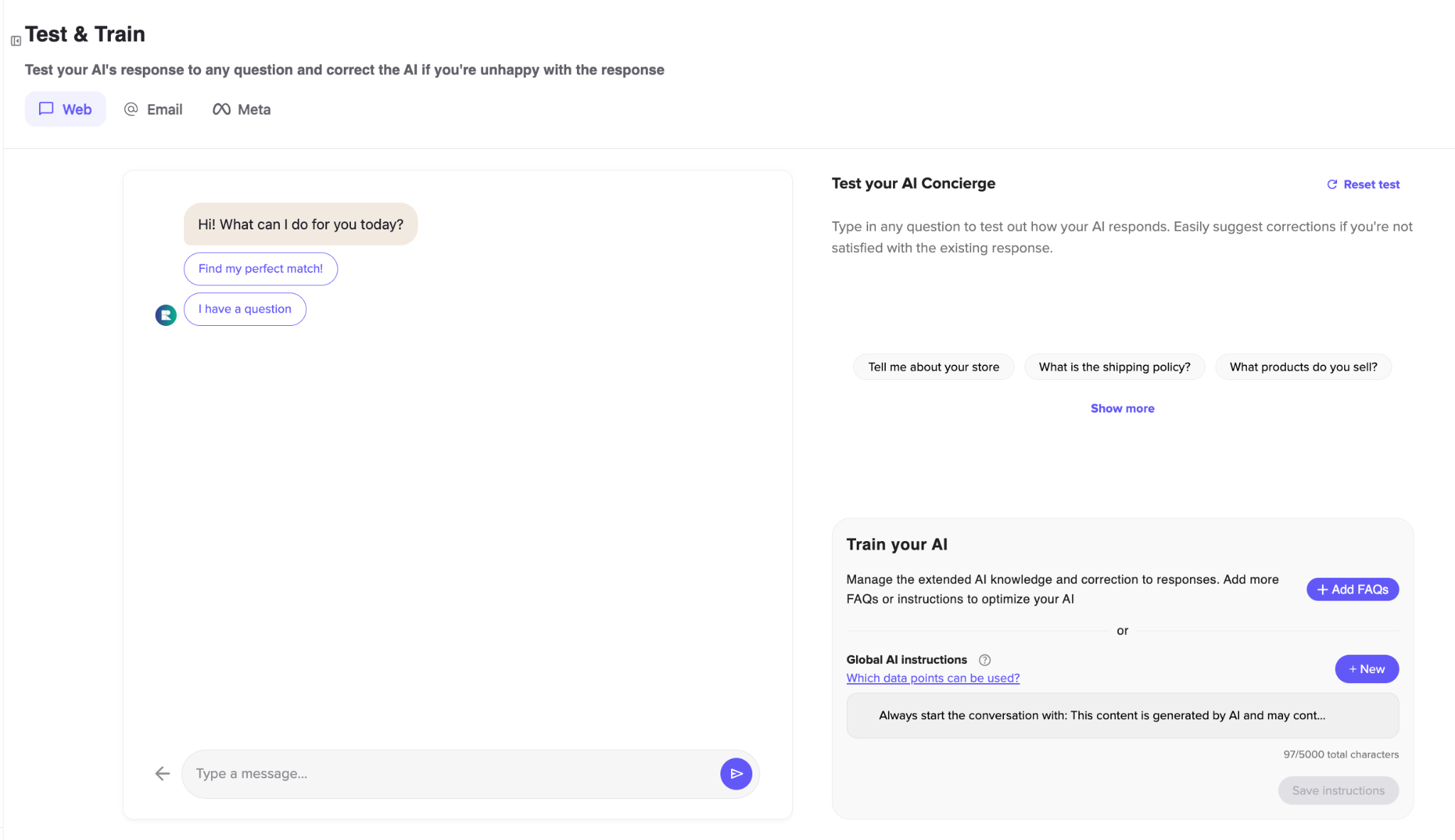
REP AI lets you test any response before it goes live. Run a question through the AI, review the answer, and correct it directly if something is off. You can see exactly what the chatbot would say to a shopper and adjust it until you're happy, without waiting for a real customer to flag a problem.
Knowledge base with four input sources
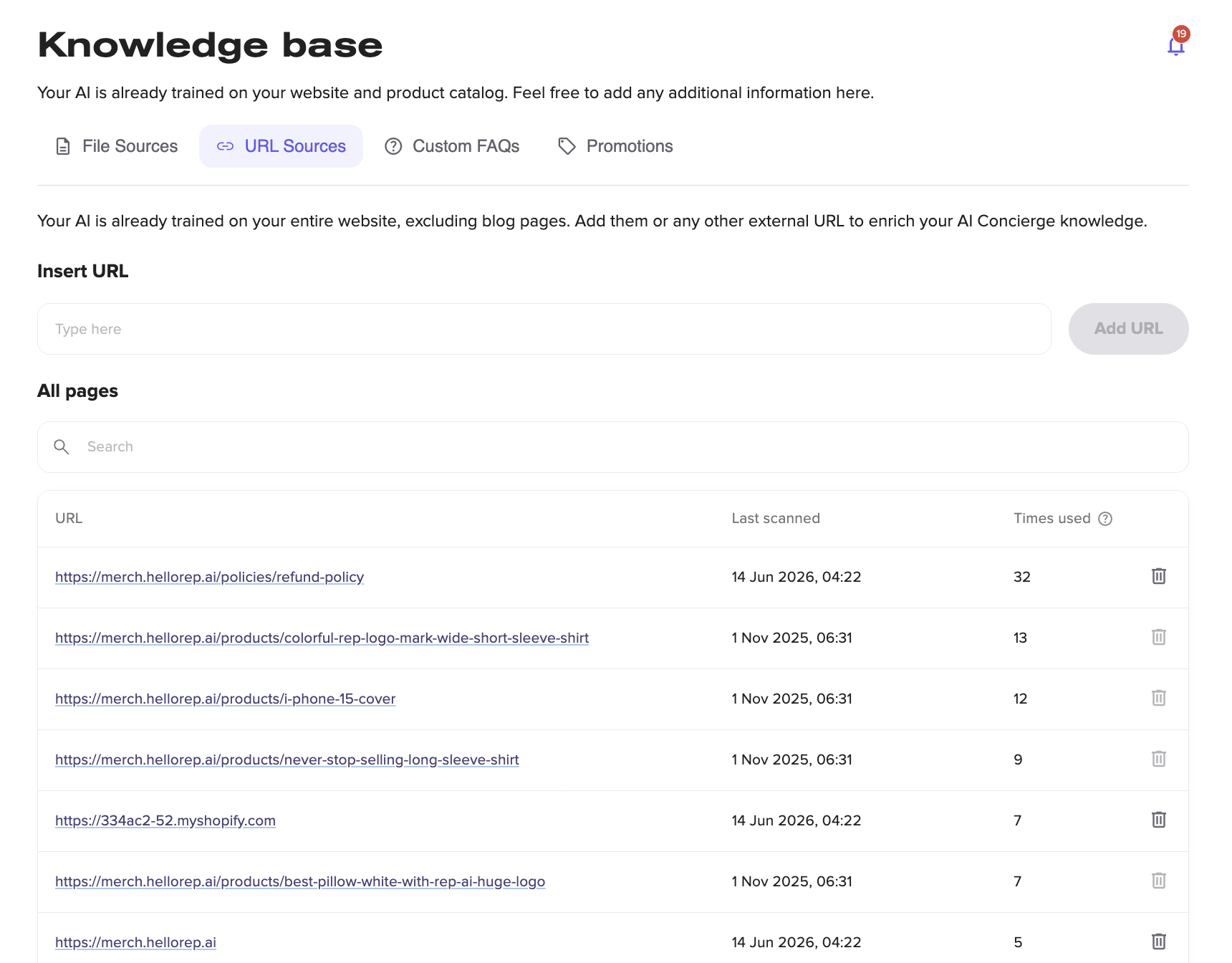
The knowledge base supports file uploads, URL sources, custom FAQs, and promotions. Your AI is already trained on your website from day one. These options let you layer in additional context, from detailed product guides to your current promotional offers, so the chatbot always has the full picture.
REP AI goes live in six clicks, learns your catalog in 3 to 10 minutes, and includes a 14-day free trial. Start your free trial and see how a well-trained AI chatbot can improve both the shopping experience and your conversion rate.
FAQs
How long does it take to set up e-commerce AI chat properly?
It depends on the platform. Some take weeks of configuration and developer involvement. Others, like REP AI, go live in six clicks and learn your product catalog in 3 to 10 minutes. The setup time matters less than making sure the AI is trained on accurate product data and tested before it reaches real shoppers.
Does AI chat work for stores with large or complex catalogs?
Yes, in fact, large catalogs are where conversational AI has the most impact. A shopper browsing 500 products can't easily filter their way to the right one. An AI that asks follow-up questions and narrows down options through conversation is significantly more effective than search and filters alone.
How do I choose between AI chat platforms?
Start with what you want the chatbot to do. If conversion is the goal, look for proactive engagement, in-chat purchasing, and shopper intelligence. If support deflection is the priority, look for robust escalation logic and a flexible knowledge base.
What is a good containment rate for e-commerce AI chat?
It varies by use case, but a well-trained e-commerce chatbot should be resolving the majority of conversations without human involvement. REP AI resolves up to 97% of customer requests without a human agent. If yours is significantly below that, the knowledge base or escalation rules need attention.
More from REP AI


Want to see what your store would do with Rep?
Run your real Shopify catalog through the simulator before you commit to anything. No sales call required.

