


Can REP AI use a non-Shopify catalog? Yes, with a CSV feed
Yes, stores on other ecommerce platforms can connect their product catalog to REP AI with a CSV feed. Setup is assisted, so contact REP AI sales or support to map the columns, then admins can test the file, refresh the catalog by hand and check failed rows.
Chapters
Transcript
Bring your CSV catalog
For stores on other e-commerce platforms, sales can help connect a CSV product feed and map its columns into the REP catalog.
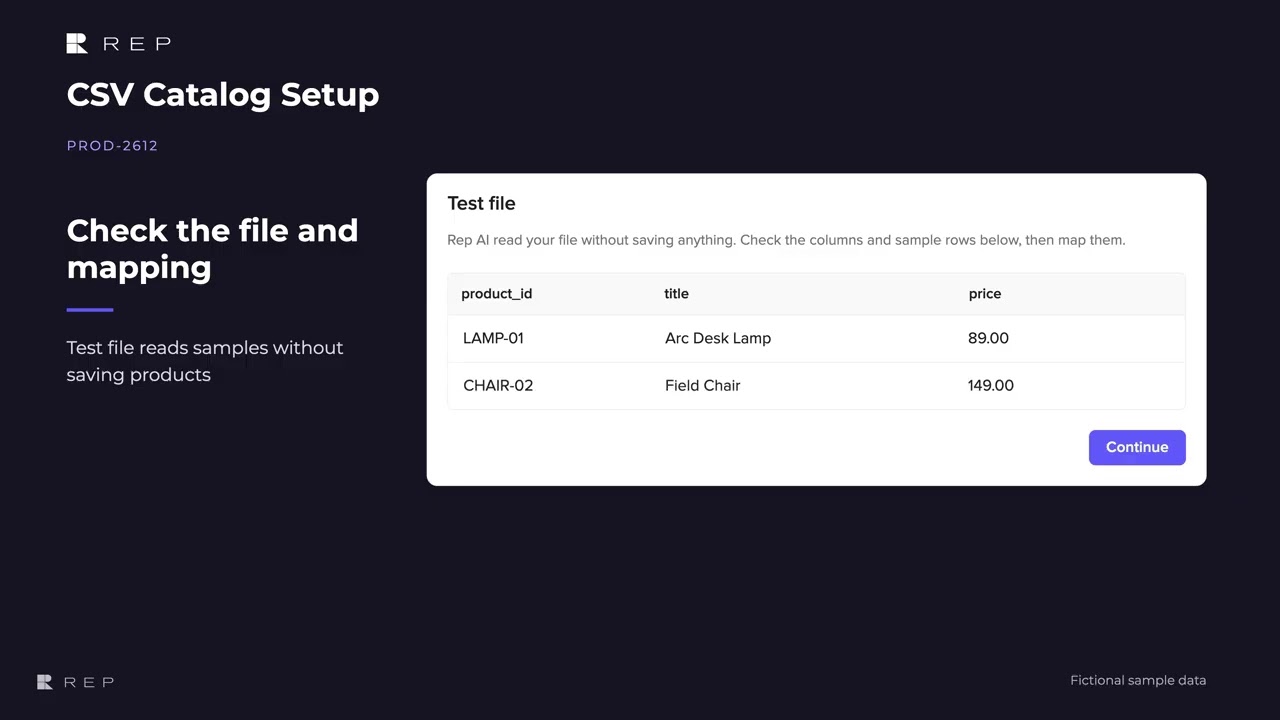
Check the file and mapping
The file test reads sample rows without saving products, so the mapping can be checked before the first sync. An admin can request a manual refresh from Sync now,
Refresh on request
and the Console shows the progress of that run. Run history shows the result and product counts,
See what each run changed
while problem rows help the team find entries that need attention.
Common questions
Can I connect a non-Shopify product catalog to REP AI?
Yes. Stores on other ecommerce platforms can connect their catalog with a CSV product feed through assisted setup.
How do I set up a CSV catalog feed in REP AI?
Contact REP AI sales or support. Together you map the feed's columns (product ID, name, price and product link) and test the file on sample rows before the first sync.
Can I refresh the catalog myself?
Yes. An admin can click Sync now for a manual refresh, and the run history shows the latest 20 runs with any problem rows.
See it working on your own store.

