


How to choose the questions on REP AI's product-page widget
REP AI lets you put your own question buttons on the inline product-page widget, keep the AI-generated ones, or mix both. Add up to 5 chips in Console > Settings > Chat Widget > Embedded widgets > Inline PDP widget > Chips, and the settings apply across all your product pages.
Chapters
Transcript
Questions on the product page
Merchants can put their own questions on the inline product page widget, where shoppers are already considering a product.
Choose the mix
The store can use custom questions, AI suggestions, or a mix with up to five positions configured across its product pages.
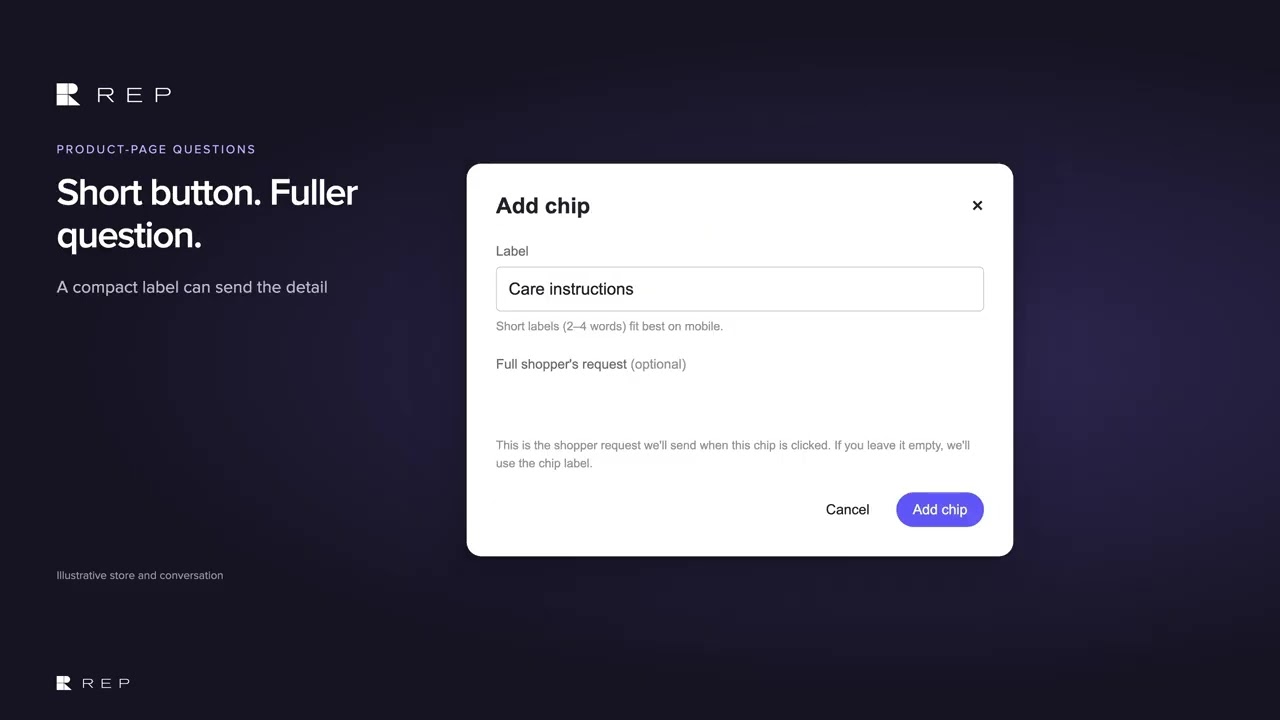
Short button, fuller question
A short label can send a fuller question when clicked, so the button stays readable without losing the detail.
From question to conversation
The shopper starts a conversation from that question, while AI-written chips can vary with each product.
Common questions
Can I write my own questions for the REP AI product-page widget?
Yes. Choose Only my chips, or Mix my chips with AI chips, and add up to 5 chips in the Inline PDP widget settings.
Can a chip send a longer question than its label?
Yes. Each chip has a short label and an optional full shopper request that is sent when the chip is clicked; if you leave it empty, the label is sent.
Can I set different questions for each product?
No. Your own chips apply across the store's product pages, while AI-written chips can vary with each product.
See it working on your own store.

