


How REP AI adds chat details to Klaviyo profiles
REP AI writes chat details to identified shoppers' Klaviyo profiles: products shown in chat, products added to cart in chat, an open support issue, the last purchase blocker and satisfaction. It needs a connected Klaviyo account with Sync conversation activity on, and blocker and satisfaction arrive with the next-day update.
Chapters
Transcript
Chat context in your profiles
For identified shoppers, REP can carry details from a chat into their Klaviyo profile when Conversation Activity Sync is on.
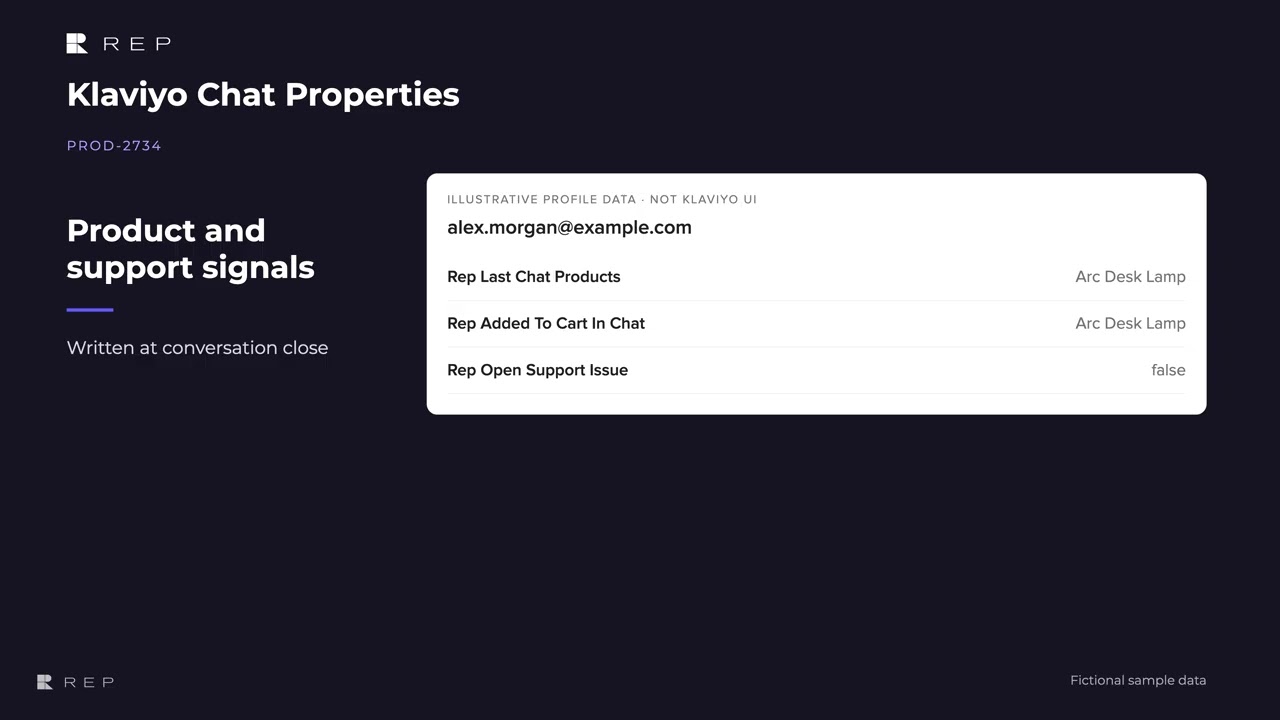
Product and support signals
Products shown or added to cart in chat and open support issues are written when the conversation closes. The last purchase blocker and satisfaction are assessed in next day processing, so they
Blocker and satisfaction
arrive later than the product details.
Context for your next follow-up
These profile properties give your team more context for building segments and deciding how to follow up.
Common questions
What chat data does REP AI send to Klaviyo?
Five profile properties for identified shoppers: Rep Last Chat Products, Rep Added To Cart In Chat, Rep Open Support Issue, Rep Last Blocker and Rep Last Satisfaction.
When do REP AI's properties appear in Klaviyo?
Products and the open support issue are written when the chat closes; the last blocker and satisfaction arrive with the next-day update.
What do I need to turn on?
A connected Klaviyo account with Sync conversation activity switched on.
See it working on your own store.

