


How to link one REP AI FAQ or file to several products
REP AI lets one Custom FAQ or uploaded file cover several products, so you keep one answer, such as a care guide, instead of separate copies. Pick the products in the FAQ window or while uploading the file in Console > Train > Knowledge base, and upload a file again to change its products.
Chapters
Transcript
One answer, several products
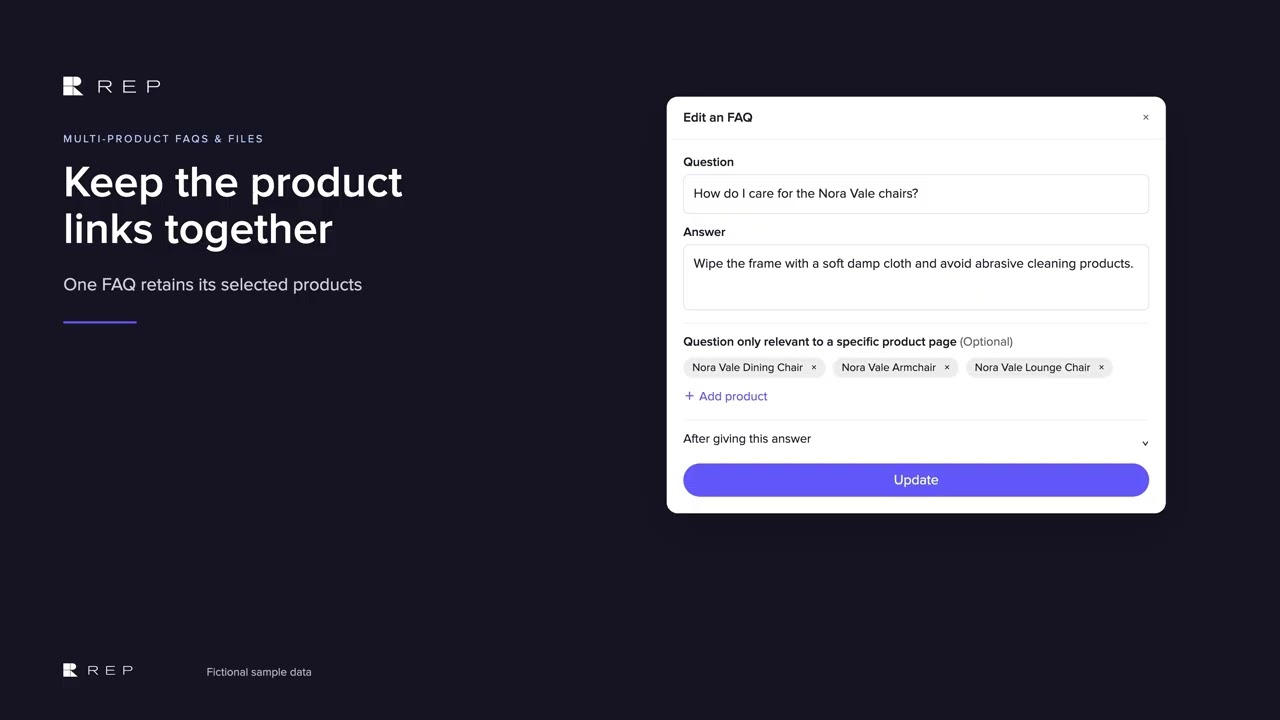
One Custom FAQ can cover several products, so the same answer stays together in one place. The FAQ keeps its selected products beside the answer, so one maintained response can
Keep product links together
cover the relevant range.
One file, several products
Uploaded files can use the same approach, with one care guide linked to several products during upload.
Keep the links current
REP can use that knowledge in relevant browsing context, and changing a file's product list means uploading the file again.
Common questions
Can one REP AI FAQ apply to several products?
Yes. Select several products when you create or edit a Custom FAQ, and REP AI uses that answer on those product pages and keeps it off the others.
How do I change which products an uploaded file covers?
Upload the file again with the new product selection.
Can I import multi-product FAQs from a CSV?
Yes. CSV import takes a relatedProductIds column, with values separated by |.
See it working on your own store.

