


REP AI Show reasoning: see why your AI replied, then correct it
REP AI's Show reasoning lets your team open any AI reply in Conversations, ask what shaped it and correct it in plain words. REP AI turns the correction into a draft FAQ you can edit, and nothing is saved to your knowledge base until you confirm.
Chapters
Transcript
Start with the conversation
Conversations keeps the shoppers' messages together, giving the team context for each AI reply. Show reasoning connects the explanation to that reply, giving the team a private place to understand the answer.
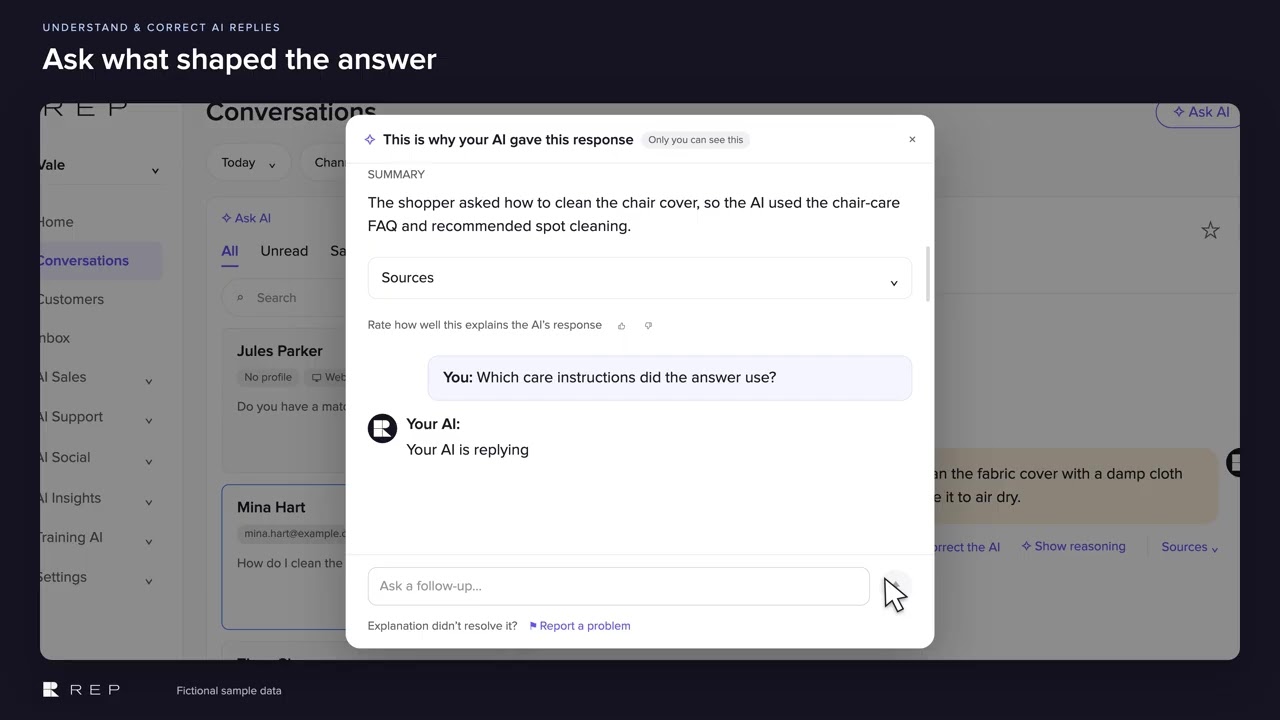
Ask what shaped the answer
Follow-up questions stay grounded in this conversation and its sources, so the team can explore what shaped the reply.
Turn the correction into knowledge
The same conversation accepts a correction, turning the merchant's knowledge into a draft FAQ for review.
Review the FAQ before saving
The question and answer stay editable, so the team can refine the correction before it reaches the knowledge base.
Saved for future answers
Saving confirms the reviewed FAQ for future answers, while the conversation about the original reply stays available.
Common questions
Can I see why REP AI gave a specific answer?
Yes. Open Show reasoning on any AI message in Console > Conversations to see a summary of why it answered, the sources it used, and to ask follow-up questions about that reply.
How do I correct a wrong answer from REP AI?
Type the correction in plain words in the Show reasoning window. REP AI drafts an FAQ you can edit, and nothing is saved until you click Save FAQ.
Can shoppers see the Show reasoning window?
No. The window is marked Only you can see this, so it stays private to your team.
See it working on your own store.

