


Can shoppers send voice messages in REP AI chat? Yes, up to 60s
Yes, with REP AI shoppers can tap the mic in web chat and record a question of up to 60 seconds, and REP answers in text. Voice messages are on by default, and you can turn them off in Console > Settings > Chat Widget > Chat experience > Voice messages.
Chapters
Transcript
Speak your question
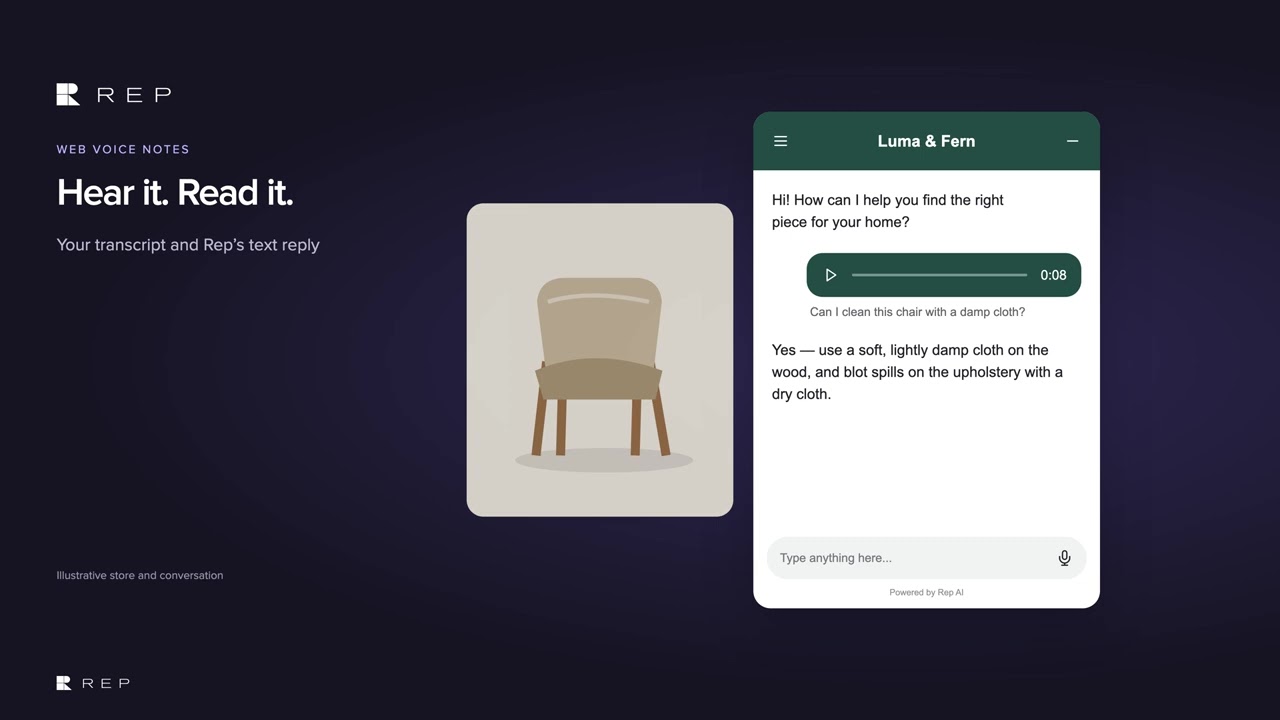
Shoppers can speak their question into web chat with up to 60 seconds for each voice message.
Hear it, read it
REP shows the words it heard and answers in text, so shoppers can read the response while they browse.
Turn it on or off
Voice messages are on by default, and merchants can turn them off in Chat experience when needed. The transcript stays with the conversation, while the recording is available for 24 hours.
Common questions
How long can a voice message be in REP AI chat?
Up to 60 seconds per voice message.
Does REP reply with a voice message?
No. REP shows the transcript of what it heard and answers in text, in the language the shopper spoke.
How do I turn off voice messages in REP AI?
They are on by default. Switch them off in Console > Settings > Chat Widget > Chat experience > Voice messages.
See it working on your own store.

