


AI Agent for BigCommerce Stores: What to Evaluate Before You Choose

The best AI agent for your BigCommerce store isn’t necessarily the one with the longest feature list. It’s the one that fits your setup and helps shoppers move toward a purchase. A polished demo can’t confirm how an agent connects to your catalog, what shopper data it can access, or whether it supports the experience you want to deliver.
That uncertainty is reasonable. BigCommerce compatibility varies by vendor and setup, while “AI agent” can mean anything from a reactive FAQ bot to a sales-focused system that responds to shopper behavior. Choosing based on claims alone can leave you with another disconnected tool instead of a better path to purchase.
This guide explains how to evaluate an AI solution for BigCommerce before you commit. You’ll learn what to verify about platform fit, installation, and data access, then compare sales impact, support coverage, and shopper insights. Rep AI offers one useful lens for assessing sales-led capabilities: its Website Concierge uses behavioral signals to act at exit intent, while its shared data layer connects sales and support insights. You’ll still need to confirm compatibility with your specific BigCommerce store. The aim is a practical evaluation grounded in measurable outcomes.
Key Takeaways
• Evaluate an AI agent for BigCommerce stores by confirming platform fit, installation requirements, and required data access before comparing features.
• Distinguish sales assistance from basic FAQ automation by testing product discovery and responses to shopper behavior.
• Use real product and support questions to assess the experience, review controls, and define how you’ll measure results.
• Compare support channels and shopper analytics alongside sales capabilities to avoid adding another disconnected tool.
• Rep AI combines proactive sales, support, and shopper insights. Confirm compatibility with your specific BigCommerce setup before considering it.
What an AI agent for BigCommerce stores should actually do
An AI agent for BigCommerce stores should do more than match a question to a canned answer. It interprets the shopper’s question, draws on relevant store information, and responds in a way that helps move the conversation forward.
A sales agent guides product discovery and purchase decisions using shopper questions and context; a conventional chatbot mainly answers predefined questions or routes support requests. The distinction matters. A chat widget alone doesn’t show whether an agent can compare products, tailor recommendations, or respond when a shopper appears to need help.
Useful answers depend on the information a system can access. Check whether it can use accurate product details, store content, and relevant customer context. Ask how it handles missing or conflicting information, too. BigCommerce support is a separate question: confirm the vendor’s integration, the data it can access, and whether those capabilities work with your specific store setup.
How an AI sales agent supports a BigCommerce shopping journey
Imagine a shopper comparing two products and asking which better suits a particular need. A sales-focused agent should use available product information to explain relevant differences and suggest an option that fits the shopper’s stated requirements. It may also respond when behavioral signals suggest hesitation or exit intent, but those signals don’t prove the shopper is ready to buy.
Measure outcomes instead of assuming a sales lift. Track whether conversations help shoppers find products, whether they contribute to rescued revenue, and where shoppers still leave without an answer. Rep AI’s Website Concierge, for example, uses its Rescue algorithm to read 500+ behavioral signals and act at exit intent. This is an example of a sales-led capability, not confirmation of BigCommerce compatibility.
Sales agents, support agents, and chatbots serve different jobs
A sales agent can initiate or guide product conversations before a shopper asks for help. A support agent typically responds to a service request, while a basic chatbot may handle FAQs or direct a question to a support queue. These roles can overlap, but an automated reply alone doesn’t make a tool an autonomous sales agent.
Some systems bring sales, support, and shopper insights together, helping teams connect conversations with patterns such as unanswered product questions. For a closer look at Rep AI’s sales-led approach, review its sales agent capabilities. Verify directly whether the product supports your BigCommerce store, including installation and data access, before deciding it fits.
How behavioral signals help an agent respond to shopper intent
A direct question gives an agent an immediate task: answer using relevant information. Behavioral signals provide a different kind of cue. They can help an agent decide whether to offer assistance before the shopper starts a conversation, such as when activity suggests hesitation or a possible departure. These signals are clues, not proof. A visitor may leave a product page for many reasons, so the system shouldn’t treat a single action as certain purchase intent.
Exit intent is a pattern of on-site behavior that may indicate a shopper is about to leave, not certainty about what they’ll do next. For an AI agent for BigCommerce stores, the value lies in offering relevant help, not simply reacting to every recorded action.
What exit intent can tell an online store
A shopper returning to a product page may still be weighing an option. A departure signal could be a reason to offer a concise prompt, but only if the store has something useful to say. That could mean clarifying a product detail or helping resolve a buying concern. An irrelevant prompt can distract instead of helping, so timing and relevance matter.
Rep AI’s Rescue algorithm is described as reading 500+ behavioral signals to act at exit intent. That figure applies to the Rescue algorithm. It isn’t a general benchmark for AI agents, and it doesn’t mean every signal reveals a shopper’s intent. When assessing a vendor, ask which signals it uses, what triggers an intervention, and how you can tell whether the interaction helped.
How sales and support conversations can create better shopper insight
Individual conversations can answer a shopper’s immediate question. Patterns across conversations can point to a broader store issue. If shoppers repeatedly ask about a product detail that isn’t clear on the page, that may be a content gap worth reviewing. Support questions can also reveal recurring friction that sales conversations alone may not surface.
Rep AI describes its Shopper Intelligence as identifying why shoppers leave, unanswered questions, and top AI-sold products. Its sales and support insights sit in a shared data layer, connecting shopper interactions with useful patterns for the team. Deep Research pushes discovered topics into Klaviyo for segmentation. Ask a vendor to demonstrate which insights and data flows apply to your specific setup.
Explore Rep AI’s shopper data and insights platform to see how these insights are presented. You can also discuss your requirements with Rep AI, including BigCommerce compatibility and data access.
How to compare BigCommerce AI agents beyond the demo
A polished demo shows what a vendor wants you to see. A useful evaluation tests whether the agent works with your store, handles real shopper journeys, and returns results you can measure. For each capability, mark it as confirmed with evidence, a vendor claim that still needs proof, or an item requiring a technical validation call.
| Evaluation area | What to check | Evidence to request |
|---|---|---|
| Platform fit | Connection to your BigCommerce storefront, catalog, and product information | Technical walkthrough using your store setup; confirm accessible data and refresh behavior |
| Sales behavior | Product answers, comparisons, recommendations, and proactive assistance | Live tests with priority shopper journeys, not scripted demo questions alone |
| Support channels | Where customers can contact the agent and how it handles unanswered questions | List of supported channels, escalation rules, and sample handoffs |
| Analytics | Conversation outcomes, sales contribution, and recurring shopper questions | Example reports and definitions for each metric |
| Setup | Installation work, configuration, and any dependencies | Store-specific implementation steps and responsibilities |
| Measurement | How results will be compared with current performance | Agreed baseline, reporting period, and attribution method |
Which platform and catalog questions should buyers ask?
Ask how the vendor connects to your storefront and which catalog fields or other product information the agent can read. Find out how often that information refreshes, what installation requires, and whether your store’s configuration changes the answer. Then request a walkthrough using your actual setup and priority journeys, such as a shopper comparing products or asking about a specific detail. A general platform logo or marketplace listing doesn’t substitute for this validation.
How to assess sales, support, and measurement capabilities
Test whether the agent answers product questions accurately, recognizes when it can’t help, and follows a clear escalation path. Confirm channels individually rather than assuming every vendor supports the same ones. Rep AI supports website chat widgets, Facebook, Instagram, WhatsApp, and Email. Verify which channels meet your requirements and what each needs to work. Its Rep Sales product overview illustrates sales-agent capabilities, not BigCommerce compatibility.
Reactive helpdesks are generally organized around incoming requests. Narrow chatbots may focus on a defined set of chat tasks. A unified platform aims to connect proactive sales, support, and shopper insights, but judge the actual workflow and reporting rather than the category label.
Before testing, record a baseline. Track engagement, assisted sales, resolved questions, and useful shopper insights, then compare results using the same definitions. Feature availability and outcomes can vary by implementation, so don’t accept projected lifts as benchmarks. To explore Rep AI’s sales approach, discuss your requirements with the team, including BigCommerce fit and data access.
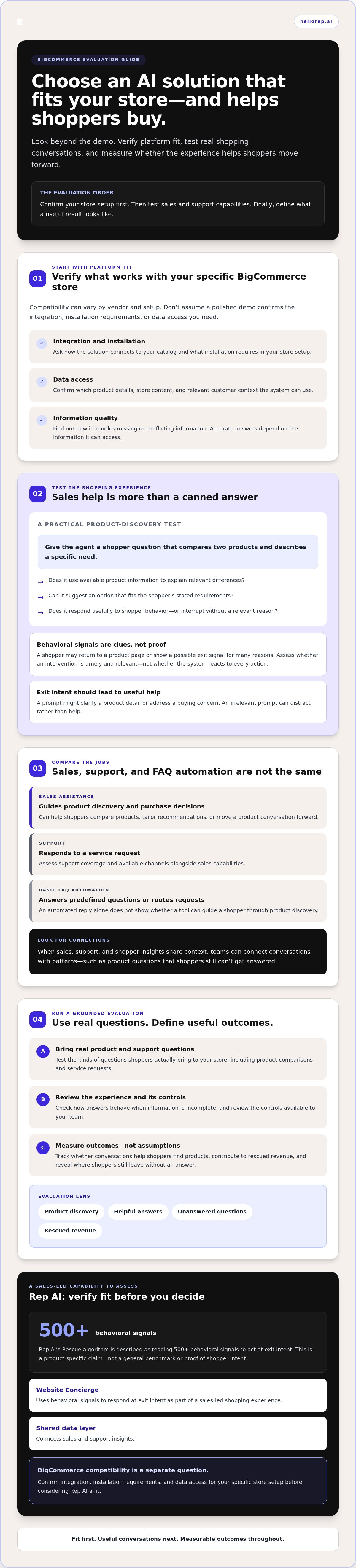
A practical checklist for evaluating an AI agent in your store
Use the same criteria with every vendor. A repeatable process helps separate a convincing demo from a solution that fits your BigCommerce setup and helps shoppers effectively.
Define the goal.
Choose a focused outcome, such as improving product-question coverage or reducing unanswered shopper questions. Set a baseline and agree on a review period before testing.
Validate platform fit.
Ask the vendor to confirm BigCommerce compatibility for your specific store. Clarify installation requirements, catalog access, data refresh, and setup dependencies before planning deployment.
Test real journeys.
Start with product and support questions drawn from store conversations. Include common shopping tasks and less straightforward cases, such as incomplete product information or a question the agent can’t answer.
Review controls and handoffs.
Ask what happens when the agent lacks reliable information, how it escalates to a person, and what your team can adjust. Check that answers use current product details and that the experience works on mobile and desktop.
Measure against the baseline.
Agree on definitions for engagement, assisted sales, resolved questions, and useful shopper insights. Don’t attribute every sale or support outcome to the agent without a defensible method.
Set measurable goals before testing an agent
Keep the first evaluation focused. If the priority is product-question coverage, define what counts as an accurate answer and how unanswered questions will be recorded. If the goal is sales assistance, agree on how you’ll identify assisted sales and what evidence supports that attribution. Set the review period before the test begins, rather than choosing it after seeing the data.
Validate platform fit and customer experience before rollout
Ask for technical confirmation that the proposed setup supports your BigCommerce store, including required catalog information and installation work. Test the same journeys on desktop and mobile. Request a walkthrough that includes edge cases, escalation, content accuracy, and the reporting you’ll use to judge performance. A promise in a demo isn’t the same as a confirmed capability in your implementation.
Simple vendor scorecard
Must-haves
BigCommerce fit, required data access, accurate product answers, clear escalation.
Useful extras
Proactive sales behavior, connected support insights, reporting on shopper questions.
Evidence
Store-specific walkthrough, test results, implementation details, sample reports.
Owner
Name the person responsible for technical validation and the person reviewing outcomes.
Follow-up
Record open questions, who will answer them, and the next review date.
This process helps you assess an AI agent for BigCommerce stores on demonstrated fit and measurable value, not feature labels alone. To discuss Rep AI’s capabilities and your platform requirements, book a Rep AI demo and ask about BigCommerce compatibility for your store.
Where Rep AI may fit: What BigCommerce merchants must verify
Rep AI positions itself as The AI Operating System for Brands, bringing proactive sales, support, and shopper insights together. That combination may interest merchants looking beyond basic ticket automation. Product capabilities and platform compatibility are separate questions, however. Rep AI’s primary platform optimization varies, so BigCommerce merchants should confirm fit for their specific store architecture before considering deployment.
What Rep AI brings to an evaluation
Website Concierge is Rep AI’s onsite sales experience. Its Rescue algorithm reads 500+ behavioral signals to act at exit intent. That figure describes the algorithm, not a guaranteed sales outcome or a BigCommerce integration. Rep AI also connects sales and support insights, helping teams spot patterns such as unanswered questions.
Rep AI Inbox, Omni-Channel AI, and the Data & Insights Platform are relevant areas to explore when assessing support workflows and shopper intelligence alongside sales. Ask which components apply to a confirmed BigCommerce setup and what information they can access. For context on connected ecommerce support workflows, review the ecommerce helpdesk overview.
Questions to resolve before choosing Rep AI for BigCommerce
Use a product demonstration to resolve implementation questions, not just to review a prepared sales journey. Ask Rep AI to confirm BigCommerce compatibility for your particular store and requirements. Then establish the details in practical terms:
• Which features are available for this BigCommerce setup, and which require further validation?
• What storefront, catalog, and customer data can the system access, and how is that information refreshed?
• What installation steps or store-specific requirements apply? Confirm whether any stated deployment approach applies to your setup.
• Which customer-facing channels are available for your use case, and how do support conversations and shopper insights appear in reporting?
• Can the team demonstrate your priority journeys using current product information, including an unanswered question and an escalation?
Keep confirmed capabilities distinct from vendor claims and open technical questions. A useful answer should identify what works for your store, what needs validation, and what evidence will confirm the setup. That gives your team a grounded way to assess an AI agent for BigCommerce stores without assuming that general product capabilities automatically apply to your platform.
If Rep AI’s sales, support, and shopper-insight approach fits your evaluation, book a Rep AI demo and bring your BigCommerce requirements, data-access questions, and priority shopper journeys to confirm fit before deciding.
Choose an agent on fit, not promises
The right AI agent for BigCommerce stores should fit your platform, answer real shopper questions, and help you measure sales and support outcomes. Confirm catalog and customer data access, installation requirements, escalation behavior, and reporting before choosing a vendor. Then test against a baseline to distinguish useful impact from attractive demo claims.
Rep AI brings proactive sales, support, and shopper insights together in one platform. Its Website Concierge Rescue algorithm reads 500+ behavioral signals to act at exit intent. That capability illustrates a sales-led approach, but it doesn’t confirm BigCommerce compatibility or guarantee results for your store. Verify the specific integration and setup before deciding if it fits.
Ready to assess the details with your store requirements in hand? Book a Rep AI demo to discuss your store’s requirements, including platform fit, data access, and the shopper journeys you want to improve.
Frequently Asked Questions
What does an AI agent do for a BigCommerce store?
An AI agent for BigCommerce stores can interpret shopper questions, use available store information to respond in context, guide product discovery, and help with support requests. For example, it may explain product differences or answer a question about an item. These interactions can assist shoppers, but they don’t guarantee a sale. What the agent can do depends on the vendor’s integration and verified access to your store’s catalog and relevant customer context.
How do I know whether an AI agent supports BigCommerce?
Ask the vendor to confirm support for your specific BigCommerce store, not just the platform in general. Verify the connector, catalog access, data flow, installation requirements, and which features work with your setup. Request a store-specific demonstration using your actual configuration and priority shopper journeys. A generic integration claim or feature list can’t establish whether the agent can access the product information and context your use case requires.
Can an AI agent use exit intent to help recover shoppers?
Yes, if the agent can read relevant behavioral patterns and is configured to offer useful assistance. Those patterns may suggest hesitation or a possible departure, but they don’t prove what a shopper intends to do. Rep AI states that Website Concierge’s Rescue algorithm reads 500+ behavioral signals to act at exit intent. Treat this as a stated Rep AI capability, not a guarantee of recovered revenue or evidence of BigCommerce compatibility.
What should I compare when choosing an AI agent for BigCommerce?
Compare platform fit, product knowledge, proactive sales behavior, support workflows, escalation, reporting, privacy practices, and implementation effort. Ask vendors to demonstrate how the agent handles accurate product questions, missing information, and handoffs. Set measurable goals, such as improving product-question coverage, and define how you’ll assess progress. Score each option against the same store-specific criteria so feature claims and demo quality don’t outweigh technical fit or measurable value.
Can an AI agent handle both sales and customer support?
Some platforms combine proactive sales assistance with support automation, while others focus on one role. Confirm that the agent can guide product discovery as well as respond to service questions, then test when and how it escalates. Check channel coverage and whether sales and support interactions contribute to shared reporting. Capabilities can differ by platform and setup, so ask the vendor to demonstrate the actual workflows available for your store.
How can a BigCommerce merchant measure an AI agent’s performance?
Start with a baseline and agree on what success means before launch. Track measures relevant to your goals, such as shopper engagement, answered product questions, assisted sales, and support outcomes. Confirm that reporting gives your team the data needed to assess those measures. Agree on attribution methods in advance, since a sale or resolved issue may have multiple contributing factors. Compare results consistently, without assuming every outcome came from the agent.
How quickly can an AI agent be installed on a BigCommerce store?
There’s no single timeline to assume for every BigCommerce store. Deployment depends on confirmed platform support, your store configuration, required data access, testing, and approvals. Ask the vendor to map the installation steps and provide an expected timeline for your specific setup. Also confirm which capabilities will be available at launch and what validation remains. Don’t apply general deployment claims to BigCommerce unless the vendor confirms they cover your store’s requirements.
More from REP AI
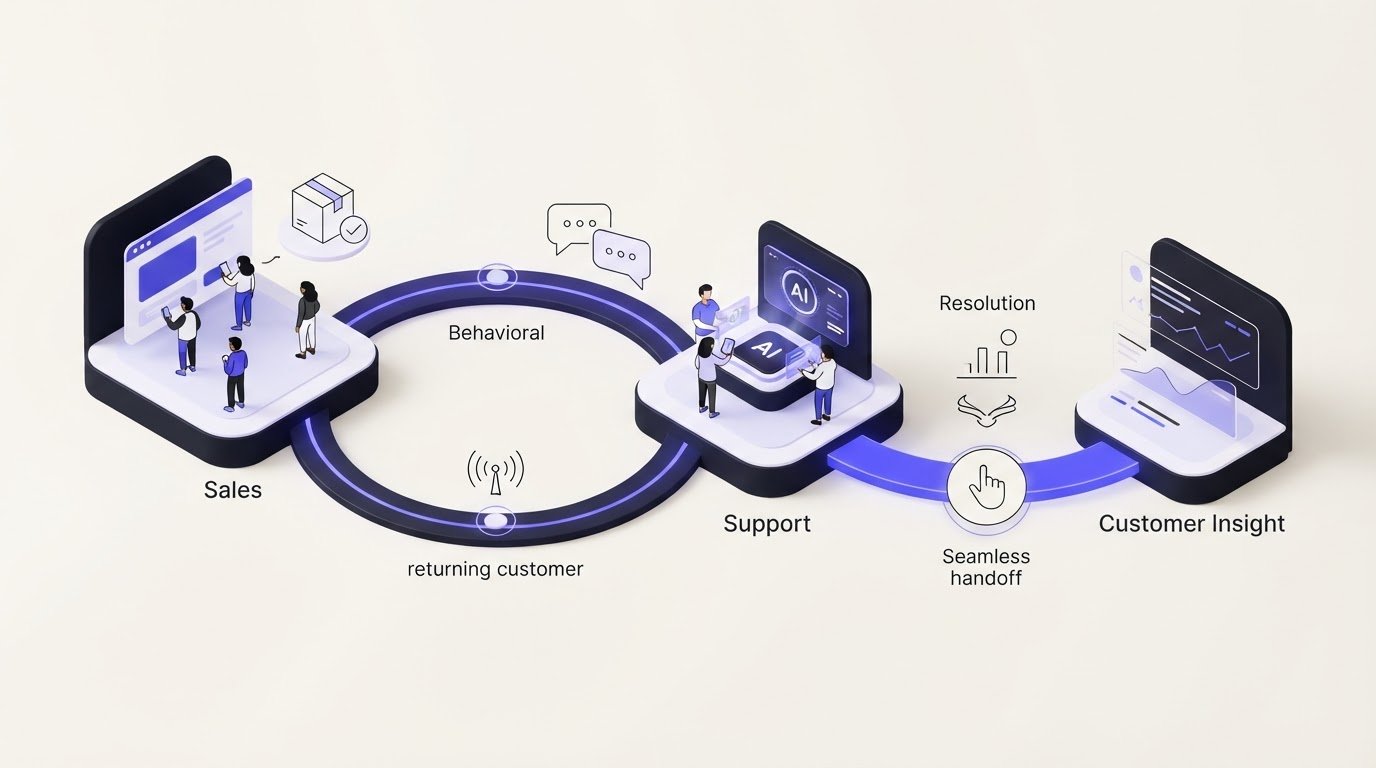
AI for Customer Retention: A Guide for DTC Brands
What if the best way to keep a customer isn’t another automated message, but a more useful response at the moment they need help? Advanced AI for customer retention should connect behavioral signals with sales and support context, not simply add more automation to an already fragmented experience.DT...
AI for Automating Ecommerce Order Status Inquiries
What good is an instant order update if it’s wrong? Repeated tracking questions take up support capacity, but automating them without verified shipment information can leave customers less confident than before. AI to automate order status inquiries works best when it gives clear answers from reliab...

Adobe Commerce AI Support Integration: What to Evaluate in 2026
Can an Adobe Commerce AI support integration connect to your store without disrupting customer context or existing support workflows? Answer that before comparing features. A platform’s general integration claims don’t prove compatibility with your specific Adobe Commerce setup. Adobe Commerce offer...
Want to see what your store would do with Rep?
Run your real Shopify catalog through the simulator before you commit to anything. No sales call required.

