


Out of Stock Product Page Optimization: 10 Key Strategies for Max Conversions
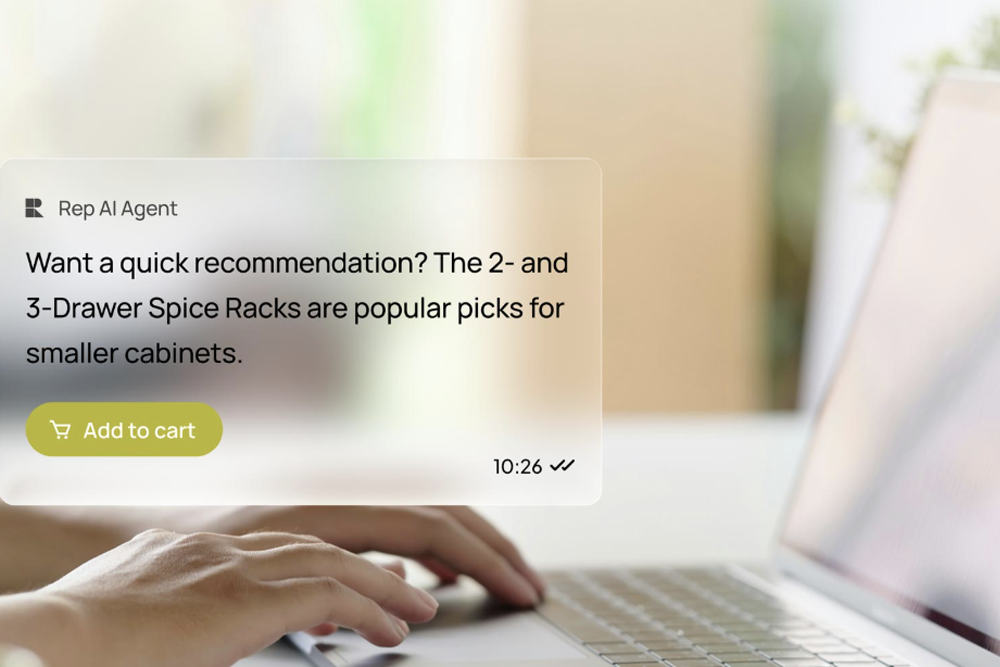
Quick Summary
Out-of-stock product pages should keep shoppers engaged instead of sending them elsewhere. Temporary stockouts benefit from back-in-stock alerts, alternative products, and AI-powered assistance that keeps buying intent alive. Permanently discontinued products require an SEO-friendly transition to relevant replacements.
What does an unoptimized out-of-stock page actually cost you?
Retailers lose an estimated $984 billion annually to stockout situations globally, and 69% of shoppers who encounter an unavailable product go straight to a competitor. Most of that damage happens not because inventory ran out, but because the page had no mechanism to redirect the intent that was already there. This guide covers how to fix that for temporary shortages, permanent discontinuations, and the cross-selling and UX practices that apply to both.
Why listen to us?
REP AI is an agentic commerce platform used by 550+ Shopify brands, including Unilever, Bikes Online, FASS Motorsports, and Underoutfit. The platform's behavioral AI is the only solution in the market that identifies disengaged shoppers in real time and intervenes before they leave, including on out-of-stock pages.
Brands using REP AI Sales Agent see a 10–30% lift in conversion rate and up to 97% of customer questions resolved without human involvement, within the first 30 days. We have first-hand insight into which out-of-stock page strategies reduce abandonment and recover lost revenue.
Why out-of-stock pages should stay visible
The instinct when a product runs out is to hide the page, unpublish it, redirect it, or let it 404. That instinct is expensive.
A product page that has earned organic traffic and backlinks is an asset. Taking it down destroys that link equity and sends anyone who lands on it to an error page instead of your store. Before making any decision on an OOS page, check two things in an SEO tool like Ahrefs or SEMrush:
- Does the page receive organic traffic?
- Does it have backlinks pointing to it?
If yes to either, the page has SEO value worth protecting. If no to both, you have more flexibility.
For temporary stockouts, there is almost never a good reason to remove the page. Permanent discontinuations are a different decision, and the right call depends on those two answers. That distinction is what the rest of this guide is organized around.
Part 1: Strategies for temporary stockouts
Here are some strategies for temporary stockouts:
- Display stock status immediately
The first job of an out-of-stock page is to be honest about it. Shoppers shouldn't have to scroll, click a size, or attempt to add to cart to discover a product is unavailable. Stock status belongs above the fold, next to the price, where it's impossible to miss.
An "out of stock" label on the whole page when only one size is unavailable is a UX failure that costs sales on every other variant. Show status at the variant level. For example, which sizes are available, and which aren't, so a shopper looking for a medium doesn't assume the large is gone too.
Keep the page content intact regardless. Descriptions, specs, and reviews are what the page ranks on. Removing them to tidy up an OOS page is one of the most costly SEO mistakes in e-commerce. The page should feel like a store that temporarily ran out of stock, not a dead end with a sign on the door.
- Capture intent with back-in-stock notifications
A back-in-stock notification is the most direct way to recover a sale from an OOS page. The shopper has already told you what they want. All they need is a reason to come back.
The CTA matters here. "Notify me when available" outperforms "join the waitlist" because it frames the interaction as a service rather than a signup. Keep the form short: email or phone number, nothing else. The fewer the fields, the higher the capture rate.
Where most brands leave money on the table is what happens after the capture. A generic "it's back" email blast to everyone who signed up is a missed opportunity. Also, a shopper who asked to be notified about a specific product is one of the highest-intent segments on your list. That notification should:
- Arrive within minutes of the restock, not hours.
- Reference the exact product they asked about.
- Include a direct link back to the page, not the homepage.
- Optionally surface one or two alternatives in case the stock is limited again.
For Shopify brands using Klaviyo, REP AI's Conversation Sync and Topic Sync capture each shopper's inquiry and sync it to their Klaviyo profile. As a result, follow-up emails reflect what they wanted rather than simply acknowledging a visit to an out-of-stock page.
- Give shoppers a way to pre-order
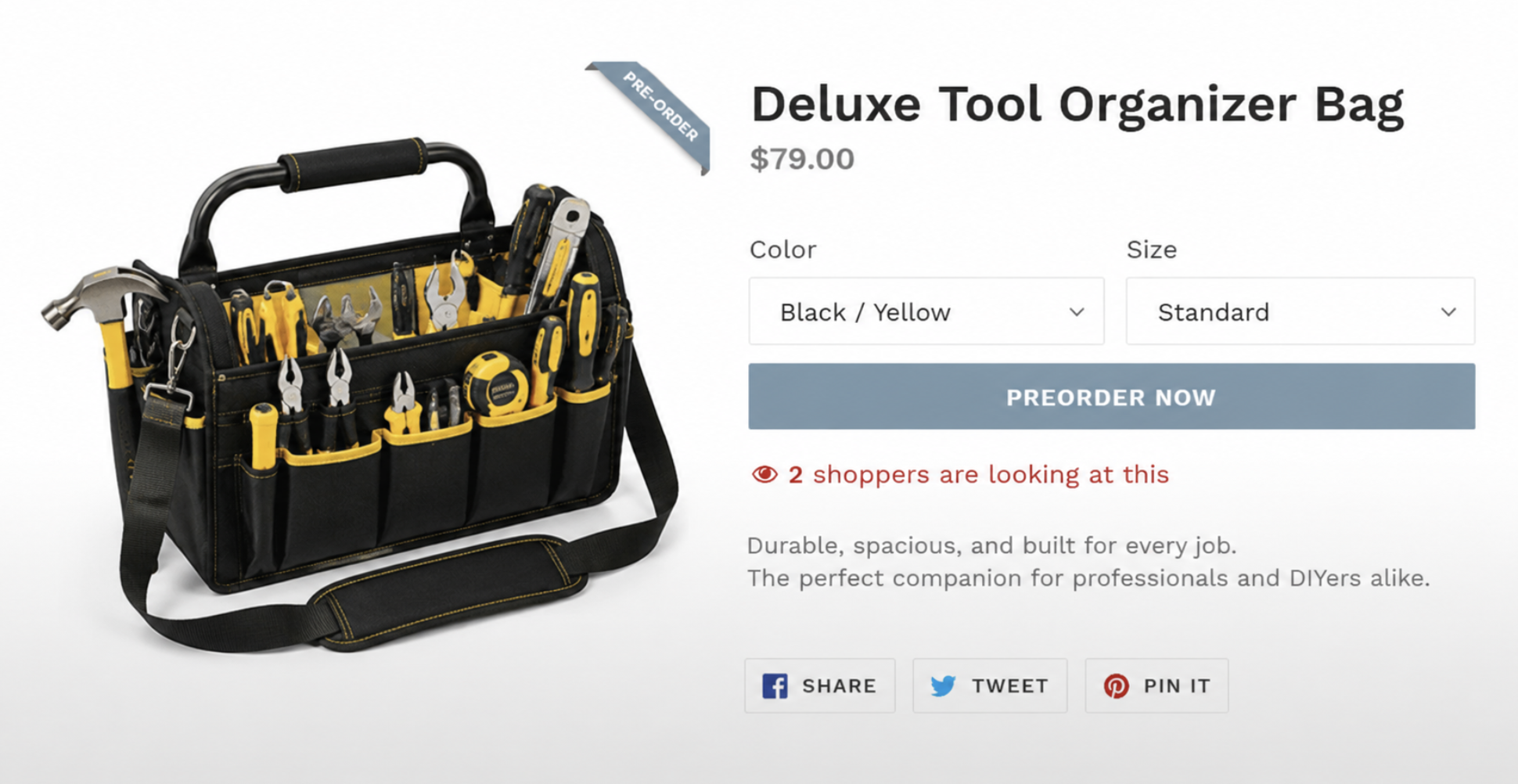
Pre-orders work when two conditions are met: the product is coming back, and you know roughly when. Without both, a pre-order creates more problems than it solves. It's because shoppers who hand over payment expect a timeline, and a vague one will generate more support tickets than a stockout ever would.
When those conditions are in place, pre-orders are a decent way to close a sale on an OOS page. The shopper gets the product they wanted. You get the revenue before the restock arrives.
A few things that make pre-orders work in practice:
- Be specific about the timeline. "Ships in 2–3 weeks" converts better than "coming soon."
- Send an order confirmation immediately; the shopper needs reassurance that the transaction is real.
- Update them if the date slips. One proactive email about a delay does far less damage than a missed promise with no communication.
- Consider a small incentive, a 10% discount or free shipping for pre-order customers, which rewards the shopper for their patience and makes the ask feel fair.
- Use behavioral AI to intercept the session before it ends
Back-in-stock notifications, pre-orders, and clear status display all depend on the shopper taking action. Most won't. They'll read "out of stock," spend a few seconds on the page, and close the tab without doing anything.
REP AI's behavioral algorithm monitors real-time session signals, including time on page, scroll depth, repeated product comparisons, and cursor movement toward the close button. It detects when a shopper is about to leave and starts a contextual conversation before the session ends.
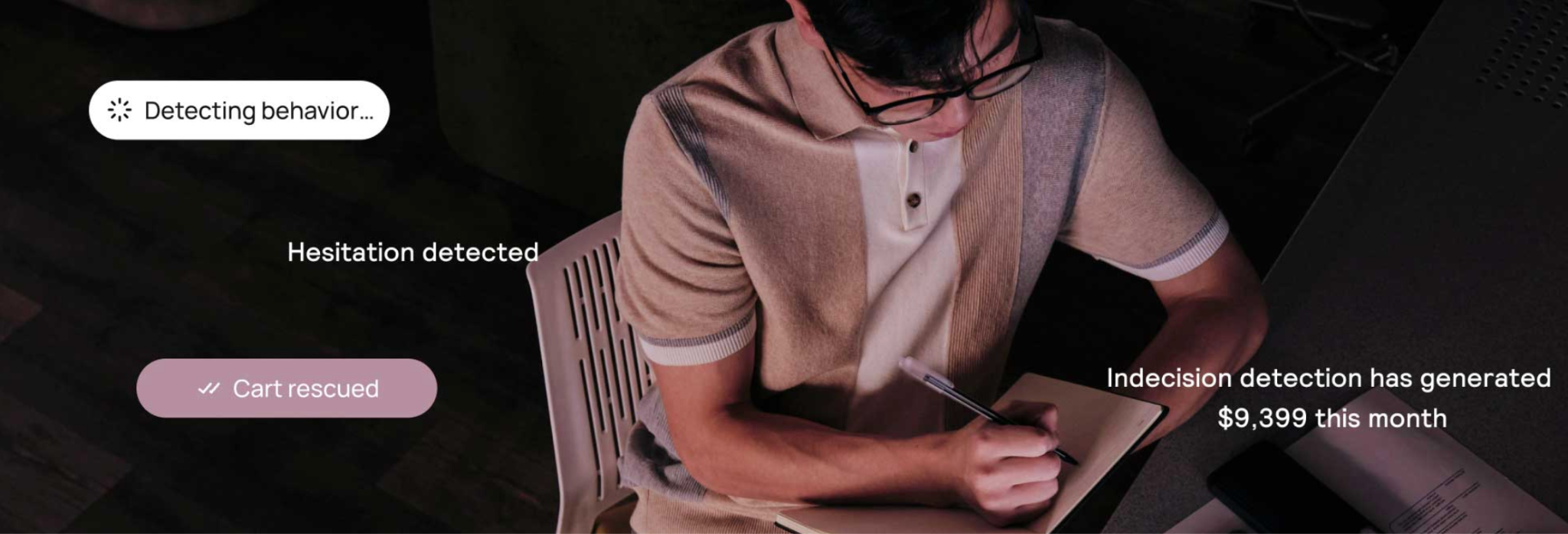
On an out-of-stock page, that conversation can recommend a similar in-stock product, answer questions about restock timing, or collect an email for a back-in-stock alert.
Static page elements wait for the shopper to act first. REP AI identifies disengagement in real time and engages shoppers before they leave. A relevant product recommendation during the session is more likely to recover the sale than a restock email sent weeks later.
- Show stock status in search results with structured data
Adding Product and Offer schema markup to your OOS pages directly tells Google a product's current availability status. Google can then display that information in the search result itself, showing labels like "Out of stock" or "Pre-order" alongside the product name and price.
A shopper who sees "out of stock" in the SERP before clicking through has the right expectation before landing. This reduces the frustration of discovering it on the page and, in pre-order scenarios, can actually increase qualified clicks from shoppers willing to wait.
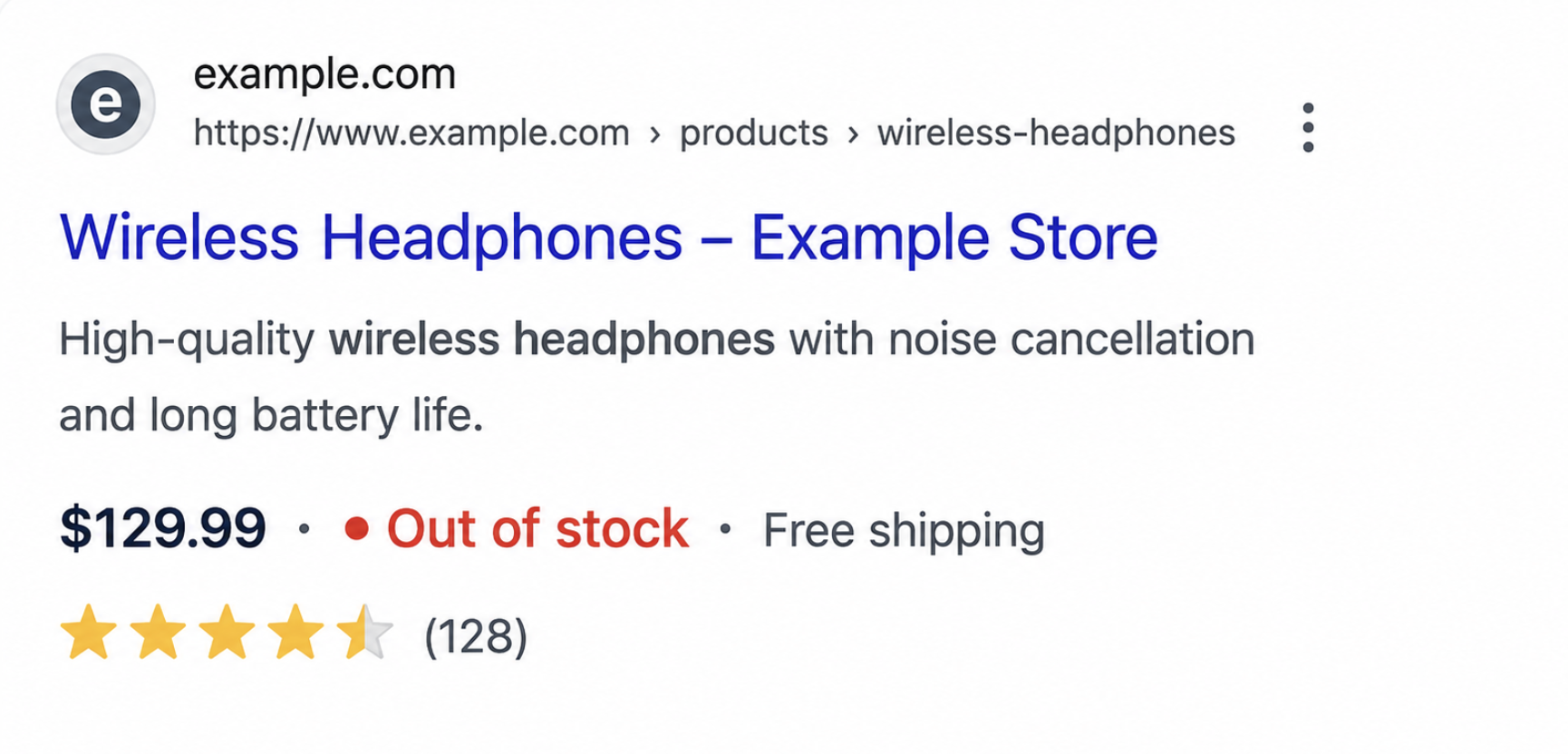
The key field is the availability property inside the Offer schema. The values Google recognizes include InStock, OutOfStock, PreOrder, Discontinued, and BackOrder, each of which maps to a different scenario covered in this guide.
Part 2: Strategies for permanent discontinuations
The following are some strategies for permanent discontinuations:
- Keep the page live and repurpose it
For pages that still draw organic traffic, the goal is to keep them earning without misleading shoppers into thinking the product is available.
Remove the add-to-cart button, add a notice at the top that it's discontinued, and rebuild the page around what it can still offer. This can be:
- Alternative product recommendations.
- Answers to common questions about that product category.
- A comparison with its replacement.
The page stops being a dead end and becomes an entry point to the live catalog. It keeps its rankings, keeps its backlinks, and keeps sending traffic somewhere useful.
- Redirect it to the right page
If the page has no meaningful traffic and no backlinks, a 301 redirect is the cleaner option. Point it to the most relevant destination available. It can be a direct successor product if one exists, or the closest category page if not.
For product lines replaced wholesale, a category-level redirect makes more sense than mapping every discontinued SKU to an individual successor. Before setting anything up, check for existing redirect chains and fix them rather than adding another hop.
Part 3: Cross-selling and UX practices
Here are some cross-selling and UX practices:
- Surface alternatives while the shopper is still on the page
The most important thing an OOS page can do, after clearly communicating status, is to show the shopper where to go next. Alternative product recommendations should appear immediately, above the fold, or directly below the OOS notice.
Placement is only half of it. Relevance is the other half. A generic "you may also like" grid populated by bestsellers from the same category is better than nothing, but not by much.
The alternatives that convert are the ones matched to what the shopper was actually looking for. Think of the same use case, similar price point, and comparable specs.
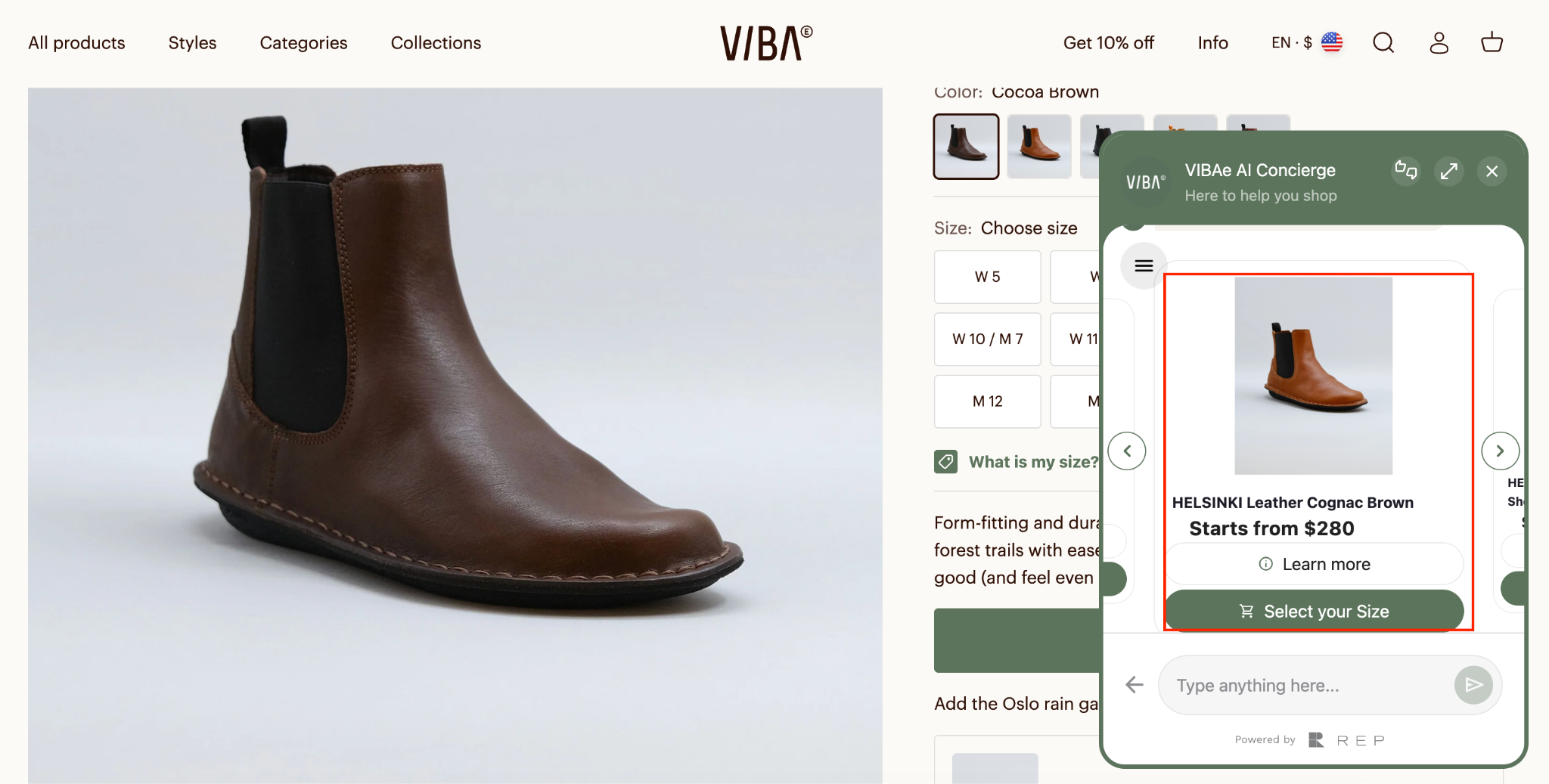
For stores running REP AI, this happens inside the conversation rather than as a static block. When the behavioral algorithm detects disengagement on an out-of-stock (OOS) page, it automatically initiates a chat with the shopper. The chat can display two or three relevant product alternatives, complete with product images, directly within the conversation.
- Redirect buying intent through conversational AI, not popups
Most stores respond to shoppers leaving an out-of-stock page with a pop-up asking them to subscribe or claim a discount. These prompts appear the same way for everyone, regardless of what the shopper was looking for.
Conversational AI responds to the shopper's behavior instead. It recognizes the product they're viewing and engages them with relevant recommendations before they leave.
For example, someone viewing a sold-out jacket can receive a message recommending similar in-stock options, answer questions, and add a product to their cart without leaving the conversation. With REP AI's visual product carousels, shoppers can browse alternatives directly in chat instead of opening new tabs or searching the site again.
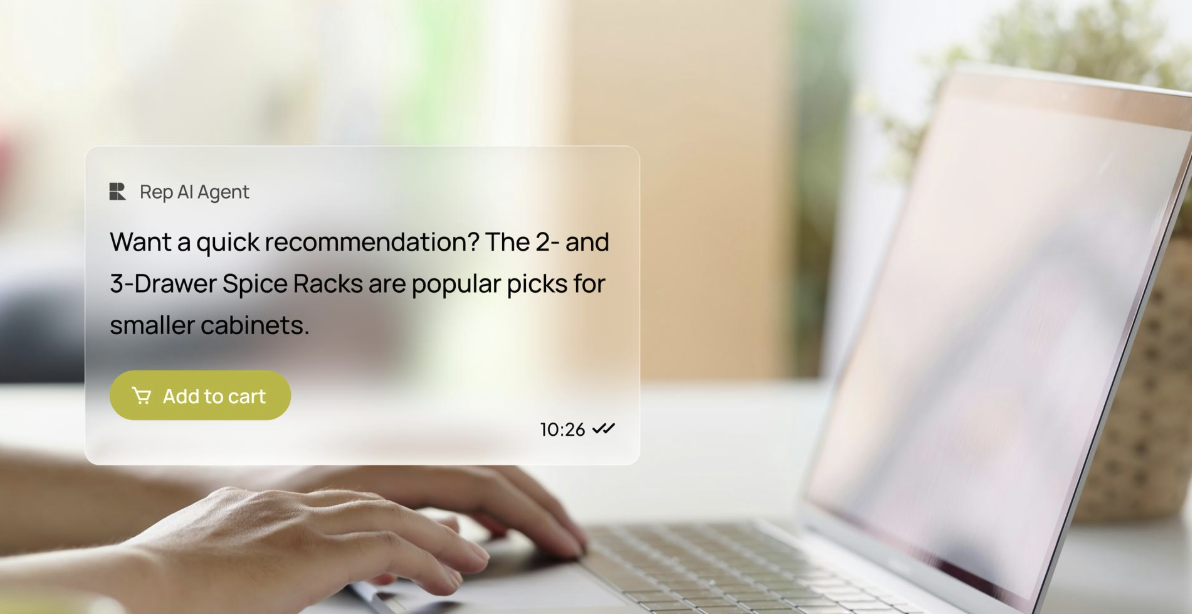
This approach is especially effective on mobile, where pop-ups often block the screen and disrupt the shopping experience. A chat-based recommendation is less intrusive and keeps shoppers engaged.
- Use the OOS moment to cross-sell into adjacent categories
Not every shopper needs the exact product they landed on. Many are simply trying to solve a problem. When a product is out of stock, recommend complementary or adjacent categories that meet the same need.
For example, if a shopper lands on an unavailable espresso machine, suggest coffee grinders, milk frothers, or other coffee makers. Someone looking at a sold-out hiking backpack might also be interested in daypacks or travel backpacks.
Cross-selling only works when they're relevant to the shopper's intent. REP AI uses real-time shopping behavior, including the products viewed, time spent on the page, and questions asked, to recommend products that match the shopper's context. Someone asking about sizing may see different recommendations than someone comparing prices.
Metrics that matter for OOS pages optimization
Optimizing out-of-stock pages is only useful if you can tell whether it's working. These are the six insights worth tracking:
- Waitlist conversion rate: How many shoppers who signed up for a back-in-stock notification actually returned and bought when the product restocked. A low rate usually signals the follow-up email needs work, not the capture form.
- Alternative product CTR: how often shoppers click through to the alternatives surfaced on OOS pages. Low CTR typically means the recommendations aren't relevant enough or not placed prominently enough.
- Recovered sessions: The share of OOS page sessions where the shopper continued browsing or took an action rather than bouncing. This is the clearest overall measure of whether the engagement strategy is working.
- Bounce rate on OOS pages: Best tracked separately from overall site bounce rate. Some bounce is expected; the goal is to bring it down incrementally as the strategies in this guide take effect.
- Restock purchase rate: How many shoppers who received a back-in-stock notification completed a purchase. This closes the loop on the notification strategy and shows whether the captured intent actually converted.
- AI-assisted conversions: For stores running REP AI, the share of OOS page sessions where a conversation led to a purchase, on an alternative product, or after a restock. This is the most direct measure of what behavioral AI is recovering.
How REP AI helps you recover revenue from out-of-stock pages
Most of the strategies in this guide can be implemented without any additional platform. But several of the highest-impact features, such as proactive session recovery, conversational redirects, intent-based Klaviyo segmentation, and merchandising intelligence, depend on real-time shopper behavior. They require a system that can analyze those behaviors instantly and respond automatically. That's what REP AI is built to do.
Here is how it applies specifically to out-of-stock pages:
Rescue Algorithm for disengaged shoppers
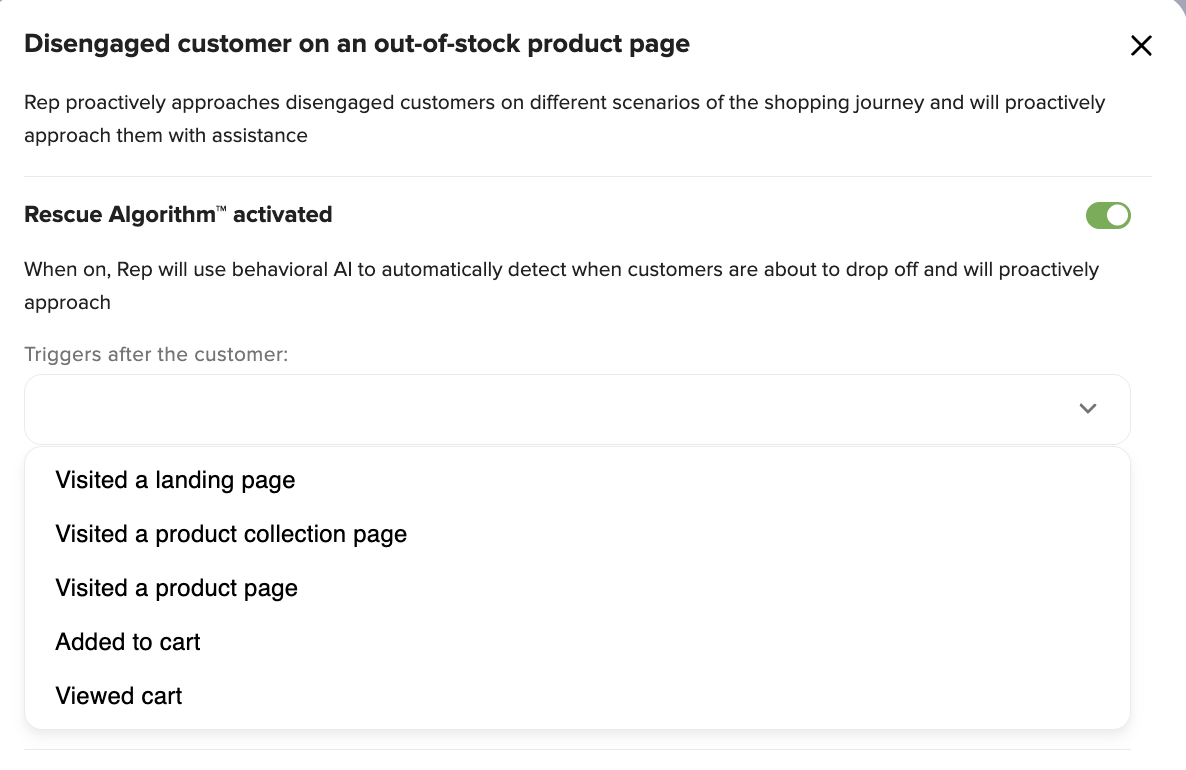
REP AI has a dedicated flow for shoppers who land on an OOS page and are about to leave. When the Rescue Algorithm is activated, it detects drop-off signals in real time and initiates a conversation before the bounce happens.
The trigger is configurable, and the condition is set to engage when a customer has viewed a product where PRODUCT.OUT_OF_STOCK is true.
Suggestion chips for instant next steps
When the conversation opens, shoppers see quick reply options, "Get a discount," "Recommend more", so they have a clear next step without having to type anything.
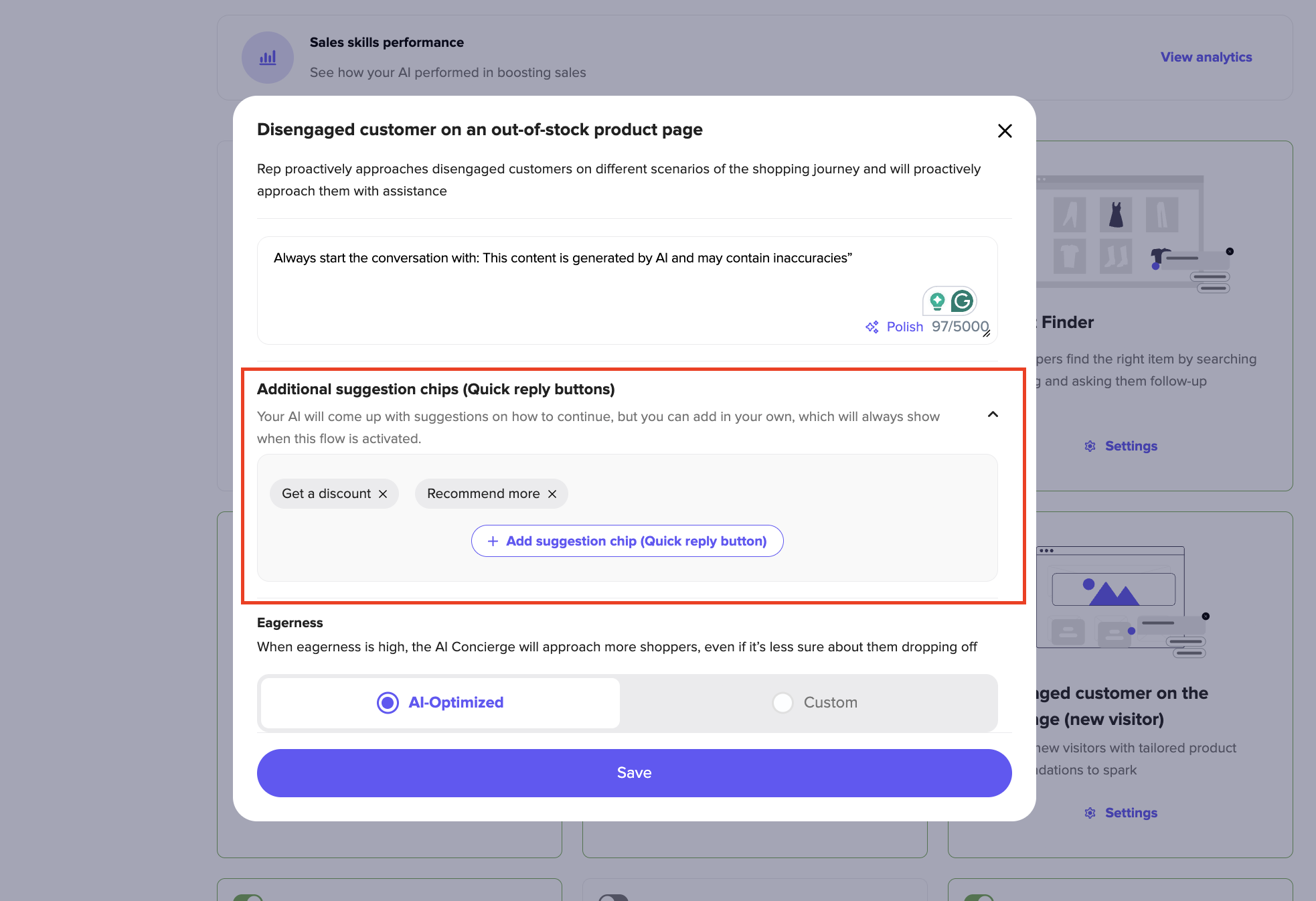
Brands can add their own chips alongside the ones REP AI generates automatically, keeping the experience on-brand while reducing engagement friction.
Deep Research for merchandising intelligence
REP AI's Deep Research identifies patterns across out-of-stock (OOS) page sessions, including which products cause the most shopper drop-off. It also reveals the questions shoppers ask before leaving and highlights missing catalog information that could improve conversions. That data feeds directly into product page updates, restock decisions, and inventory planning.
The Real Opportunity Behind Every Stockout
Running out of stock is unavoidable. Losing the sale because of it is not.
The brands that figure this out stop thinking about out-of-stock pages as an inventory problem and start treating them as a conversion problem. That shift in framing is where most of the opportunity sits.
If you want to see how REP AI handles this on a live Shopify store, start your 114-day free trial.
Frequently Asked Questions
What should an out-of-stock product page include?
At minimum: a clear stock status displayed above the fold, a back-in-stock notification option, and alternative product recommendations. Pages that also include the full product description, specs, and reviews preserve their SEO value and give shoppers enough context to consider an alternative.
Should I delete out-of-stock products from my Shopify store?
For temporary stockouts, no. The page has SEO value, rankings, backlinks, and organic traffic, all of which disappear the moment you delete it. For permanently discontinued products, the right call depends on whether the page still receives traffic or has backlinks. If it does, repurpose it. If it doesn't, a 301 redirect to the most relevant category page is the better option.
What is the difference between out-of-stock and discontinued in e-commerce?
Out-of-stock means the product is temporarily unavailable but will be back in stock. Discontinued means it won't. The distinction matters because they require completely different responses.
An out-of-stock page should focus on session recovery and intent capture, while a discontinued page should focus on SEO preservation and redirecting shoppers to relevant alternatives.
Can AI recover sessions on sold-out product pages?
Yes. REP AI's Rescue Algorithm detects when a shopper on an OOS page is about to leave and initiates a conversation before the bounce happens.
It can automatically redirect shoppers to an in-stock alternative or collect their email for a back-in-stock notification. Moreover, it can answer questions about restock timing without requiring the shopper to take any action first.
What is the best way to notify customers when a product is back in stock?
Email outperforms SMS for restock notifications in most categories, though offering both increases capture rate. The notification should arrive within minutes of the restock, reference the exact product the shopper asked about, and link directly back to the product page.
For Shopify brands using Klaviyo, REP AI's Conversation Sync tags each shopper's profile with what they inquired about. So, the follow-up is targeted to what they actually wanted rather than a generic restock blast.
More from REP AI


Want to see what your store would do with Rep?
Run your real Shopify catalog through the simulator before you commit to anything. No sales call required.

