


8 Shopify Post-Purchase Workflows to Automate With AI
The Shopify post-purchase workflows to automate first are order tracking (WISMO), return and exchange initiation, cancellations, address changes, and proactive delivery notifications. They generate most post-purchase tickets, run on data Shopify already holds, and follow repeatable rules, so an AI agent can resolve them instantly and hand exceptions to your team with full order context.
This guide is the hub for our post-purchase series. It covers all eight workflows worth automating, the order to roll them out in, the escalation rule and metric for each one, and what should stay with a human. Where a workflow has its own deep-dive, we link down to it instead of repeating the detail here.
Key Takeaways
• Post-purchase automation means letting an AI agent read Shopify order, fulfillment, and carrier data to resolve routine questions and actions after checkout, without a human in the loop.
• Roll out in phases: order status first, then cancellations and address changes, then returns and exchanges, then damage claims and refund status.
• Every workflow needs three things before it goes live: a trigger tied to real order data, a written escalation rule, and one metric that proves it works.
• Cancellations and address changes are time-critical. Automate them with hard time limits so they never collide with orders already in fulfillment.
• Measure contacts per 100 orders and 7-day recontact rate, not just deflection. A ticket that comes back is not resolved.
What is post-purchase automation?
Post-purchase automation is the use of software, typically an AI agent connected to your store, to answer and act on customer requests that happen between checkout and the end of the return window. That includes status questions, order changes, returns, claims, and follow-ups.
The distinction that matters is between answering and acting. A basic FAQ bot can tell a shopper your return policy. A post-purchase agent can look up the shopper's actual order, check whether it is inside the return window, and hand back a return link in the same conversation. The second is what removes tickets from your queue.
Post-purchase work suits automation because the answers already exist in Shopify, the carrier feed, and your returns app. The job is to fetch the right fact, apply your policy, and say it plainly.
Which post-purchase workflows should you automate first?
Automate first the workflows that are high-volume, read-only or easily reversible, and fully answerable from Shopify data. Order status meets all three. Save workflows that move money or require judgment, like damage claims, for later phases once your guardrails are proven.
| Workflow | Runs on | Risk if the AI gets it wrong | Rollout phase | Primary KPI |
|---|---|---|---|---|
| Order status (WISMO) | Shopify fulfillment status, carrier tracking | Low: read-only answer | Phase 1 | WISMO contacts per 100 orders |
| Proactive delivery notifications | Carrier events, shipping confirmation | Low | Phase 1 | Contacts per 100 orders shipped |
| Order cancellation | Fulfillment status, time since order | Medium: cancels revenue | Phase 2 | Cancellations completed before fulfillment |
| Shipping address change | Order address, fulfillment status | Medium: misdelivery | Phase 2 | Address changes applied without error |
| Return and exchange initiation | Returns app rules, order date, item category | Medium: policy leakage | Phase 3 | Exchange-to-refund ratio |
| Refund status | Return received date, refund record | Low | Phase 3 | Recontact rate on refunded orders |
| Damaged, missing, or wrong item | Order lines, photos, delivery scan | High: moves money | Phase 4 | Claim resolution time, reship leakage |
| Subscription and reorder changes | Subscription app data | Medium | Phase 4 | Saves vs. cancels |
A practical rollout order looks like this:
- Week one: turn on order status and connect proactive shipping and delivery messages.
- Week two: add cancellations and address changes with strict time windows.
- Weeks three and four: connect your returns app and automate eligibility checks and exchange offers.
- After a month of clean data: add refund status, damage and missing-item intake, and subscription changes.
- Ongoing: review a weekly sample of automated conversations and escalations, then tighten thresholds.
The 8 post-purchase workflows, one by one
For each workflow below you get what it runs on, when it should hand off to a person, the metric to watch, and where a deeper guide exists.
1. How do you automate order tracking (WISMO) on Shopify?
Connect an AI agent to Shopify order and fulfillment data plus carrier tracking, then have it find the order by email or order number, check for risk flags, and translate the tracking state into a plain-language answer. WISMO ("Where is my order?") is the most common post-purchase question; helpdesk vendor Gorgias reports it at 18% of incoming requests on average across its customer data.
It is also expensive to handle by hand. Salesforce estimates that each WISMO ticket costs $5 to $15 in agent time and overhead. Multiply that by your monthly WISMO count to size the prize for your own store.
- Escalate when: the order carries fraud or payment flags, was canceled or refunded, tracking is conflicting, or the parcel is marked delivered but not received.
- Metric: WISMO contacts per 100 orders shipped, plus 7-day recontact rate on the same order.
The full six-step decision flow, carrier-status mapping table, and metric formulas are in our WISMO automation guide for Shopify.
2. How do you automate returns and exchange initiation?
Connect your returns app to the AI agent so it can check the order date, item category, and policy window, then offer an exchange before a refund and share the return link in the conversation. Returns are a large, growing cost: NRF and Happy Returns estimate that 19.3% of online sales will be returned in 2025.
Shopify itself supports self-serve returns, return rules, and exchanges from the Shopify admin, and many brands add a dedicated returns app such as Loop. The automation layer sits on top: it answers the "can I return this?" question conversationally, handles sizing swaps, and only sends a shopper to a refund when an exchange will not fix the problem.
- Escalate when: the request falls outside the window, involves a final-sale or restricted category, or the account shows a pattern of unusual return frequency.
- Metric: exchange-to-refund ratio and share of return requests resolved without an agent.
We cover exchange-first logic, fraud guardrails, and returns KPIs in depth in our guide to AI for handling returns and exchanges.
3. How do you automate order cancellations?
Let the AI check fulfillment status and time since the order was placed, cancel instantly if the order is unfulfilled and inside your window, and explain the next best option if it is not. Cancellations are the most time-sensitive request in post-purchase support: every minute an agent takes to reply is a minute the warehouse might pick and pack the order.
The key design choice is the time limit. Set it shorter than your fastest fulfillment path, not your average one. If an order has already moved to fulfillment, the agent should say so plainly and offer a return once the parcel arrives, rather than promising a cancellation it cannot deliver.
- Escalate when: the order is partially fulfilled, contains a pre-order or custom item, or the shopper disputes a charge.
- Metric: share of cancellation requests completed before fulfillment, and cancellations that slip through after pick.
4. How do you automate shipping address changes?
Allow the AI to update the street, city, or postal code on an unfulfilled order in Shopify, within a time limit you set, and confirm the new address back to the shopper. Address mistakes are usually caught minutes after checkout, which is exactly when a human team is slowest to respond.
Keep the rules tight. Restrict edits to orders that have not entered fulfillment, and consider requiring a match on the order email before any change. Country changes often affect duties, shipping rates, or carrier choice, so route those to a person.
- Escalate when: the change crosses a country border, the order is already fulfilled, or the new address fails validation.
- Metric: address changes applied without a failed delivery, and misdelivery rate on edited orders.
For a closer look at this workflow, see how to automate address changes for faster service.
5. Which proactive shipping notifications reduce tickets?
Send updates at the moments shoppers worry: order confirmed, shipped with tracking, delayed, out for delivery, and delivered. The parcelLab 2025 U.S. ecommerce shipping study notes that keeping customers informed about their orders reduces WISMO calls, and it found that only about 72% of the retailers it studied email customers when a package is delivered.
The delay message is the one most brands skip and the one that prevents the angriest tickets. If tracking has not moved for a set number of days, tell the shopper before they ask, explain what happens next, and give them a way to reply. Any reply should route to the same AI agent that already knows the order.
- Escalate when: the carrier flags an exception that needs a claim, or the shopper replies after a delay notice.
- Metric: contacts per 100 orders shipped, before and after each new notification.
Our guide on enabling customers to track order status on Shopify walks through the order status page and tracking setup.
6. How do you handle damaged, missing, or wrong-item claims?
Automate the intake, not the decision, at first. Have the AI collect the order, the affected line items, and photos, check the delivery scan, and then either apply a clear rule (for example, replace low-value items under a threshold) or route to an agent with everything attached.
These claims move money, so they belong in a later phase. Automating intake alone still helps: agents stop spending the first three messages asking for an order number and a photo.
- Escalate when: order value is above your threshold, the account has prior claims, or photos do not match the item.
- Metric: claim resolution time and duplicate refund-plus-reship leakage.
7. How do you automate refund status updates?
Connect the AI to your returns and refund records so it can tell shoppers when the return was received, when the refund was issued, and how long their bank typically takes to post it. "Where is my refund?" is WISMO's anxious cousin, and it follows the same pattern: the answer already exists, the shopper just cannot see it.
Keep this separate from order tracking. A refund question on an order that has already been refunded should never get a tracking link back. That single mistake is one of the most common signs of a poorly sequenced automation flow.
- Escalate when: the refund failed, is partial without explanation, or has passed your stated processing time.
- Metric: recontact rate on refunded orders.
8. Can you automate subscription and reorder changes?
Yes, if your subscription app exposes the actions through an integration: the agent confirms the subscriber, then skips, pauses, or reschedules the next delivery in chat. For consumables brands this is a retention workflow as much as a support one, because a shopper who can skip a month easily is less likely to cancel outright.
Capabilities vary between subscription apps, so confirm which actions your stack supports. Where one is not supported, the agent should collect the request and hand it off.
- Escalate when: the shopper asks to cancel entirely, disputes a charge, or the subscription has a failed payment.
- Metric: skips and pauses saved vs. outright cancellations.
What should stay with a human agent?
Keep humans on anything that involves judgment about money, risk, or emotion. Automation should handle the predictable and prepare the exceptions, not decide them.
- Orders flagged by fraud or payment-risk tools.
- Delivered-but-not-received cases after the first round of checks.
- High-value damage claims and repeat claimants.
- Policy exceptions, such as a return a few days outside the window for a loyal customer.
- Complaints, chargeback threats, or any shopper who asks for a person.
The quality of the handoff matters as much as the rule. The agent picking up the conversation should see the order, the tracking state, what the AI already told the shopper, and why it escalated.
How do you measure post-purchase automation?
Measure whether contacts are prevented and resolved, not just deflected. Normalize every metric by order volume so growth and peak season do not hide problems.
| Metric | How to calculate it | What it tells you |
|---|---|---|
| Contacts per 100 orders | Post-purchase tickets ÷ orders shipped × 100 | Whether you are preventing questions, not just answering them |
| Containment rate | Conversations resolved with no human reply ÷ total conversations | How much the AI handles end to end, by workflow |
| 7-day recontact rate | Shoppers who contact again about the same order within 7 days ÷ resolved conversations | Whether the first answer actually resolved the issue |
| Exchange-to-refund ratio | Exchanges ÷ refunds on return requests | How much return revenue you retain |
| Refund and reship leakage | Orders with both a refund and a reship, or a refund while in transit | Whether unclear tracking is costing you money |
| CSAT on automated conversations | Average post-chat rating for AI-resolved conversations | Shopper sentiment, read alongside recontact rate |
Where Rep AI fits in a post-purchase stack
Rep AI's AI Support Agent handles these workflows through Support Skills, individual automations you switch on and configure. Order Status finds the order in Shopify and returns fulfillment stage, carrier, and tracking links. Cancel Order and Change Order Address run with time limits you set. Returns and Exchanges connects to Loop to check eligibility and share the return link in chat.
Escalations go to the helpdesk you already use, including Gorgias, Zendesk, Kustomer, Freshdesk, and Richpanel, with the conversation attached. Conversation attributes also sync to Klaviyo, so a shopper whose parcel was delayed can get a different follow-up from one whose order arrived early. Across Rep AI customers, the company reports a 50–70% reduction in support tickets. For one example, VIBAe keeps its support team lean while selling in 150 countries, with a 97% resolution rate and 99% customer satisfaction.
From support cost to retention
The post-purchase window is where a first-time buyer decides whether to come back. Fast, accurate answers on tracking and returns are table stakes; the upside comes from what you do with the data. Every WISMO, return, and claim conversation tells you something about a product, a carrier, or a promise on your product page.
Tag those conversations by reason, then act on the patterns: fix the size guide on the SKU with the most fit-related exchanges, adjust the delivery estimate on the route with the most delay contacts, and trigger review requests only for shoppers whose delivery went smoothly. Our guide to AI for customer retention for DTC brands goes further on turning these signals into repeat purchases.
FAQs
What is Shopify post-purchase automation?
Shopify post-purchase automation is the use of an AI agent or workflow tools connected to your store to handle requests after checkout, such as order tracking, cancellations, address changes, returns, and refund status. The agent reads Shopify and carrier data, applies your policies, and escalates exceptions to your team.
Which post-purchase workflow should I automate first?
Start with order status (WISMO). It is high-volume, read-only, and fully answerable from Shopify fulfillment and carrier data, so the risk of a wrong answer is low. Add proactive shipping notifications at the same time, then move to cancellations and address changes with strict time limits.
What post-purchase requests should stay with a human agent?
Keep humans on fraud-flagged orders, delivered-but-not-received cases after initial checks, high-value damage claims, repeat claimants, policy exceptions, and any shopper who asks for a person. Automation should gather the order details and photos first so the agent can resolve the case in one reply.
Can an AI agent process returns and exchanges on Shopify?
Yes. Connected to a returns app such as Loop, an AI agent can check the order date, item category, and return window, offer an exchange, and share the return link in the conversation. Requests outside policy or with unusual return patterns should escalate to your team.
How do I know if post-purchase automation is working?
Track contacts per 100 orders, containment rate by workflow, and 7-day recontact rate on the same order. Pair CSAT with recontact rate, because a shopper who returns with the same question was not really helped. For returns, watch the exchange-to-refund ratio.
How do cancellation and address-change automations avoid fulfillment errors?
They check fulfillment status in real time and only act inside a time window you define. Set the window shorter than your fastest fulfillment path. If the order has already moved to fulfillment, the agent explains that and offers the next best option, such as a return after delivery.
Post-purchase automation works best when you roll it out in phases, give each workflow a clear escalation rule, and measure recontacts as closely as deflection. If you want to see these workflows running on your own Shopify data, start your 14-day free trial. No credit card is required, and you can cancel anytime.
More from REP AI

AI Agent for Magento 2: How to Evaluate the Right Solution in 2026
The wrong AI agent for Magento 2 can create more work than it removes: shoppers get unreliable answers, and sales conversations end before they lead anywhere. Start with a practical question: can the agent access the store information it needs to respond accurately?Magento compatibility isn’t a box...

AI Agent for BigCommerce Stores: What to Evaluate Before You Choose
The best AI agent for your BigCommerce store isn’t necessarily the one with the longest feature list. It’s the one that fits your setup and helps shoppers move toward a purchase. A polished demo can’t confirm how an agent connects to your catalog, what shopper data it can access, or whether it suppo...
AI for Customer Retention: A Guide for DTC Brands
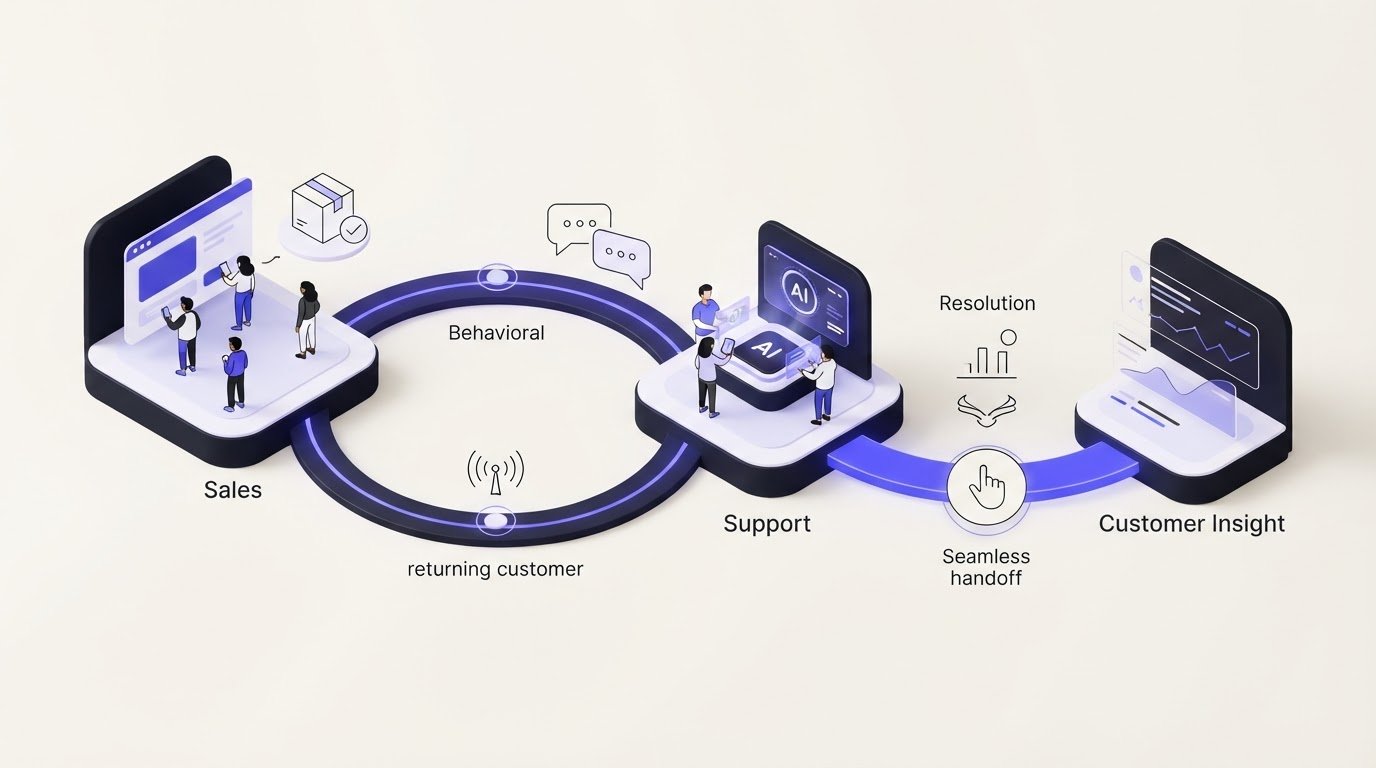
What if the best way to keep a customer isn’t another automated message, but a more useful response at the moment they need help? Advanced AI for customer retention should connect behavioral signals with sales and support context, not simply add more automation to an already fragmented experience.DT...
Want to see what your store would do with Rep?
Run your real Shopify catalog through the simulator before you commit to anything. No sales call required.

